
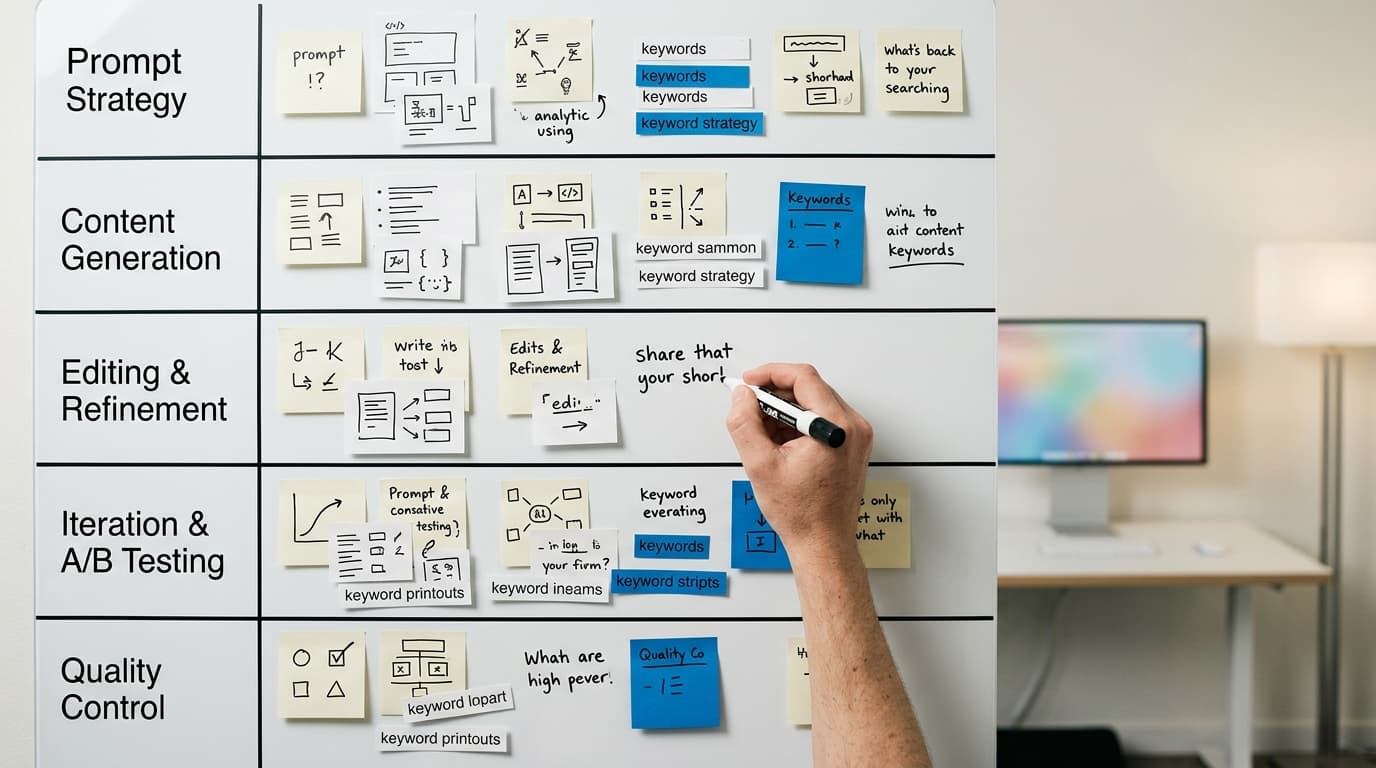
The Five Essential Prompts for an SEO-Ready AI Content Brief
An AI content brief is a set of instructions given to a large language model (LLM) to generate an SEO-optimized article. The five essential prompts for this brief are: Persona Definition, Core Task & Topic, Structure & Outline, SEO Guardrails, and Voice & Tone. These prompts transform a generic AI request into a targeted, brand-aligned asset ready for your content calendar.
Why Standard AI Prompts Fail at SEO Content
You’ve tried it. You asked ChatGPT, Claude, or Gemini to "write a blog post about X," and you received a well-written, grammatically correct, and utterly useless article. It sounds plausible, but it ranks for nothing, converts no one, and has no discernible point of view. It’s content that fills space but doesn't perform.
The problem isn’t the AI. The problem is the prompt. A generic request yields a generic result because the AI lacks the business context, audience knowledge, and strategic goals that turn words into assets. It doesn't know who your reader is, what they need to know, what you want them to do next, or how you sound when you speak to them. It has no brand voice, no target keyword, and no understanding of search intent.
An effective AI-assisted content workflow isn't about replacing your content team with a single text box. It's about building a system that provides the AI with the same detailed instructions you would give a top-tier freelance writer. This system is your AI content brief. It’s a structured document, built from a series of specific prompts, that provides the necessary guardrails for the AI to create content that serves a strategic purpose. Without it, you’re just generating noise.
In WorkspaceCMS, we built our AI-assisted features around this principle. Our platform guides you through creating these structured briefs, storing them as templates, and connecting them directly to your content calendar. This approach establishes a repeatable, scalable AI content pipeline for automated blog publishing. It’s the difference between randomly pulling a lever and operating a precision machine.
The Five Prompts That Build Your Content Engine
A high-performing AI content brief is assembled from five distinct types of prompts. Each prompt provides a critical layer of context. When combined, they give the language model a comprehensive "job description" for the article it needs to create. Think of them as building blocks: you define each one, and together they form the foundation for predictable, SEO-ready content.
These are the five essential prompts:
- Persona Definition Prompt: Who is this article for? This prompt defines the target reader in detail.
- Core Task & Topic Prompt: What is this article about, and what should it achieve? This prompt clarifies the subject matter and search intent.
- Structure & Outline Prompt: How should the article be organized? This prompt dictates the flow, headings, and key points.
- SEO Guardrails Prompt: Which keywords and entities must be included? This prompt provides the specific on-page SEO requirements.
- Voice & Tone Prompt: How should the article sound? This prompt ensures the final output aligns with your brand identity.
Let's break down how to construct each of these prompts for maximum impact.
1. The Persona Definition Prompt
Before you can write for someone, you must know who they are. The Persona Definition Prompt forces you to articulate your target reader for the AI. This is the single most important step for moving beyond generic content. A detailed persona helps the AI choose the right vocabulary, assume the correct level of prior knowledge, and focus on the problems that actually matter to the reader.
A weak persona prompt is vague: "Write for small business owners." This is useless. The owner of a local coffee shop has vastly different challenges than the founder of a 50-person SaaS company.
A strong persona prompt is specific and multi-faceted. It includes demographics, psychographics, goals, and pain points.
Key elements to include in your Persona Definition Prompt:
- Job Title and Industry: Be precise. "Marketing Manager at a B2B tech company with 50–250 employees" is much better than "marketer."
- Primary Goal: What is the main objective this person is trying to achieve related to your topic? Example: "Their primary goal is to increase qualified demo requests from their company's blog without increasing ad spend."
- Biggest Challenge: What obstacle is preventing them from reaching their goal? Example: "Their biggest challenge is a lack of time and developer resources to manage a complex, plugin-heavy WordPress site."
- Knowledge Level: Are they a beginner, intermediate, or expert on this topic? This dictates the depth and terminology the AI should use. Example: "They have an intermediate understanding of SEO concepts like keywords but are beginners when it comes to technical SEO or API integrations."
- Where They Get Information: What blogs, social media platforms, or influencers do they trust? This helps the AI understand the conversational context and style they are used to. Example: "They read the HubSpot Marketing Blog, follow Ahrefs on X (formerly Twitter), and are members of the 'SaaS Growth Hacks' Facebook group."
Example Persona Definition Prompt:
Persona: "Agency Annie"
You are writing for Annie, a Project Manager at a digital marketing agency with 15 employees. Her agency manages websites, SEO, and content for 20–30 small to medium-sized business clients, mostly in the home services industry (plumbers, HVAC, etc.).
Her Goal: To streamline the agency's content production workflow. She wants to deliver monthly blog posts for each client on time and on budget, without having to constantly chase writers or get bogged down in endless revision cycles.
Her Challenge: Her current process is a chaotic mix of Google Docs for writing, Asana for tracking, email for approvals, and manually logging into 20+ different client WordPress dashboards to publish. It's inefficient and error-prone.
Her Knowledge Level: She is an expert in project management but has an intermediate understanding of SEO. She knows what a meta description is but wouldn't know how to edit a .htaccess file. She needs practical, operational advice, not high-level marketing theory.
Information Sources: She follows project management experts on LinkedIn and reads agency-focused blogs like The Agency Management Institute and Workamajig's blog.
By providing this level of detail, you're not just telling the AI who to write for. You're giving it the context to understand why they are reading, what problems they face, and what a "helpful" answer looks like to them. This is the first step in creating an AI content pipeline that produces genuinely useful articles.
2. The Core Task & Topic Prompt
With the persona defined, the next step is to tell the AI what the article is about and, crucially, what you want the reader to learn or do. This prompt covers the topic, the target keyword, and the underlying search intent. Getting this right ensures the article directly answers the user's query, which is a fundamental requirement for ranking in 2026.
Search intent is the "why" behind a search query. It generally falls into four categories:
- Informational: The user wants to learn something (e.g., "how does photosynthesis work").
- Navigational: The user wants to go to a specific website (e.g., "youtube").
- Transactional: The user wants to buy something (e.g., "buy nike air force 1").
- Commercial Investigation: The user is comparing products before buying (e.g., "workspace cms vs webflow").
Your Core Task & Topic Prompt must clearly state the target keyword and the intent you are targeting. This prevents the AI from creating an informational listicle when you need a persuasive comparison post.
Key elements to include in your Core Task & Topic Prompt:
- Primary Keyword: State the main search term you are targeting. Example: "The primary keyword for this article is 'content calendar automation'."
- Secondary Keywords: List three to five related terms or long-tail keywords. This helps the AI build topical relevance. Example: "Include the secondary keywords: 'automated blog publishing', 'social media scheduling tool', and 'content pipeline'."
- Search Intent: Explicitly define the intent. Example: "The search intent is informational. The reader wants to understand what content calendar automation is, its benefits, and the types of tools available."
- Core Task for the AI: Give a clear, concise instruction. This is the "verb" of your prompt. Example: "Your task is to write a comprehensive guide that explains the benefits of content calendar automation for busy marketing teams. The goal is to educate the reader and position WorkspaceCMS as a logical all-in-one solution."
- Call to Action (CTA): What should the reader do after finishing the article? Example: "Conclude the article with a call to action encouraging the reader to 'See How WorkspaceCMS Automates Your Content Calendar' with a link to our features page."
Example Core Task & Topic Prompt:
Core Task & Topic: Guide to Content Calendar Automation
Primary Keyword: 'content calendar automation'
Secondary Keywords: 'ai content pipeline', 'automated blog publishing', 'schedule and forget', 'marketing automation tools'
Search Intent: Informational, with a commercial investigation undertone. The reader is looking for a solution to their chaotic content process. They need to understand the concept first, then see what tools can help.
Core Task: Write a 2,500-word definitive guide for "Agency Annie" (our persona) on the topic of content calendar automation. Explain the pain points it solves (missed deadlines, inconsistent publishing, manual work). Detail the key features of an automation platform, such as integrated writing, SEO scoring, approval workflows, and automatic publishing to a blog and social media from one dashboard. Frame the problem in a way that our all-in-one platform, WorkspaceCMS, is the clear solution without making it a hard sales pitch.
Call to Action: End with a section titled "Your Next Step: Unify Your Workflow" that directs readers to explore the WorkspaceCMS content calendar feature page.
This prompt leaves no room for interpretation. The AI knows the exact topic, the keywords to prioritize, the user's goal, and the business's goal. This level of clarity is non-negotiable for building an effective AI SEO content workflow.
3. The Structure & Outline Prompt
An unstructured wall of text will never rank, no matter how well-written. Search engines and human readers alike rely on clear structure: headings, subheadings, lists, and logical flow. The Structure & Outline Prompt allows you to control the architecture of the article before a single sentence is written.
Do not let the AI decide the outline for an important article. You, the strategist, should determine the key talking points based on your keyword research and understanding of the reader's journey. Your SERP analysis should inform this: what questions are competitors answering? What are the "People Also Ask" boxes showing? Use this intelligence to build a superior outline.
A great outline prompt provides the full hierarchy of the article, usually with H2s and H3s, and often includes brief notes on what each section should cover.
Key elements to include in your Structure & Outline Prompt:
- Full Hierarchical Outline: Provide the exact H2 and H3 headings you want the article to use.
- Section-Specific Instructions: For complex sections, add a short sentence explaining the goal or key information to include.
- Data and Examples: Instruct the AI on where to include specific data points, examples, or anecdotes. Example: "In the section 'The Cost of Manual Publishing,' include a bulleted list of hidden costs like time spent logging into sites, human error in formatting, and developer fees for minor changes."
- Internal Linking Cues: Indicate where to link to other relevant content on your site. Example: "In the H3 about SEO, link the phrase 'SEO-ready out of the box' to our blog post on built-in SEO tools."
Example Structure & Outline Prompt:
Article Structure and Outline
Please generate the article using the following structure. Follow the H2 and H3 hierarchy precisely.
<h2>Why Your Spreadsheet Content Calendar Is Costing You Money</h2>(Focus on the pain points of manual processes: missed deadlines, version control issues, no single source of truth. Use the "Agency Annie" persona's frustrations.)
<h2>What Is Content Calendar Automation?</h2>(Provide a clear, simple definition. Contrast it with the manual process described above.)
<h2>The Five Pillars of a True Automation Platform</h2>(This is the core of the article. Dedicate an H3 to each pillar.)
<h3>1. Unified Content Creation and Planning</h3>(Discuss the benefit of having the writing, editing, and calendar in one dashboard.)
<h3>2. Built-in SEO Optimization</h3>(Talk about real-time SEO scoring, keyword suggestions, and meta description generation. Link 'built-in SEO' to our features page.)
<h3>3. Automated Publishing and Scheduling</h3>(Explain the concept of 'schedule and forget.' Mention publishing to a blog and multiple social channels simultaneously.)
<h3>4. Integrated Approval Workflows</h3>(Describe how managers or clients can review, comment, and approve content within the same platform, eliminating email chains.)
<h3>5. Performance Analytics in One Place</h3>(Mention the importance of seeing page views, engagement, and keyword rankings next to the content itself.)
<h2>WorkspaceCMS vs. The "Plugin-Stitched" Method</h2>(Create a comparison table. Column 1: Feature (e.g., SEO Tools, Social Scheduling, Approvals). Column 2: WorkspaceCMS (e.g., 'Built-in, no plugins needed'). Column 3: Typical WordPress Setup (e.g., 'Requires Yoast + CoSchedule + Google Docs').)
<h2>Your Next Step: Unify Your Workflow</h2>(This is the CTA section. Summarize the benefits and guide the reader to our product page.)
This prompt is effectively a pre-written skeleton of the article. The AI's job is to flesh it out with high-quality prose, connecting the dots you've laid out. This method gives you complete strategic control over the final product while still benefiting from the speed of AI generation.
4. The SEO Guardrails Prompt
An article can have a great structure and target the right persona, but if it fails basic on-page SEO, it will remain invisible. The SEO Guardrails Prompt provides the AI with a checklist of technical and content-based SEO requirements. This ensures the output is not just well-written but also machine-readable and optimized for your target keywords.
This is where you translate your keyword research from a spreadsheet into actionable instructions. You must be explicit. Don't just give the AI a list of keywords; tell it how and where to use them.
Key elements to include in your SEO Guardrails Prompt:
- Primary Keyword Placement: Specify where the main keyword must appear. The standard best practice is to include it in the SEO Title, the meta description, the H1 (which is usually the article title), at least one H2, and within the first 100 words of the introduction.
- Secondary Keyword Distribution: Instruct the AI to naturally weave the secondary keywords throughout the body of the text, particularly in subheadings (H3s) where relevant.
- Entity Inclusion: List any important named entities (people, companies, products, concepts) that Google associates with this topic. For our example, entities might include "WordPress," "Asana," "Google Docs," and "CoSchedule." Including these demonstrates topical breadth and depth.
- Meta Information Generation: Ask the AI to write the meta title and meta description for you, adhering to character limits. This is a huge time-saver.
- SEO Title: "Generate an SEO title under 60 characters. It must contain the primary keyword 'content calendar automation'."
- Meta Description: "Generate a meta description under 160 characters. It must be an active, compelling summary of the article, include the primary keyword, and end with a call to action like 'Learn more'."
- Internal and External Linking: While you noted some internal links in the outline prompt, you can add more general rules here. Example: "Include at least three internal links to other relevant posts on the WorkspaceCMS blog. Include one external link to a non-competitive, authoritative source like a recent industry study on content marketing trends from the Content Marketing Institute."
Example SEO Guardrails Prompt:
SEO Guardrails and Requirements
- Primary Keyword Usage: The primary keyword, 'content calendar automation', must appear in the following locations:
- SEO Title
- Meta Description
- Article H1 Title
- The first paragraph (within the first 100 words)
- At least one H2 subheading
- Secondary Keywords: Naturally incorporate the secondary keywords ('ai content pipeline', 'automated blog publishing', 'schedule and forget') throughout the article text and subheadings. Do not force them.
- Entity Inclusion: Mention the following entities where contextually appropriate: WordPress, Google Calendar, Trello, Asana, and CoSchedule, primarily in the context of comparing a disjointed workflow to an all-in-one solution.
- Meta Information: At the end of your response, provide the following:
- SEO Title: An SEO-friendly title, under 60 characters, containing the primary keyword.
- Meta Description: A compelling meta description, under 160 characters, containing the primary keyword.
- Linking: Include placeholder tags for internal links, like
[Link to: Built-in SEO Tools]. Add one external link to a 2025 or 2026 study about content marketing efficiency.
These guardrails act as an automated SEO checklist for the AI. It systematizes on-page best practices, ensuring every piece of content published through your pipeline meets a minimum standard of optimization from the moment it's created. This is a core component of making an AI SEO content workflow truly scalable.
5. The Voice & Tone Prompt
The final layer is brand personality. Two articles can be perfectly optimized and structured, yet one can be engaging and memorable while the other is dry and forgettable. The Voice & Tone Prompt is your tool for ensuring the AI's output sounds like it came from your brand, not a robot.
This prompt is arguably the most nuanced and may require some iteration. The best way to develop it is to analyze your own top-performing content. What characteristics does it share? Is it formal or conversational? Humorous or serious? Simple or academic?
A weak voice prompt uses subjective, unhelpful words: "Write in a friendly and professional tone." This means nothing to an AI.
A strong voice prompt provides concrete, actionable rules and examples.
Key elements to include in your Voice & Tone Prompt:
- Guiding Principles (Do's): Provide a list of positive attributes. Use the "Confident and practical" language from our brand voice. Examples: "Be direct and get to the point quickly," "Use the active voice," "Address the reader as 'you'."
- Negative Constraints (Don'ts): List things the AI should avoid. This is often more powerful than the Do's. Examples: "Do not use corporate jargon like 'synergy' or 'leverage'," "Avoid hedging language like 'might' or 'could'," "Do not use rhetorical questions."
- Sentence and Paragraph Structure: Give specific rules about length and complexity. Example: "Keep most sentences under 25 words. Paragraphs should be short, no more than four to five sentences."
- Vocabulary and Style Guide: Mention any specific brand terminology or style choices. Example: "Our product is always 'WorkspaceCMS', never 'WorkspaceCMS'. Use the Oxford comma. Spell out numbers one through nine."
- An Exemplar Snippet: Provide a short (two-three sentence) example of your writing that the AI can use as a "gold standard" reference. Example: "Here is an example of our voice: 'WorkspaceCMS exists because every website team deserves a single place to write, schedule, and publish. We built the CMS we always wished existed: one that understands that publishing a blog post and updating social media should be one action, not five tabs.'"
Example Voice & Tone Prompt:
Voice, Tone, and Style Guide
Adopt the WorkspaceCMS brand voice for this article. The tone is confident, practical, and helpful, speaking to a busy professional who wants straight answers.
Follow these rules:
- Do:
- Address the reader directly as "you."
- Use the active voice.
- Keep sentences short (under 25 words).
- Use short paragraphs (3-5 sentences).
- Be direct and avoid preambles or throat-clearing.
- Don't:
- Do not use jargon like 'holistic', 'synergy', 'leverage', or 'paradigm shift'.
- Do not use passive voice.
- Do not use hedging words like 'perhaps', 'might', or 'could'. Be confident in your statements.
- Do not ask rhetorical questions to start paragraphs.
- Style:
- The product name is always WorkspaceCMS.
- Use the Oxford comma.
- Spell out numbers one through nine; use digits for 10 and above.
Example of our voice: "You need a single place to write, schedule, optimize, and publish. Stitching together 12 plugins, fighting version conflicts, and waiting on a developer for a headline change is no longer a viable workflow."
When you combine this prompt with the other four, you have created a complete content brief. The AI now knows its audience, its goal, its structure, its SEO targets, and its personality. The result will be an article that is leagues ahead of a simple "write about X" request: a strategically sound, SEO-ready piece of content that genuinely reflects your brand.
Building Your AI Content Brief Template
The true power of this five-prompt system comes from turning it into a repeatable template. You shouldn't be writing these prompts from scratch for every article. Instead, create a master brief template where sections like the Persona and Voice & Tone are mostly fixed, and you only need to update the Topic, Outline, and SEO Guardrails for each new piece of content.
This is precisely how our platform is designed. Within WorkspaceCMS, you can save your briefs as templates. When it's time to plan the next month's content, you simply select your "Agency Annie Blog Post" template, fill in the new keywords and outline, and add it to the content calendar. Our AI-assisted tools then use that brief to generate a draft directly within the CMS, ready for review and publishing.
This system transforms your content creation from a series of one-off creative tasks into a predictable, scalable content pipeline. It ensures consistency, enforces SEO best practices, and dramatically reduces the time from idea to publication. This is how you achieve true content calendar automation.
AI Content Brief FAQ
What is an AI content brief?
An AI content brief is a detailed set of instructions and constraints given to an AI language model to guide it in creating a specific piece of content, like a blog post. It goes far beyond a simple prompt, providing context on the target audience, SEO keywords, desired structure, brand voice, and overall goal of the article.
Can AI write content that ranks on Google?
Yes, AI-generated content can rank on Google, provided it is high-quality, relevant, and meets search intent. Google's official stance is that it rewards high-quality content, regardless of how it is produced. Using a detailed AI content brief is the key to ensuring the output is strategic and optimized, rather than generic spam.
How long should an AI content brief be?
A good AI content brief is typically between 500 and 1,000 words. It needs to be detailed enough to provide clear guardrails for the AI across all five key areas: persona, core task, structure, SEO, and voice. The goal is clarity and specificity, not brevity. In platforms like WorkspaceCMS, this is managed through structured fields, making it easy to build a comprehensive brief quickly.
Does using AI for content creation replace human writers?
No, it changes their role. An AI-assisted content workflow elevates the human from a pure writer to a strategist and editor. The human's job is to conduct the research, understand the audience, define the strategy, create the brief, and then refine and fact-check the AI-generated draft. This allows content teams to produce more strategic content faster.
What is the most important part of an AI content brief?
While all five prompts are essential for a complete brief, the Persona Definition Prompt is arguably the most critical starting point. If the AI doesn't know who it's writing for, every other instruction (vocabulary, tone, examples, pain points) will be based on a flawed foundation, resulting in generic and ineffective content.

Get your AI visibility audited.
We run a live audit of your site, PageSpeed, llms.txt, and AI visibility score, then tell you exactly what to fix.
¿Quieres el panorama completo? Browse more posts