
Every tool. Shown before you sign up.
Real data, real controls, nothing behind a demo request. Scroll and see every tool working.
- ★★★★★ 4.9 · 941+ reviews
- Google Partner
- SEO since 2012

Self-serve tools, set up for you
We handle setup at launch, and managed updates cover copy, images and posts you provide (see exactly what’s included). Which tools you get depends on your plan, and day-to-day use is yours unless you’ve added a managed campaign.
AI tools use AI Credits
AI-assisted actions, such as drafting a blog post, each article Blog Automation writes, rewriting copy, suggesting meta or alt text, the monthly AI content review or an extra AI Visibility scan, use AI Credits from your plan’s monthly allowance (100 on Essentials, 400 on Growth, 1,200 on Premium and 1,600 on Ultra). The cost shows on the button before you use it. Anything you do by hand, without AI, doesn’t use credits, so editing your own pages and posts is unlimited. See what each AI action costs.
Google & AI
Get found on Google and AI assistants
Checkups, search settings and AI visibility, so people can find you.
Google & AI
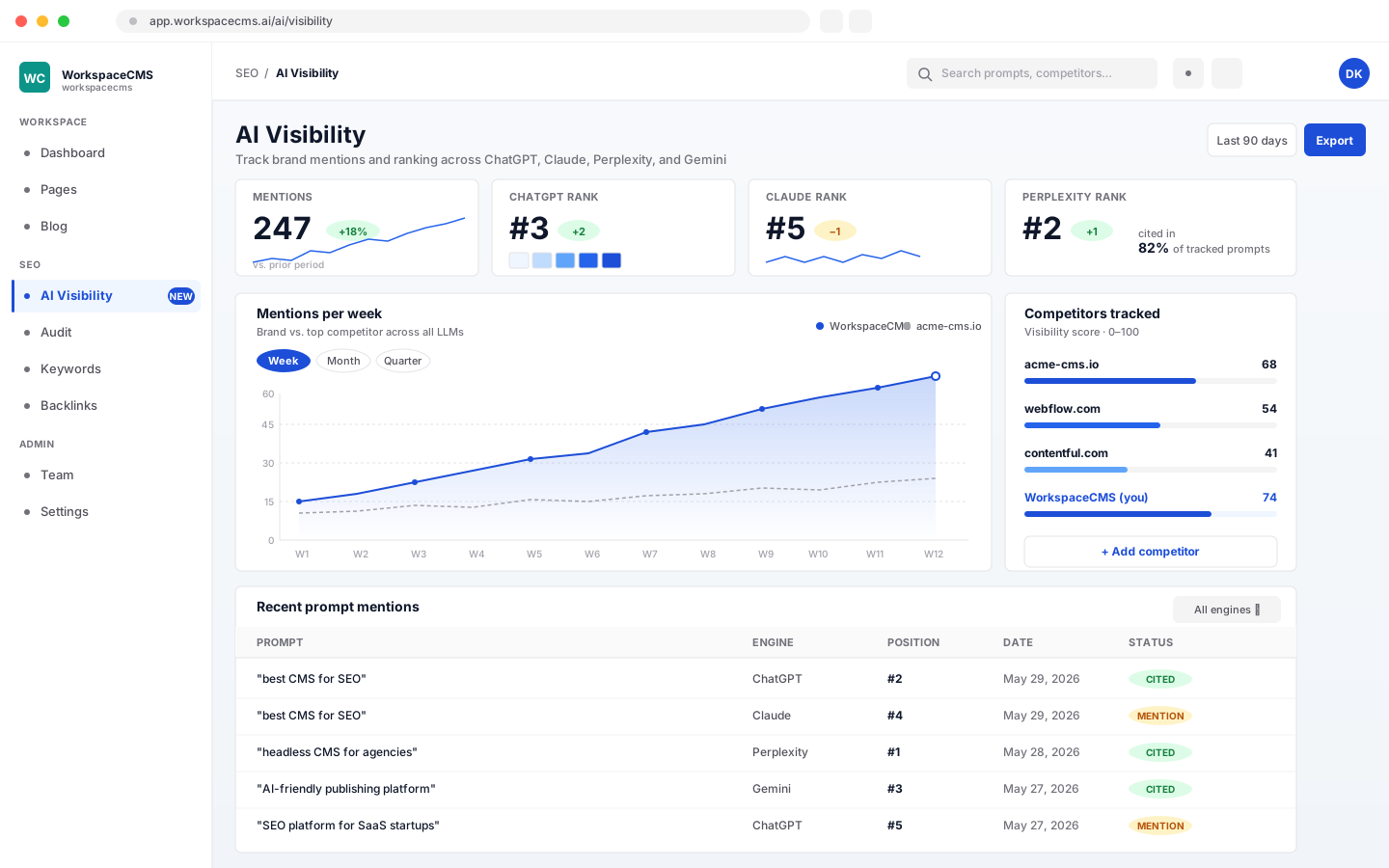
AI Visibility Tracker
See whether AI assistants recommend your business when people ask, and who they recommend instead. The AI Visibility Tracker checks your target prompts across five engines (ChatGPT, Claude, Perplexity, Gemini, and Google AI Overviews), with citation history and competitor gaps. One scan a month is included; extra scans cost 25 AI credits each, up to 3 scans a day in all. It's a monitoring tool you check yourself, not a managed optimization service.
- ✓One scan a month across ChatGPT, Claude, Perplexity, Gemini, and Google AI Overviews, included
- ✓Extra scans any time, 25 AI credits each (up to 3 scans a day in all)
- ✓Scan-by-scan history, plus each engine's full answer and the sites it cited
- ✓See where you appeared, and where a competitor did instead
- ✓A monthly report email, if you switch it on
See how the AI Visibility Tracker works
Google & AI
Site Audit
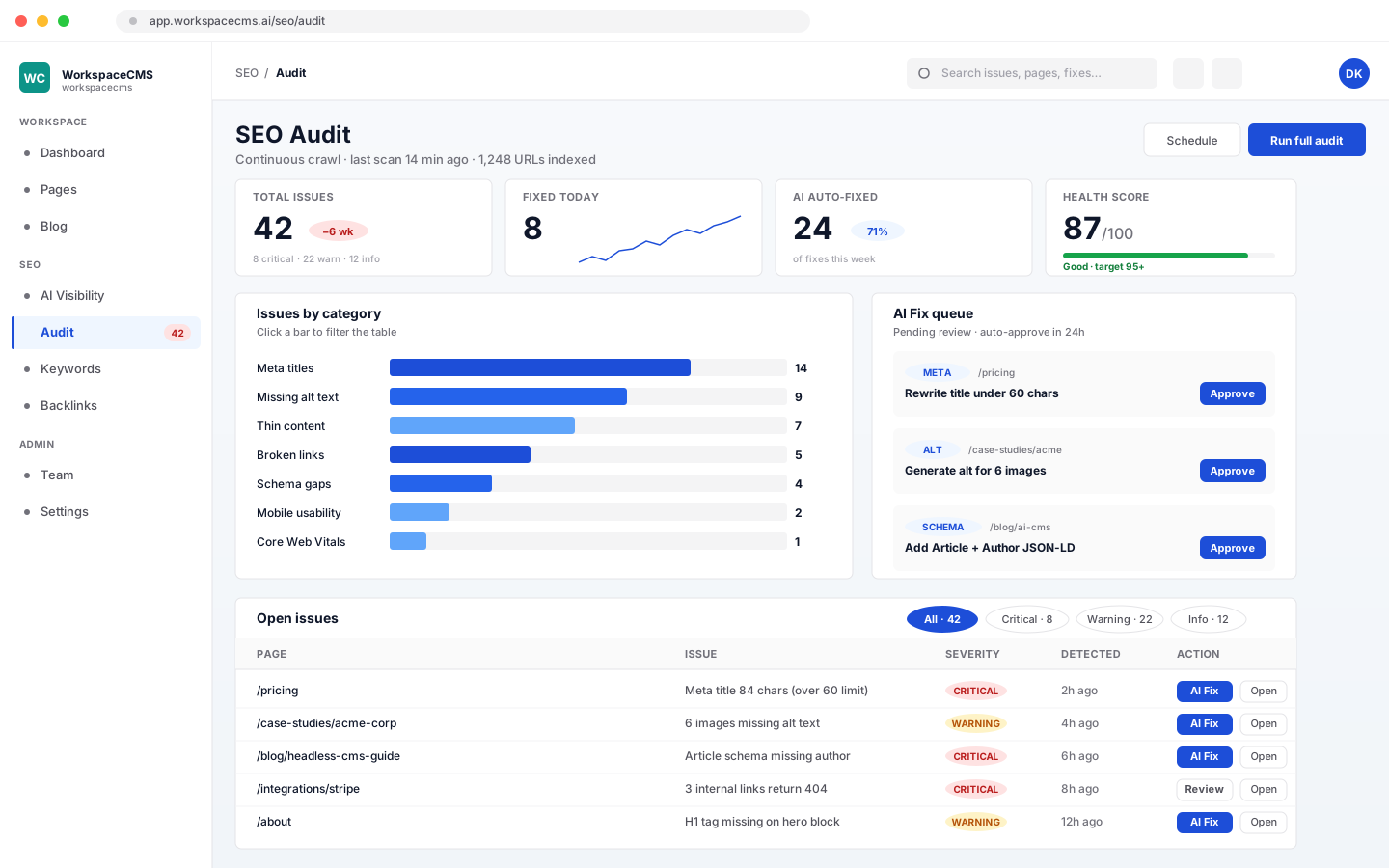
Your site is checked for you automatically, so problems show up before they cost you traffic. There's no button to press. Speed and health checks run on their own every week on every plan, using Google PageSpeed on up to 15 of your pages and tracking Core Web Vitals. On Premium and Ultra, a content review also runs automatically once a month. Everything lands in a plain-English Site Health view, grouped by what to fix. On Premium and Ultra, many fixes apply in a click.
- ✓Speed and health checks run automatically every week, on every plan
- ✓Google PageSpeed on up to 15 of your pages, with Core Web Vitals
- ✓Content and technical checks across your site: titles, descriptions, schema, orphan pages, and redirects that point to missing pages
- ✓Schema checked by our own validation, with a one-click link to Google's Rich Results Test
- ✓Plain-English Site Health view, grouped by what to fix
- ✓Premium and Ultra: AI speed recommendations (5 AI credits) and one-click automatic speed fixes you can undo (1 AI credit each)
See every SEO tool that runs for you
Google & AI
AI Content Audit
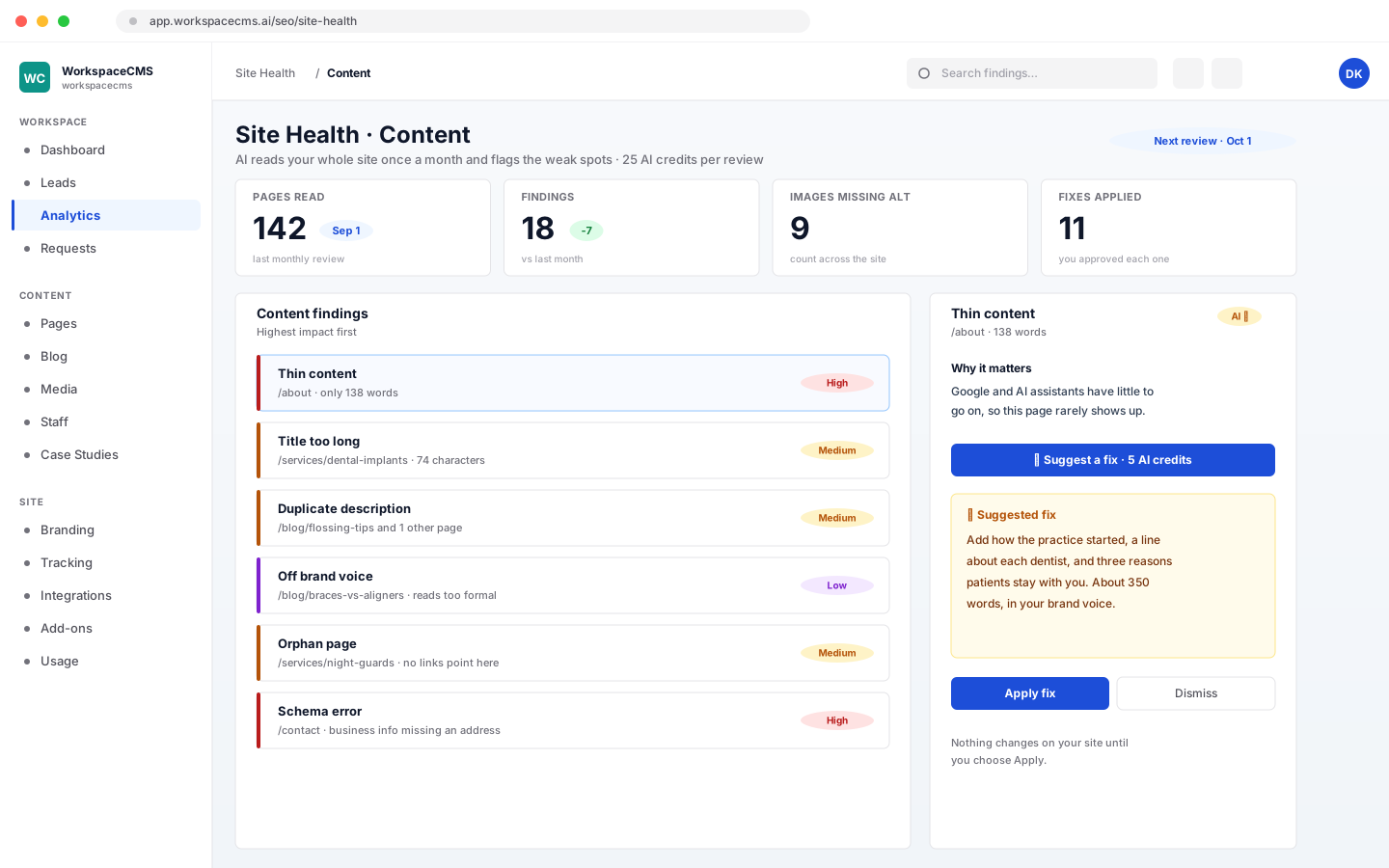
The content half of the Site Audit above, not a separate tool you run. On Premium and Ultra it reads your site automatically once a month (each monthly review uses 25 AI credits), flags the weak spots, and puts them in your Site Health view. AI can then suggest a fix for a finding, and apply it when you say so.
- ✓Thin content, and missing, too-long or duplicate titles and descriptions
- ✓Schema errors and orphan pages
- ✓A count of images missing alt text
- ✓Flags copy that drifts from your brand voice
- ✓Runs automatically once a month, 25 AI credits per review
- ✓AI suggestions you can apply, 5 AI credits each
See every SEO tool that runs for you
Google & AI
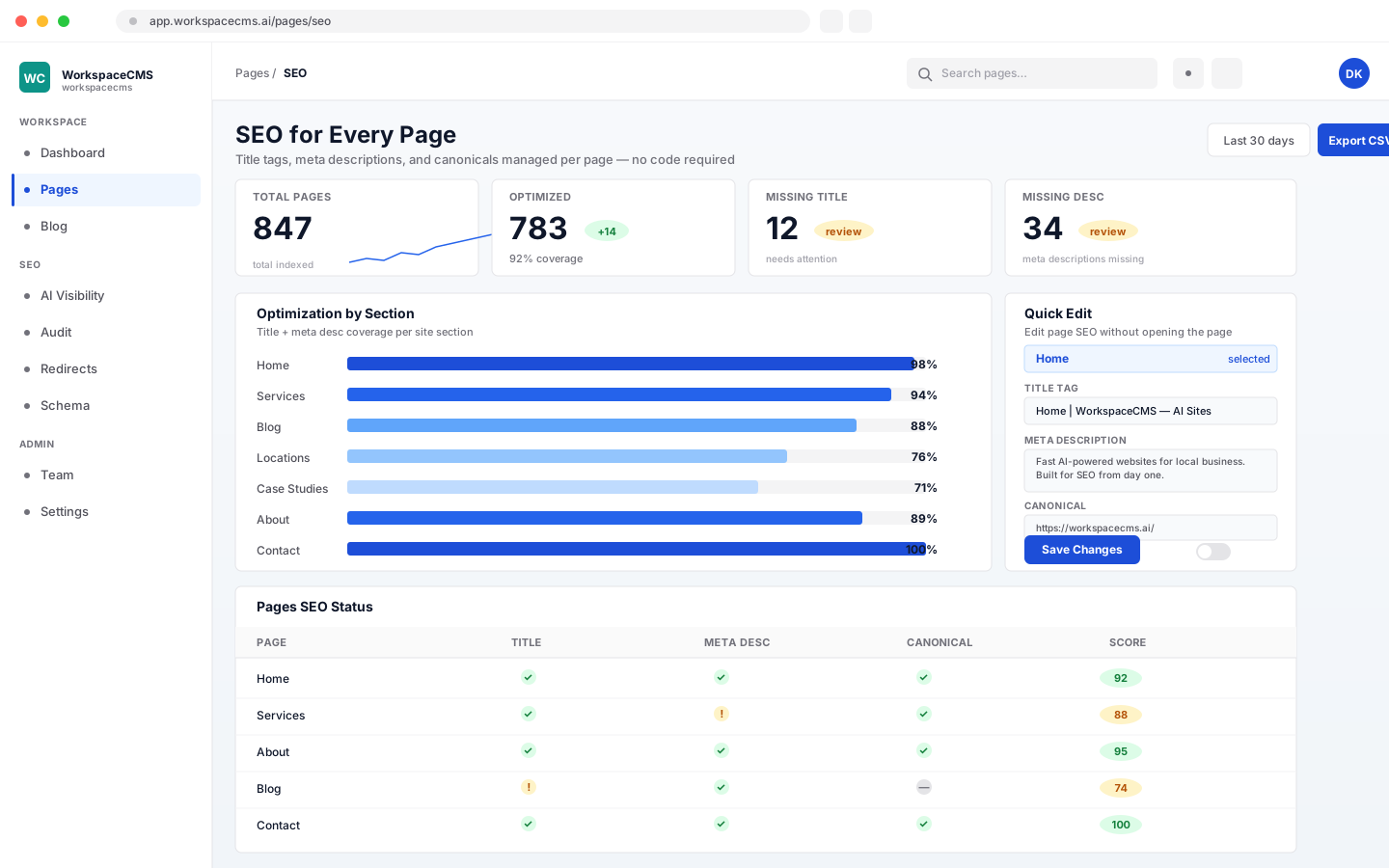
SEO for Every Page
Control what people see when your pages show up in a Google search. Set page titles, meta descriptions, canonical tags, and search visibility rules for every page. Live in 60 seconds without touching code.
- ✓Title tag and meta description for every page
- ✓Canonical tag and no-index controls per page
- ✓AI-suggested rewrites on every plan, 2 AI credits each (in your brand voice on Premium and Ultra)
- ✓Rich search result settings built into the page editor
Google & AI
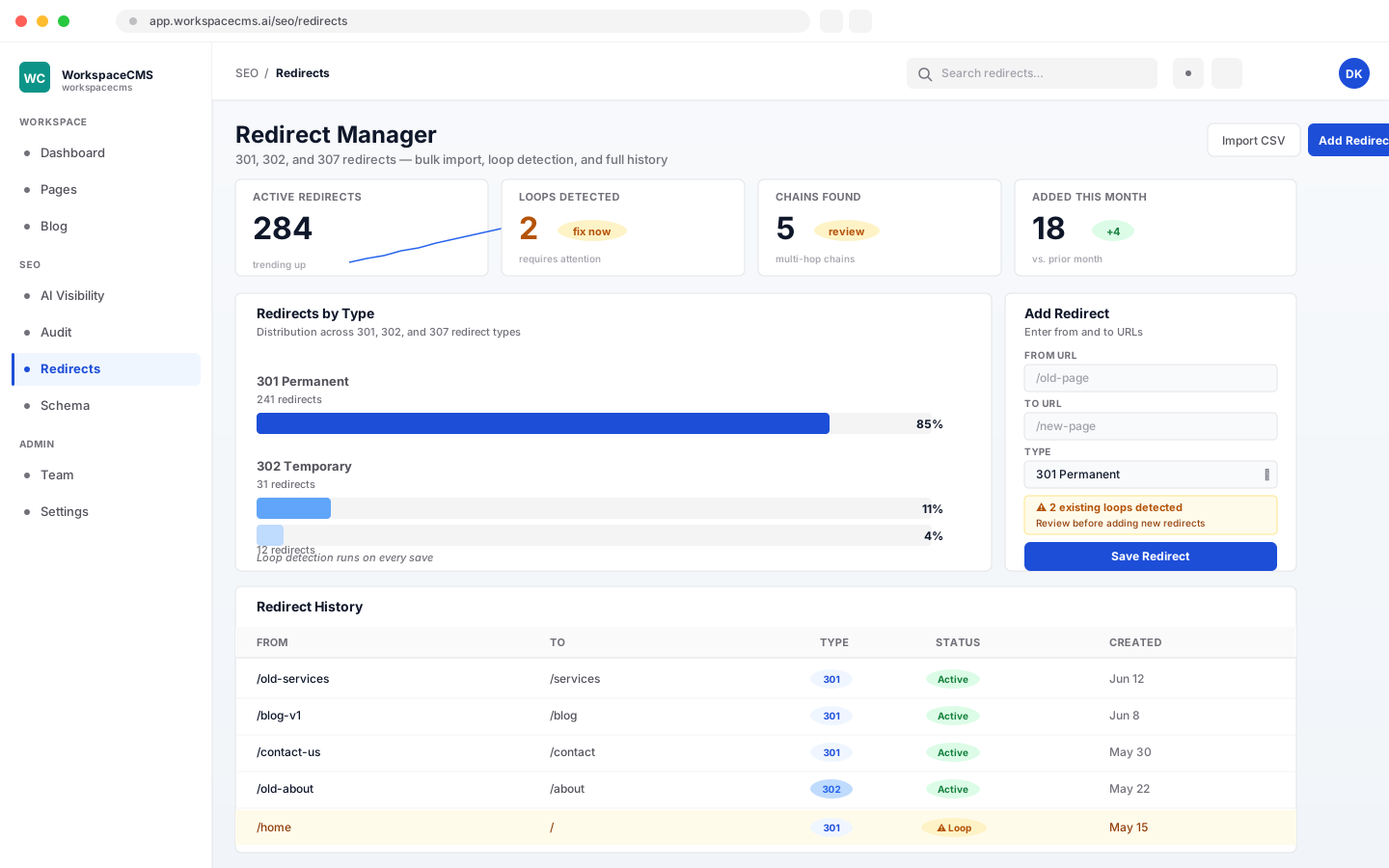
Old Links Keep Working
Moving from an old site? We point the old pages we find on your current site to the right new ones, following SEO best practices to protect your Google rankings. The tool behind it is our Redirect Manager: bulk CSV import and export, redirect loops blocked, and chains flagged before anything goes live. Most owners never open it: we map the redirects for you at launch.
- ✓301, 302, 307, and 308 redirect types
- ✓CSV import and export, up to 5,000 rows
- ✓Redirect loops blocked, chains flagged before publish
- ✓AI broken-link sweep, 10 AI credits
Google & AI
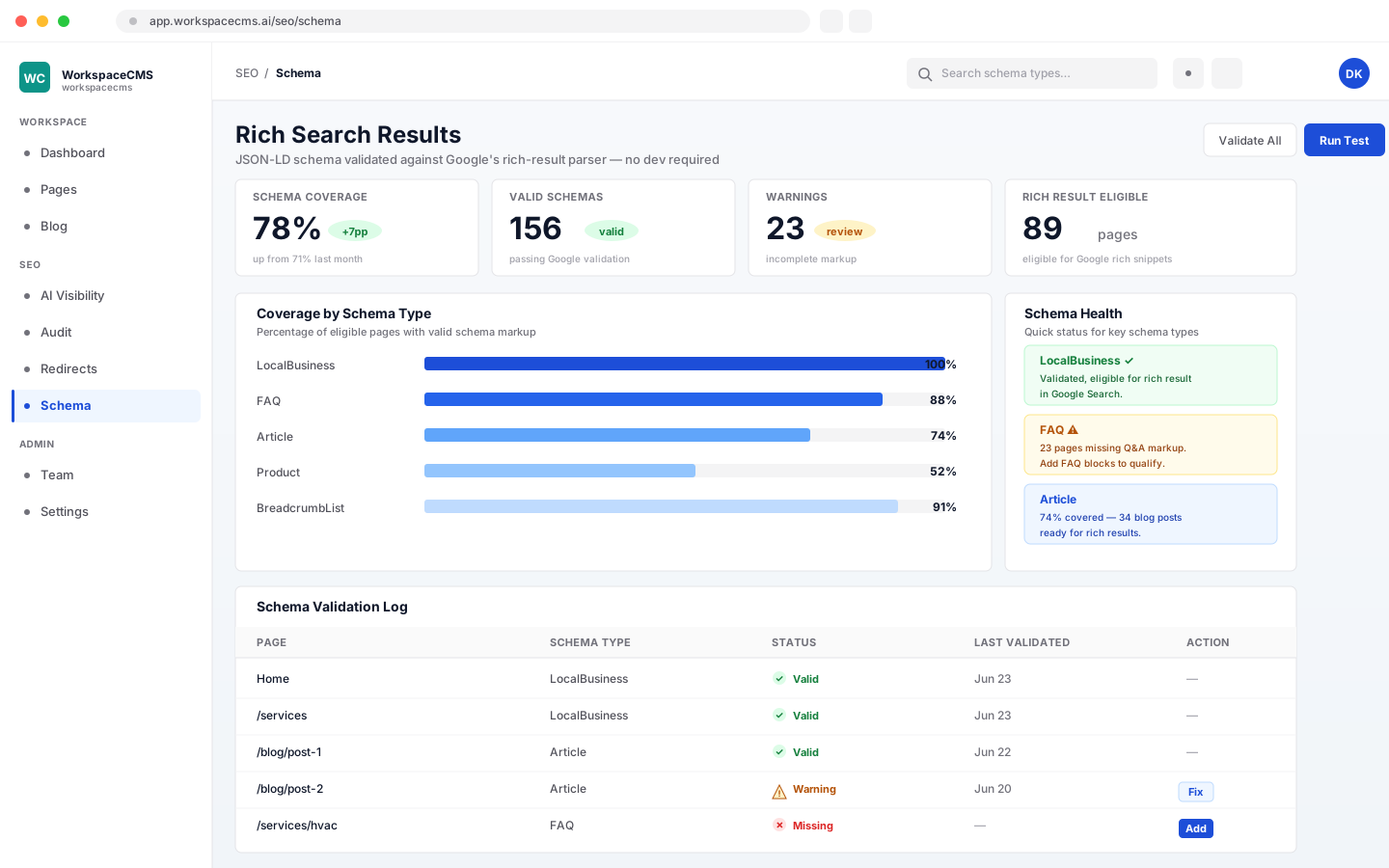
Help Google Understand Your Business
We add the behind-the-scenes info that tells Google exactly what you do, where you are, and what you sell, configured once to your business type at launch. Technically, it's a Schema/JSON-LD editor: your Organization or LocalBusiness details site-wide, plus FAQ, Product, Article, Breadcrumb, and custom types on any page. It's checked before it goes live, with a one-click link to Google's Rich Results Test. You can leave it as set up, or update it yourself anytime.
- ✓Site-wide Organization or LocalBusiness details
- ✓Per-page FAQ, Product, Article, Breadcrumb, and custom schema
- ✓Checked before it goes live, with a one-click link to Google's Rich Results Test
- ✓Update your structured data in the editor anytime, no developer required
- ✓Premium and Ultra: AI writes the schema for a page, 10 AI credits
Google & AI
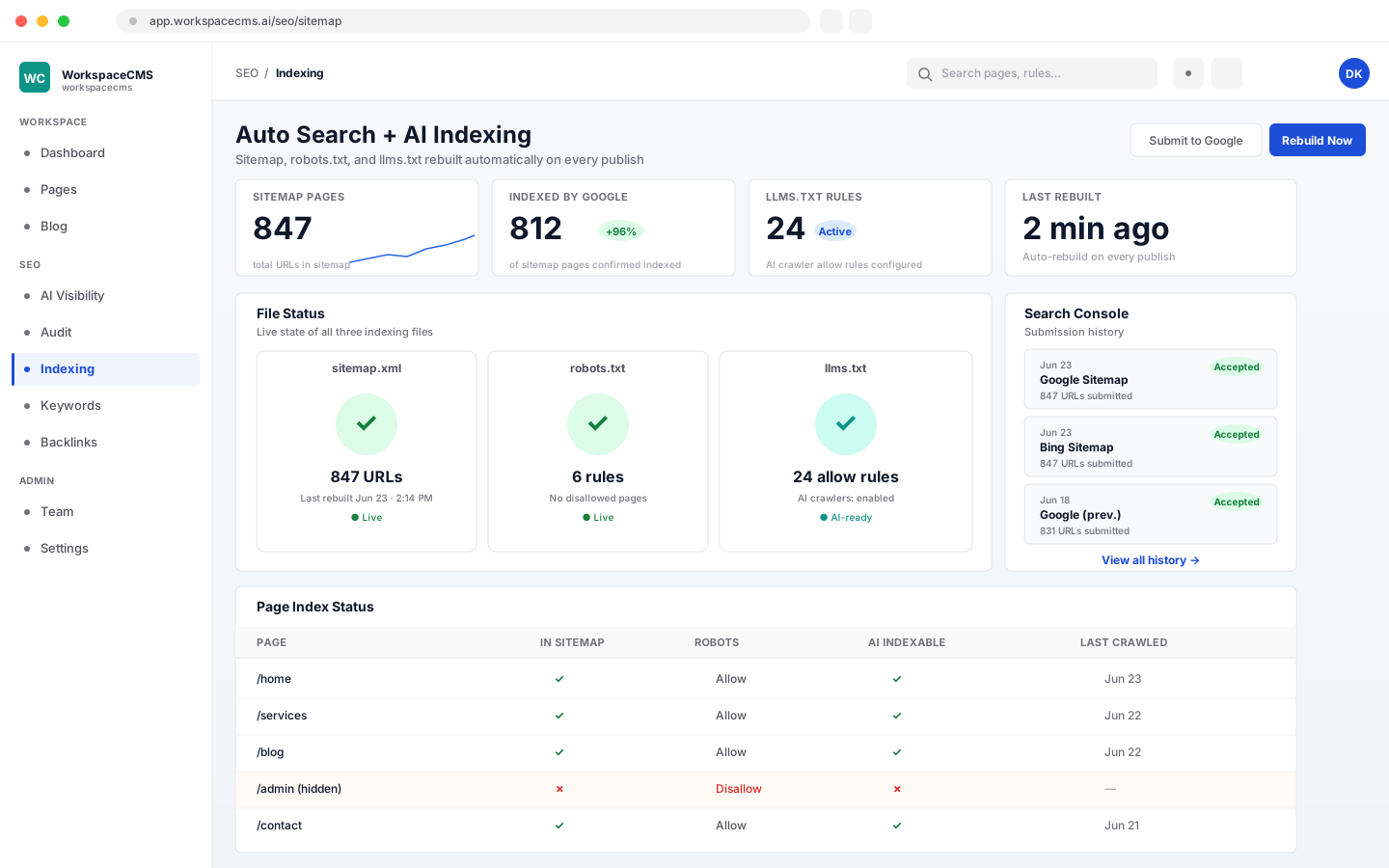
Found by Google and AI Assistants
Your sitemap rebuilds itself every time you publish or unpublish a page, so Google and Bing always see your latest pages. Pages you set to noindex are left out. Your robots.txt and llms.txt (the files search engines and AI assistants read) are yours to edit without code, and AI can suggest changes to either one.
- ✓Sitemap rebuilt automatically on every publish and unpublish
- ✓Noindex pages left out of the sitemap
- ✓robots.txt you can edit, no code
- ✓llms.txt you can edit: the file AI assistants like ChatGPT, Claude, and Perplexity read
- ✓AI suggestions for robots.txt or llms.txt, 5 AI credits each
Google & AI
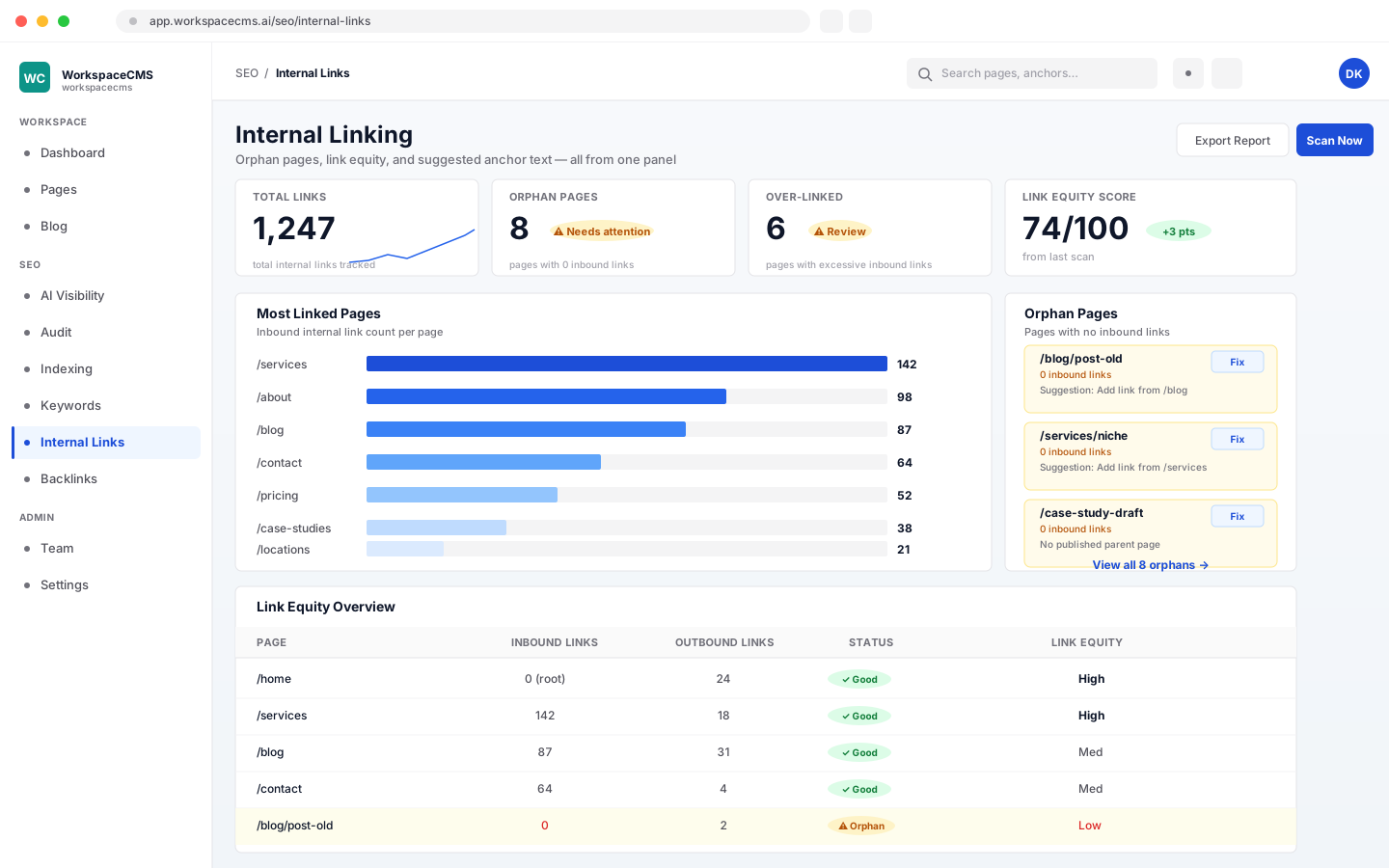
Internal Linking
Tell your site once which words should link where, and it adds those links for you. Set keyword-to-URL rules, cap how many links a post gets, and switch any rule on or off. Rules apply whenever you publish, and one click applies them to content you already have. On Premium and Ultra, an AI link sweep suggests links across your site (10 AI credits).
- ✓Keyword-to-URL rules: exact word, phrase, or pattern (regex) match
- ✓Per-post link cap, and an on/off switch for every rule
- ✓Applied automatically on publish, and to existing content in one click
- ✓Premium and Ultra: AI link sweep, 10 AI credits
Google & AI
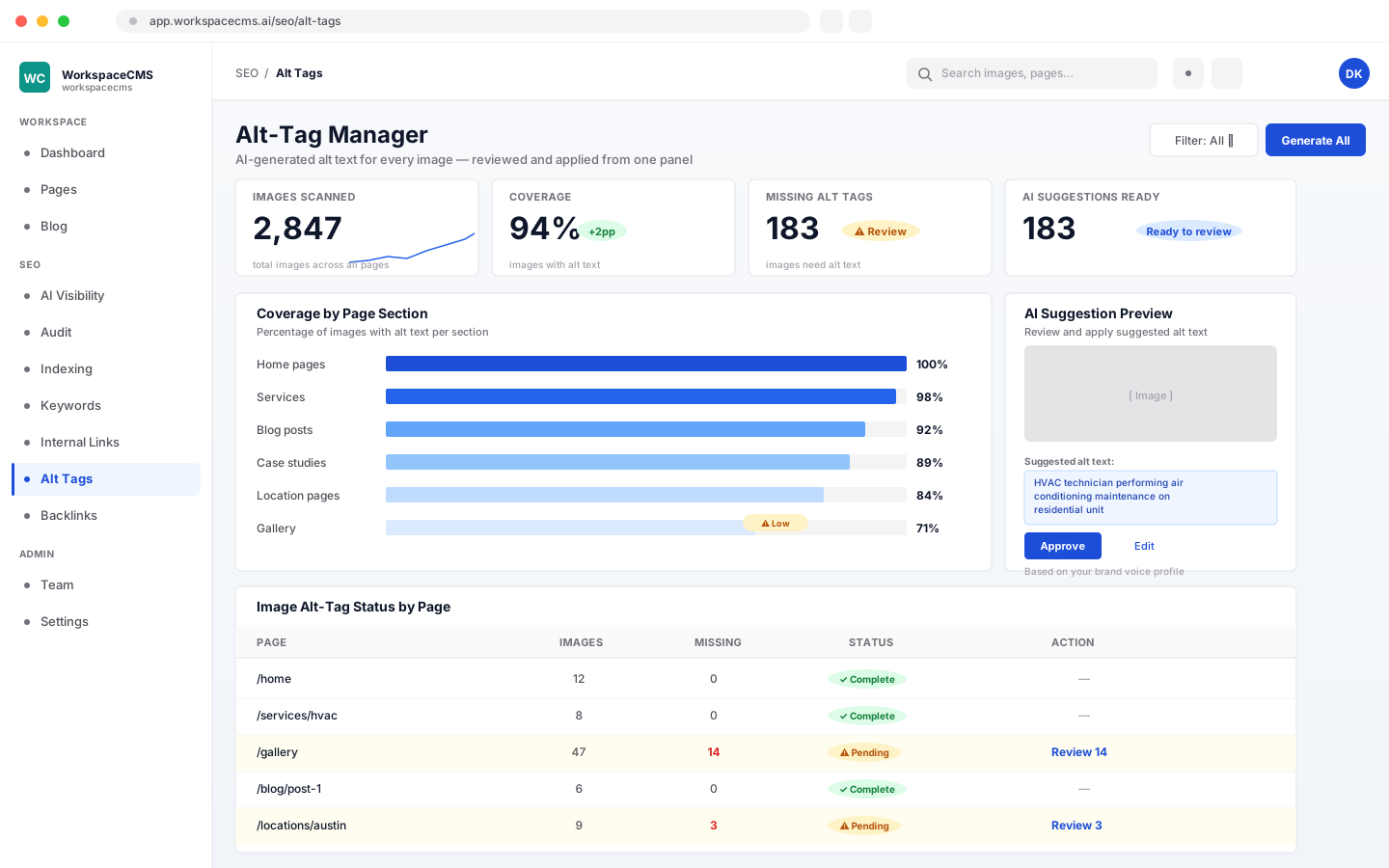
Image Descriptions, Handled
Every photo on your site gets a short written description so Google and screen readers know what's in it. The Alt-Tag Manager drafts an AI suggestion for every image; review and apply them all from one panel. AI drafts a description for every image, and you bulk-approve or edit before they go live.
- ✓AI drafts a description for every image; you bulk-approve or edit before they go live
- ✓2 AI credits per 10 AI-drafted descriptions
- ✓Prefer to write them yourself? Typing your own never uses credits
- ✓Tracks coverage so nothing gets missed
Content & blog
Write and publish content
Edit pages, write posts, and let AI help in your own voice.
Content & blog
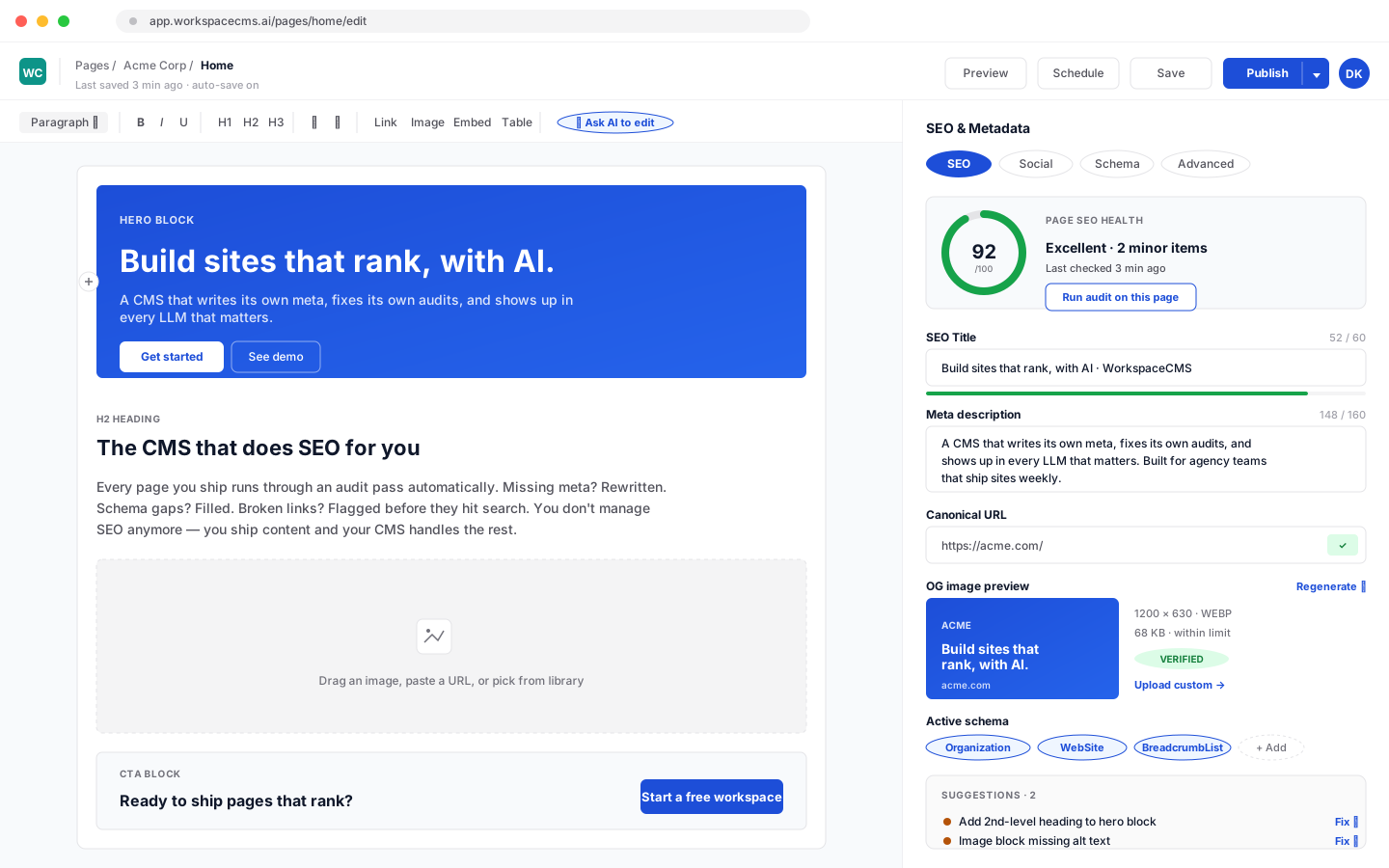
Page Editor
Edit your own pages whenever you like, with a version history behind every page so you can see earlier versions. AI can generate a whole page for you (10 AI credits) or help with headlines and SEO fields. How many published pages your site can have depends on your plan: 10 pages on Essentials, 25 pages on Growth, and unlimited on Premium and Ultra. Blog posts never count toward that.
- ✓Version history on every page and post
- ✓AI page generation, 10 AI credits
- ✓AI help with headlines and SEO fields
- ✓Page limits: 10 pages (Essentials), 25 pages (Growth), unlimited (Premium and Ultra)
- ✓Editing your own pages by hand never uses AI credits
Content & blog
AI Blog Drafts
Give the AI a short brief and it drafts a full blog post for you to edit and publish, on every plan. A draft uses AI credits by length, about 10 to 80. On Premium and Ultra, the AI Blog Writer goes further: Brand Voice makes drafts sound like you, and Blog Automation plans and drafts posts for you to approve. Already written your post elsewhere? Send it in and we'll get it published.
- ✓AI drafting from a brief on every plan, about 10 to 80 AI credits per draft depending on length
- ✓SEO fields for every post
- ✓Blog authors: bylines with a photo and bio
- ✓Premium and Ultra: drafts in your brand voice, plus Blog Automation
- ✓Writing and editing posts yourself never uses AI credits
- ✓Import your posts from WordPress, as drafts with their original dates
Content & blog
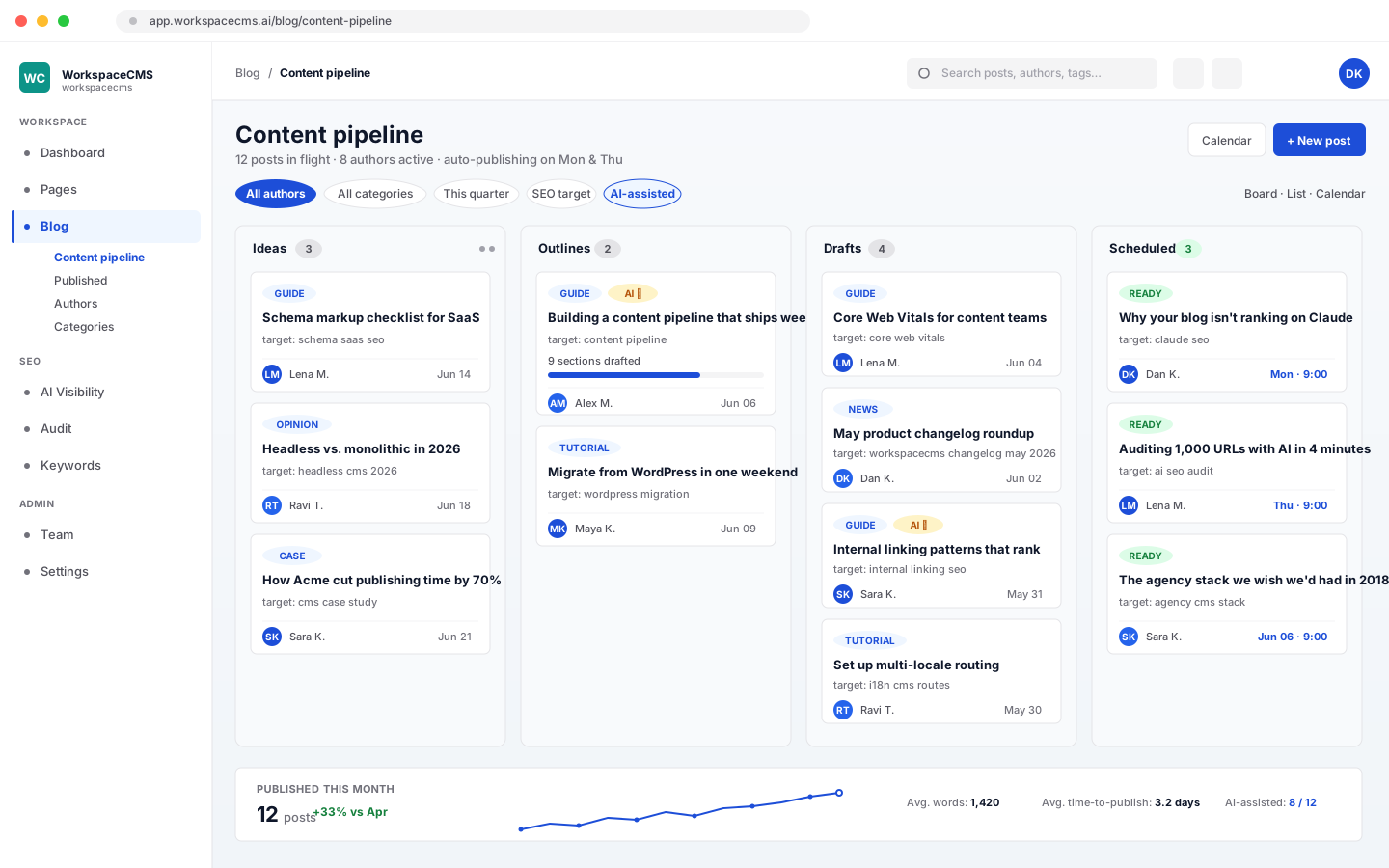
Blog Automation (Autopilot)
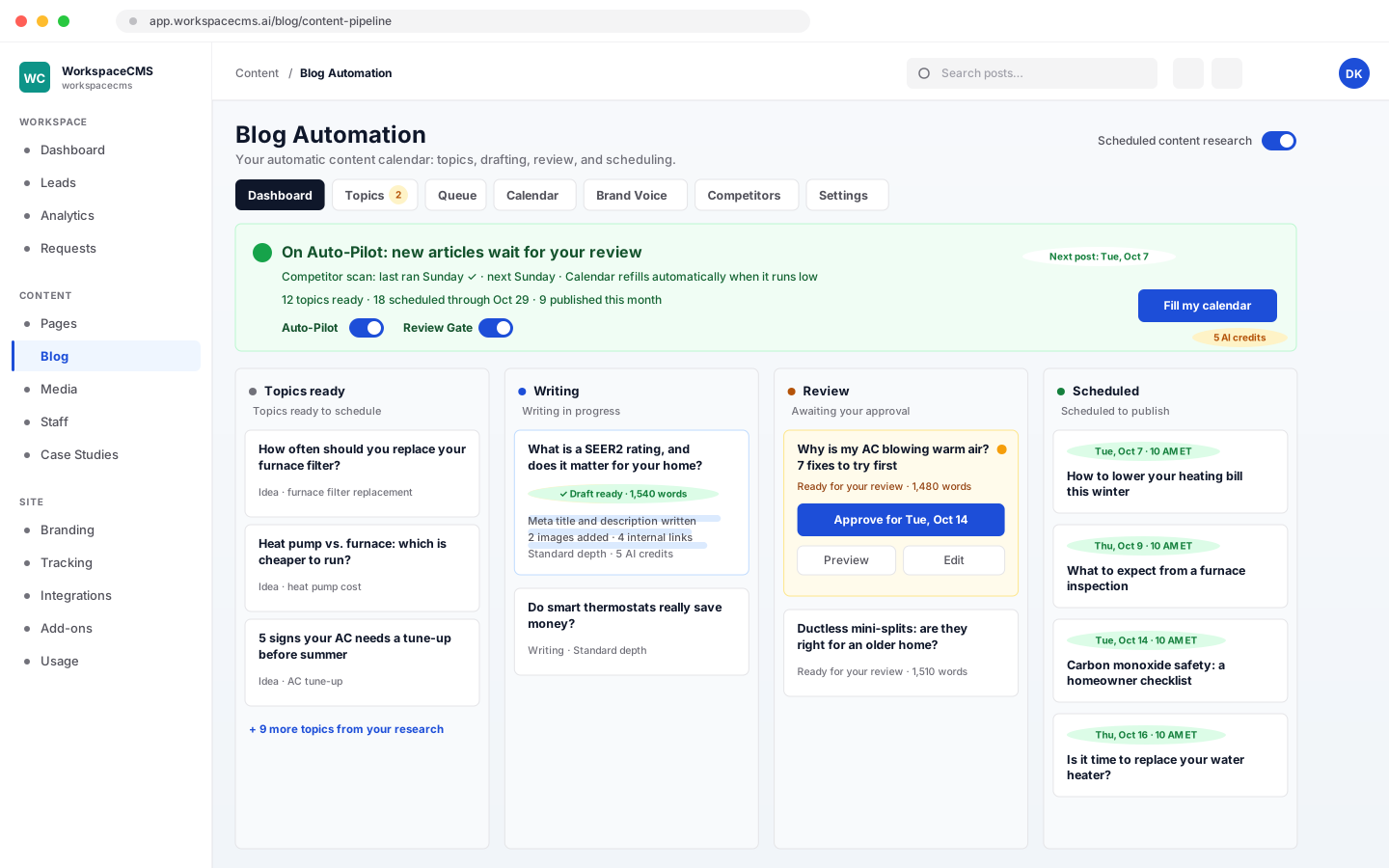
Tell Autopilot how your business sounds and which competitor blogs to learn from. It finds the topics worth writing about, writes each article in your brand voice, and plans up to 90 days of your calendar ahead at the pace you set. Every article moves across one board, from topic to writing, review and scheduled, and with the Review Gate on nothing publishes until you approve it.
- ✓Topic ideas from competitor blogs you choose, checked every week
- ✓Articles written in your brand voice, with SEO fields and images
- ✓One board: Topics ready, Writing, Review, Scheduled
- ✓Your pace, from daily to monthly, and a calendar that refills itself
- ✓You approve every post before it publishes, or go fully hands-free
- ✓Each article uses the same AI credits as a blog draft of that length (10 per 500 words, so 30 for a Standard 1,500-word article), plus 4 for its two AI images.
Content & blog
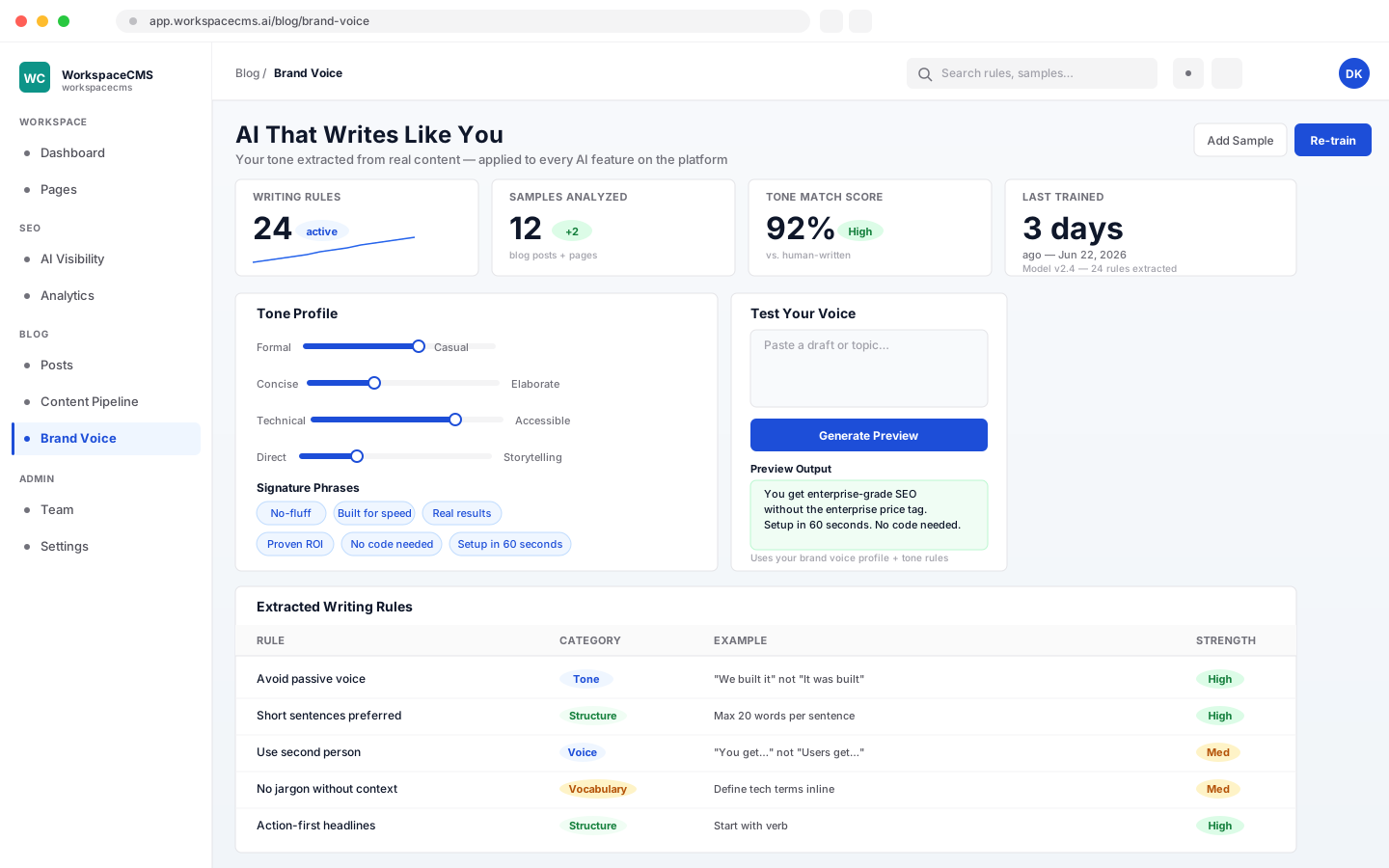
AI That Writes Like You
Feed the AI a few of your best pages or posts, and the AI writing on your site comes out sounding like you. A two-pass extraction (20 AI credits) picks up your tone, signature phrases, and vocabulary rules, and the profile is then applied to blog drafts, rewrites, meta suggestions, the content audit, analytics insights, and portfolio and location descriptions.
- ✓Two-pass extraction of your tone and vocabulary, 20 AI credits
- ✓Applied to blog drafts, rewrites, and meta suggestions
- ✓Used by the content audit and analytics insights
- ✓Portfolio descriptions and your locations intro in your voice
See Brand Voice in Blog Autopilot
Content & blog
Media Library & AI Images
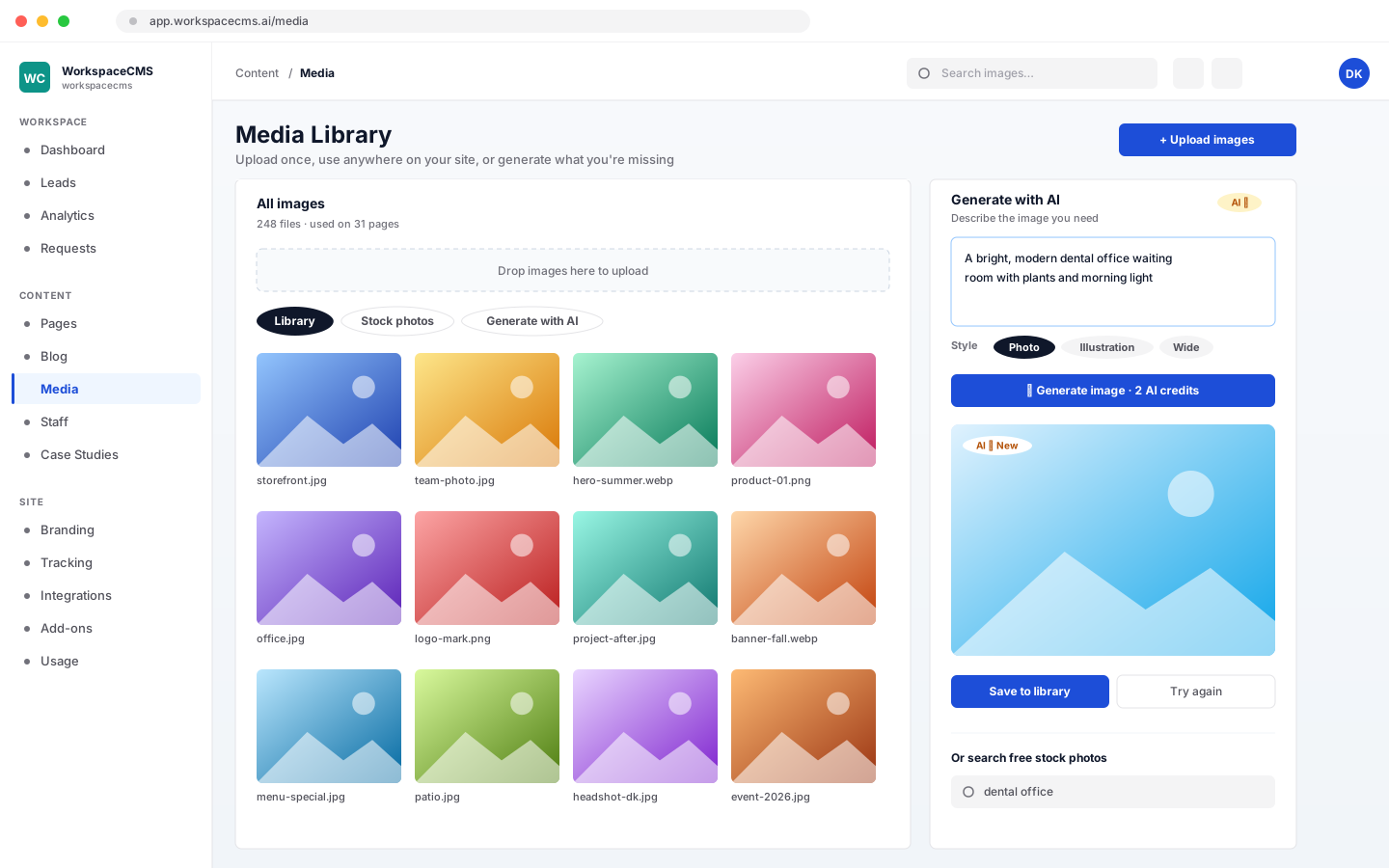
Upload a photo once and use it anywhere on your site. Need an image you don't have? Generate one with AI (2 AI credits each), or search free stock photos right from the library.
- ✓Upload once, reuse anywhere on your site
- ✓AI image generation, 2 AI credits per image
- ✓Free stock photo search built in
Leads & bookings
Turn visitors into customers
Forms, calls, chat and bookings, all landing in one inbox.
Leads & bookings
Leads Inbox
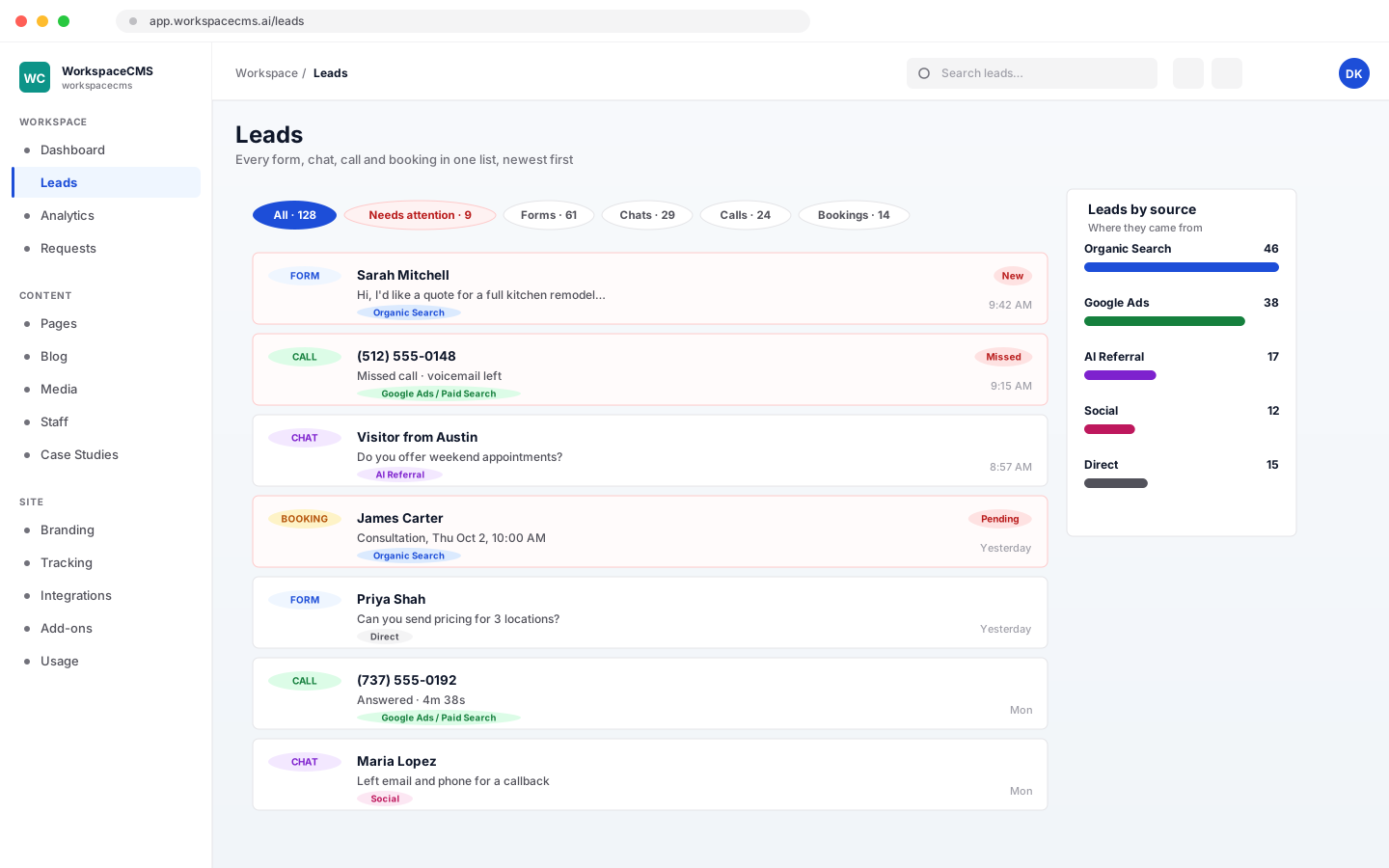
Every lead in one list: form fills, chats, calls, and booking requests. Filter by where a lead came from, or by what still needs your attention, and see your unread form submissions on your dashboard home.
- ✓Form fills, chats, calls, and booking requests in one list
- ✓Filter by source, or by what needs attention
- ✓Unread form submissions counted on your dashboard home
See how every lead lands in one place
Chats and calls appear when you use the AI Chat Widget or Call Tracking, and booking requests when you use online booking.
Leads & bookings
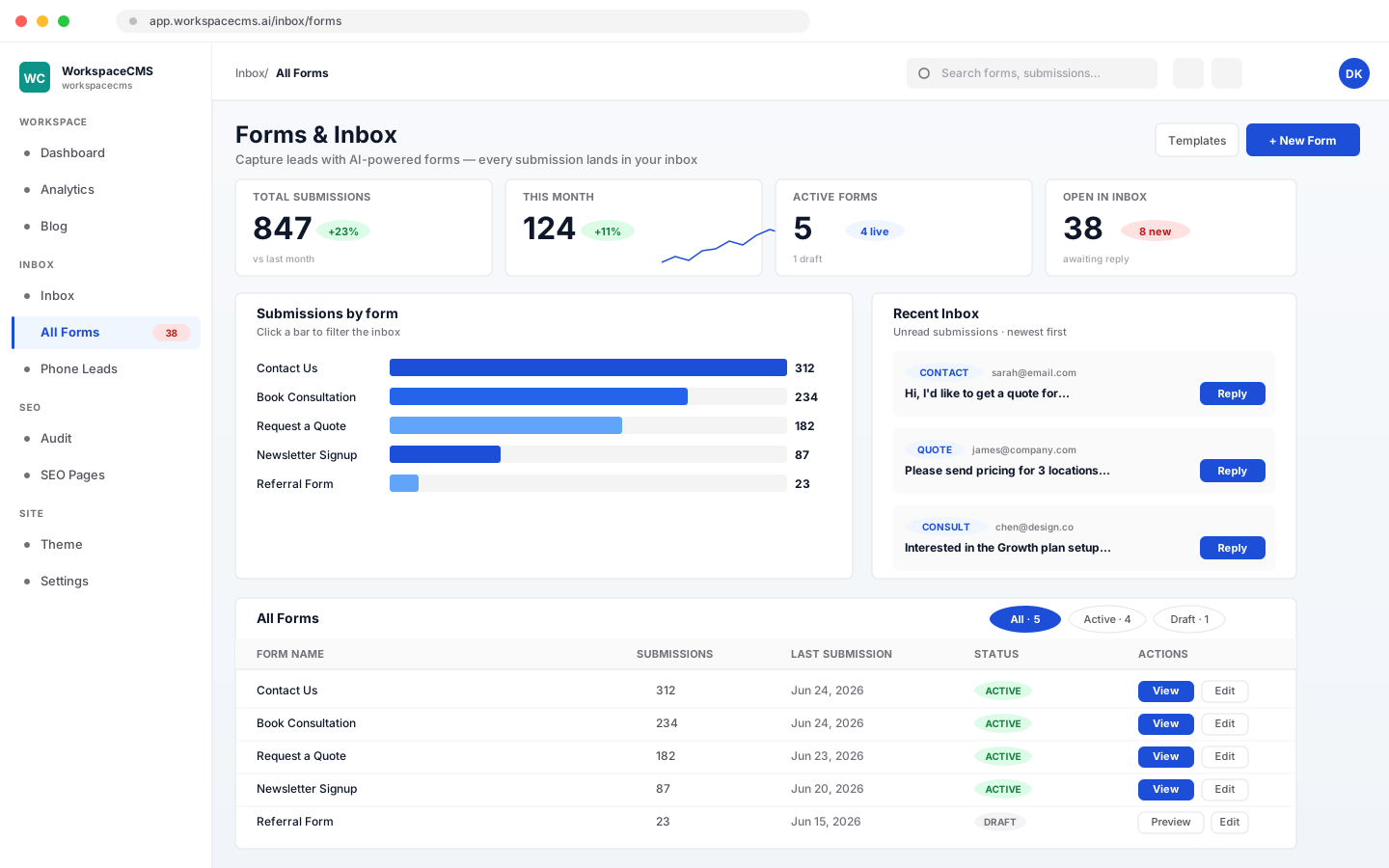
Form Builder
A visitor fills out a form, and the lead lands in your email and your dashboard. Build forms with drag and drop, or describe the form you want and AI builds the whole thing (10 AI credits) or suggests fields (5). Notification emails are sent from our mail service under the sender name you set, like your business name, and replies go to the reply-to address you choose.
- ✓Drag-and-drop builder, or AI builds a form from a description
- ✓Notifications use the sender name and reply-to address you set
- ✓Spam protection: captcha, a hidden honeypot field, and rate limits
- ✓Inbox with read, archive, and spam, plus notes on each submission
- ✓Embed on any page, no third-party service required
Leads & bookings
Booking & Scheduling
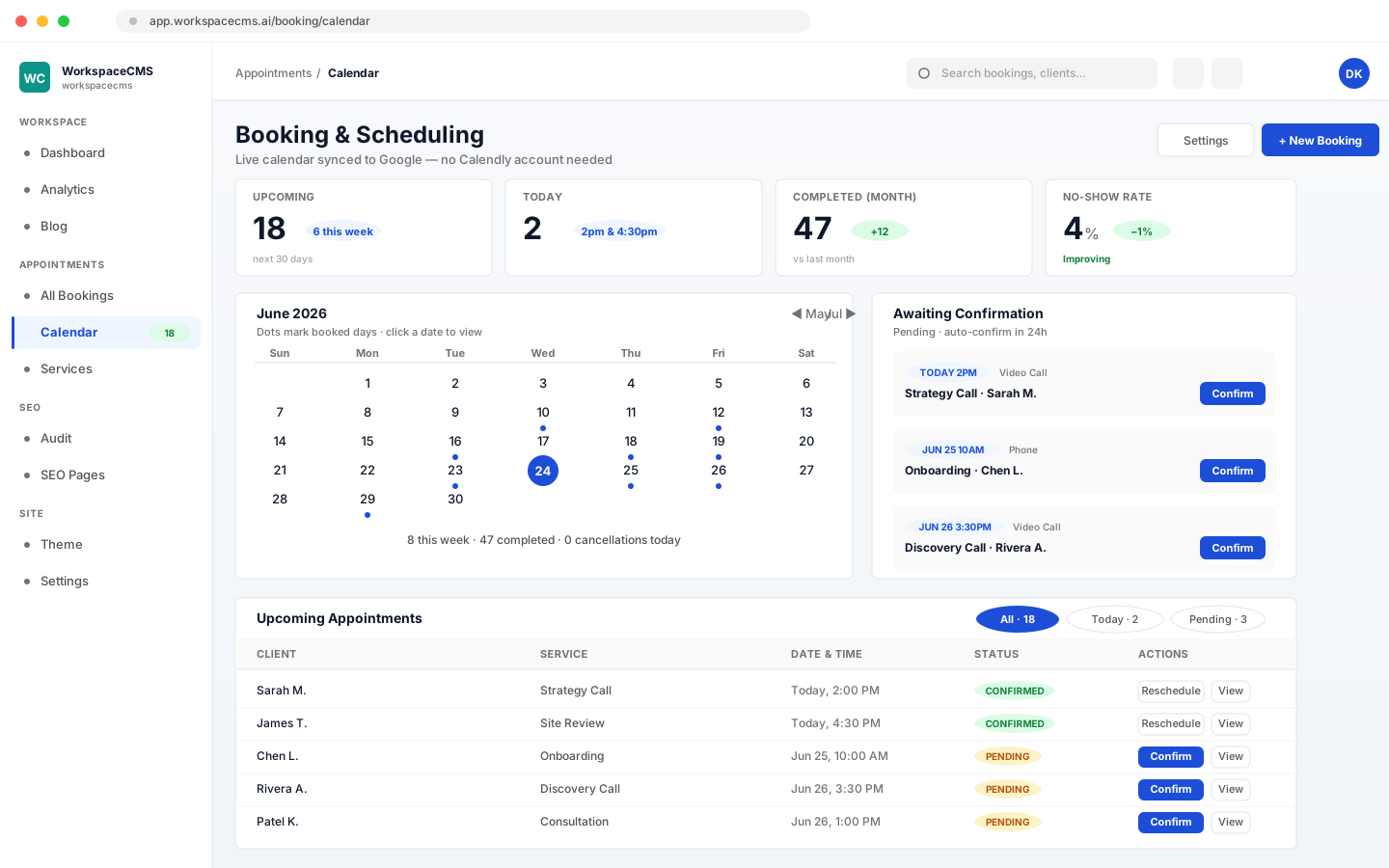
Customers book appointments on your website any time, day or night, and the AI chat assistant on your site can book them too. Set up appointment types with their own lengths, and let each team member connect their own Google Calendar and set their own hours: bookings go to whoever is free, and nothing is ever double-booked. Prefer Calendly? Connect your own account in one click and your live Calendly page takes over the booking. We set it up for you at launch.
- ✓Appointment types, each with its own length
- ✓Team calendars: each person connects their own Google Calendar and hours, and bookings go to whoever is free
- ✓No double-booking, plus minimum notice, how far ahead people can book, and buffers between appointments
- ✓Each appointment type books instantly or waits for your approval
- ✓Confirmation email with a one-click cancel link, a cancellation email, and an alert to your business
- ✓Every booking in your dashboard and on Google Calendar
- ✓The AI chat assistant books real appointments from your website chat (Premium and Ultra, or Growth with the AI chat add-on)
- ✓Or connect Calendly: your live Calendly page replaces the booking form, and bookings arrive already confirmed
- ✓Available on Growth, Premium, and Ultra
Connecting Calendly is included at no extra cost. It is a native integration, not a plugin, and it works with your existing Calendly account. Calendly requires a paid Calendly plan on their side, and you connect with an account that is an admin of your Calendly organization.
Leads & bookings
Phone Leads & Call Tracking
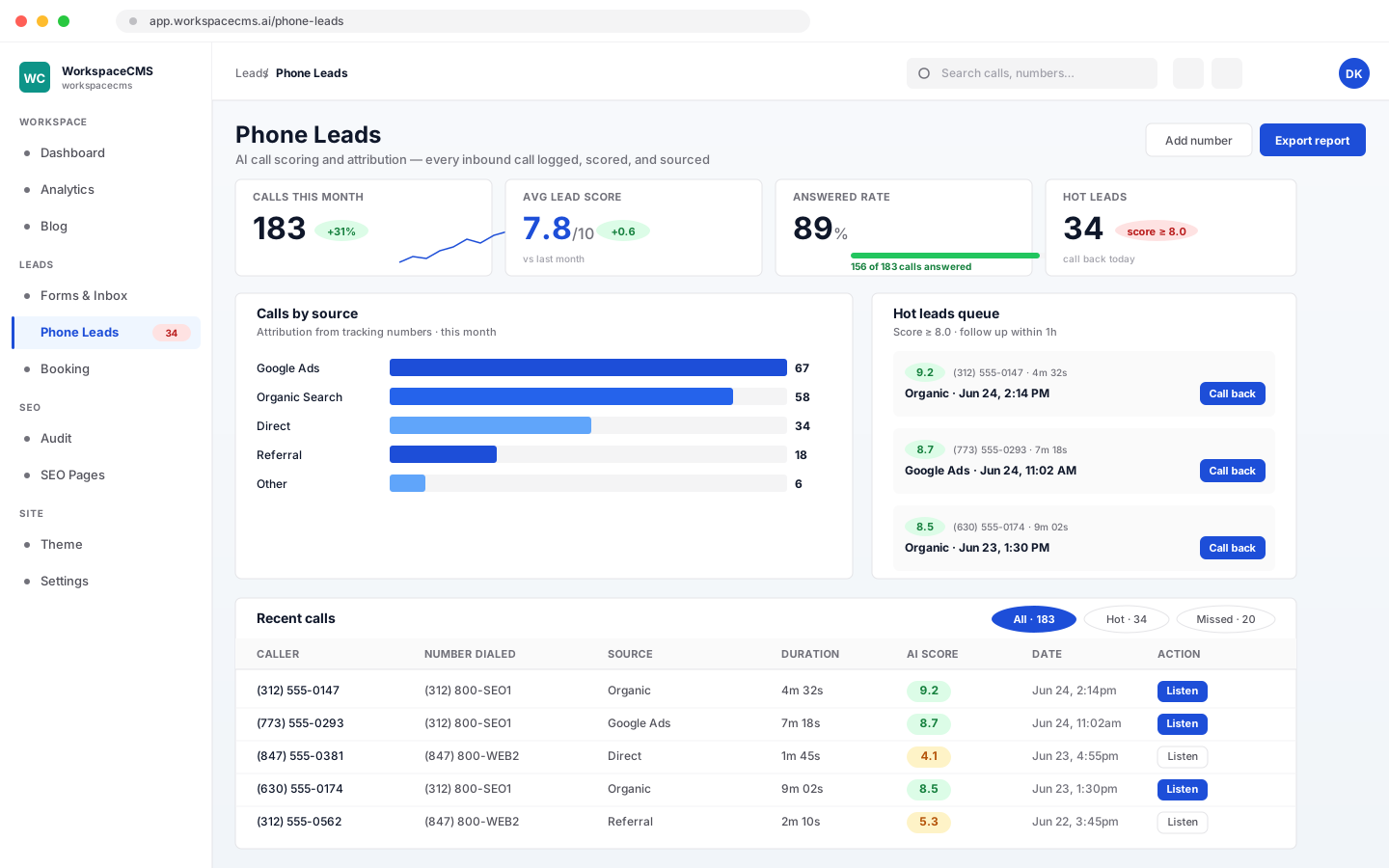
See which ads and sources make your phone ring. Each traffic source gets its own tracking number, and every call is logged, recorded, and written out as a transcript. AI sorts each call as a lead or not a lead (1 AI credit per call). Built into your dashboard, no separate CallRail subscription needed.
- ✓Tracking numbers per traffic source
- ✓Call recordings and transcripts
- ✓AI sorts each call as a lead or not, 1 AI credit per call
- ✓An add-on on every plan, from $25/mo
Leads & bookings
AI Chat Widget
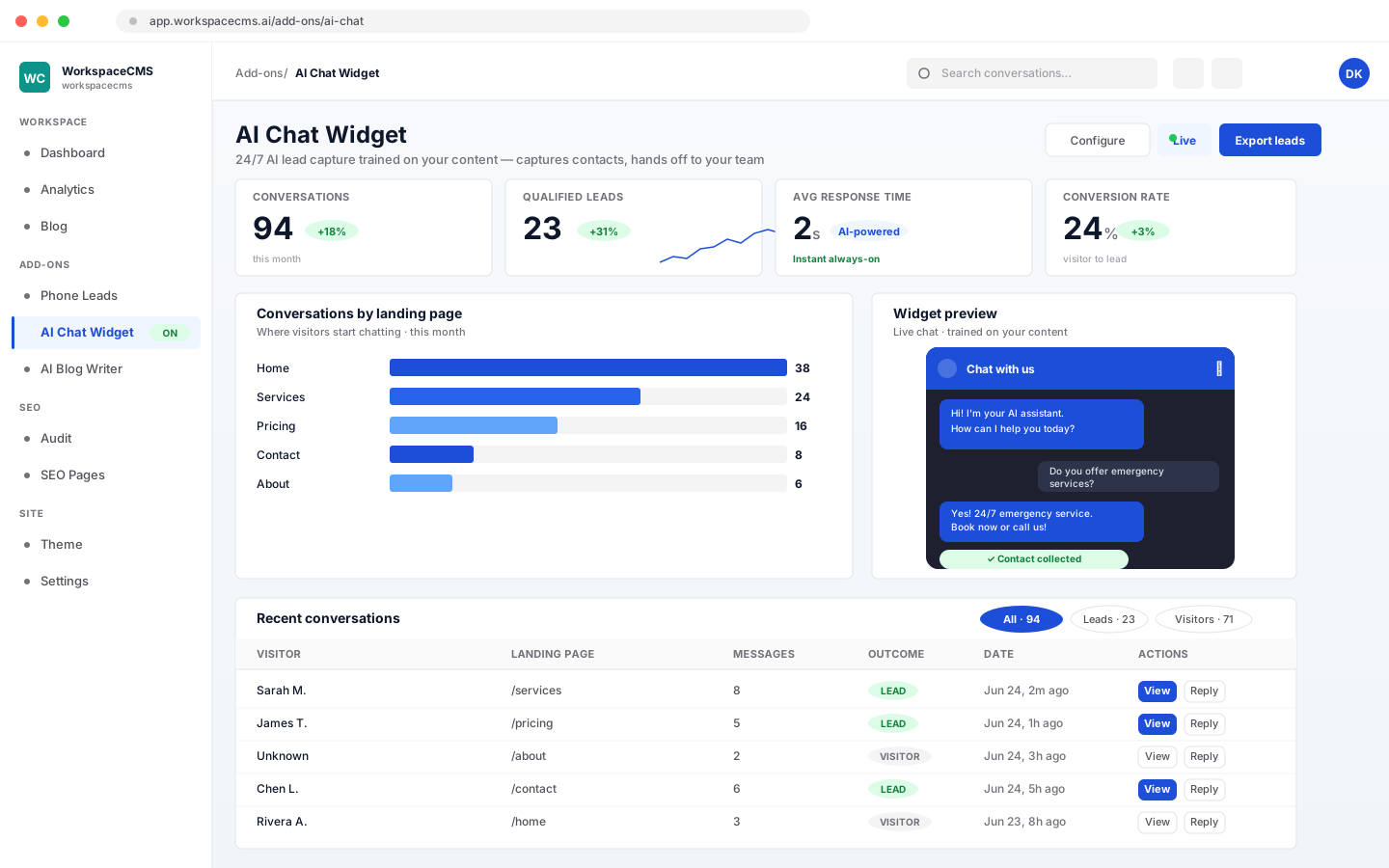
A chat box on your site that answers visitor questions and collects their contact info 24/7: overnight, on weekends, and while your team is out on a job. It learns from your business details, the FAQs and services you add, and a crawl of your site, and it only answers from what it knows. Your team can reply from the inbox, or you can switch the widget to team replies only. Included on Premium and Ultra; available as a $49/mo add-on on Growth, where each AI reply uses 1 AI credit. On Essentials it is a $69/mo add-on with up to 2,000 AI replies a month that never use your AI credits.
- ✓Knowledge base from your business details, the FAQs you add, and a crawl of your site
- ✓Optional pre-chat form for name and email, plus phone and company if you want them
- ✓Your team replies from the inbox, or switch to team replies only
- ✓Branded to match your site
- ✓Books appointments for visitors right in the chat, on plans with online booking (Growth and up)
See how the AI Chat Widget works
This is the AI that talks to your website visitors. For the AI agent that helps you run the business from your dashboard, see Sage below.
Leads & bookings
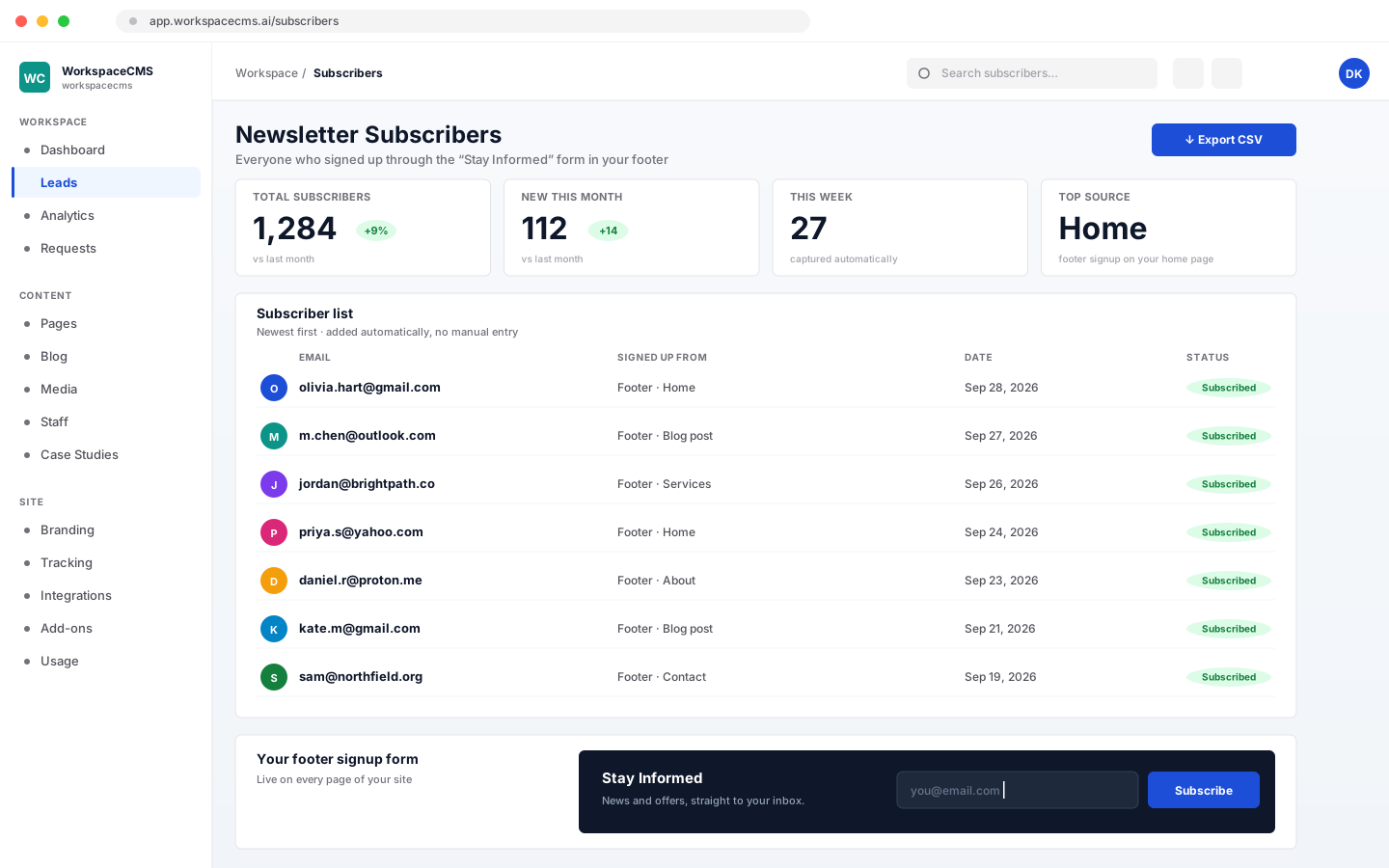
Newsletter Subscribers
A "Stay Informed" signup form in your site's footer collects visitor emails automatically, no third-party newsletter tool required. Every subscriber lands in your dashboard, where you can view the list and export it to CSV whenever you want.
- ✓Newsletter signup form built into your site's footer
- ✓Every subscriber captured automatically, no manual entry
- ✓View your subscriber list from your dashboard
- ✓One-click CSV export, anytime
- ✓Available on Growth, Premium, and Ultra
Leads & bookings
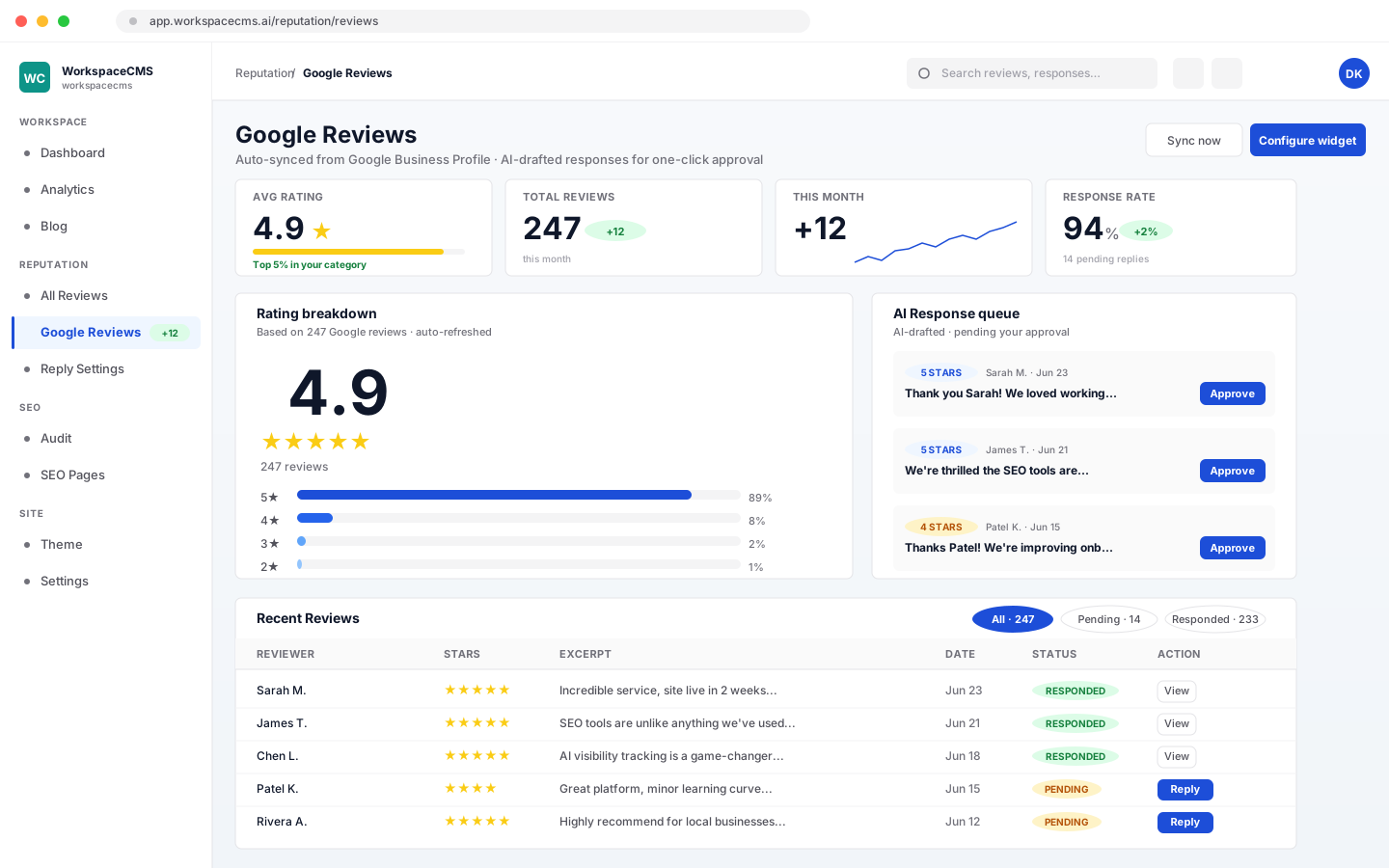
Google Reviews Widget
Your latest Google reviews show up on your site automatically. They sync from your Google listing every day, or press Sync now for an instant refresh. Choose which reviews appear with rating and count filters, and send review-request emails to ask customers for a review.
- ✓Daily sync from your Google listing, plus a Sync now button
- ✓Show reviews on your site with rating and count filters
- ✓Review-request emails to your customers
- ✓No plugin subscription, built into the platform
- ✓Available on Growth, Premium, and Ultra
Show your work
Show off your work
Galleries, results, your team, your locations and your listings.
Show your work
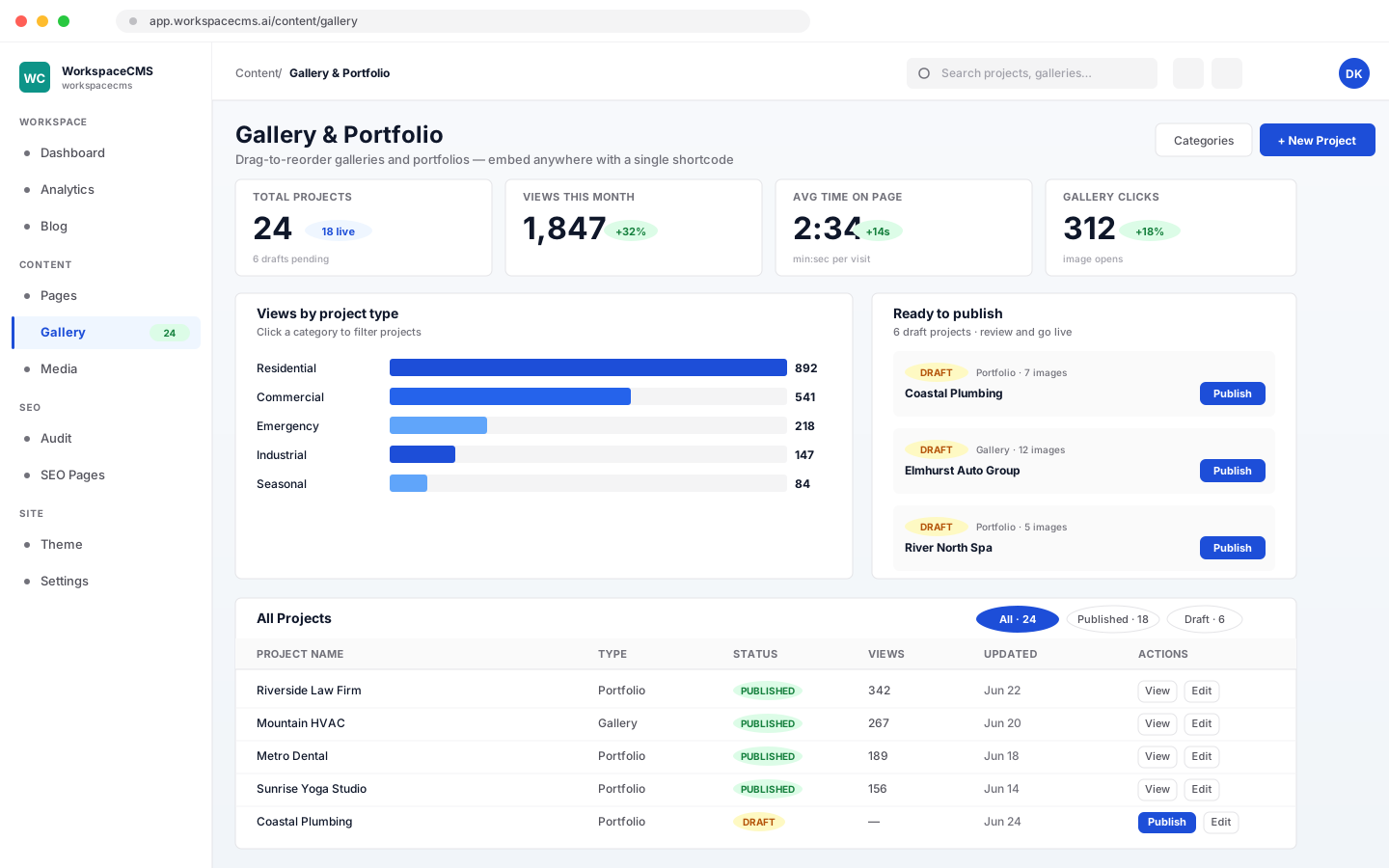
Portfolio & Gallery
Show off your work with photo galleries and project write-ups, filterable by category. AI can draft a project description for you. Already have the photos picked out? Send them in and we'll get them live.
- ✓Image galleries for your work
- ✓Portfolio projects with write-ups and results
- ✓Filter by category
- ✓AI-drafted project descriptions (uses AI credits)
Show your work
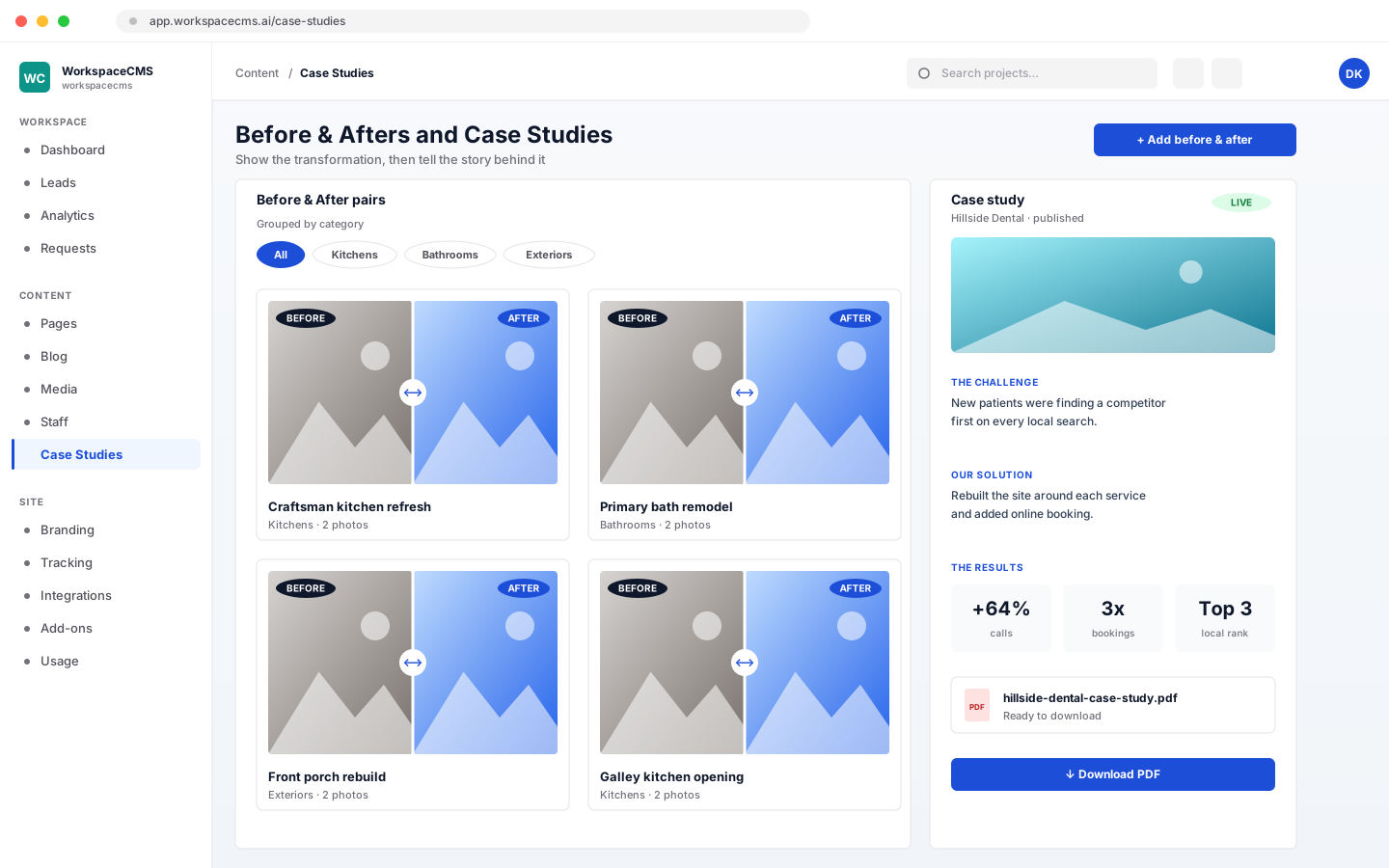
Before & Afters and Case Studies
Show before and after photo pairs, grouped by category. Write up case studies with the challenge, your solution, and the results, and each one comes with a downloadable PDF.
- ✓Before and after pairs, grouped by category
- ✓Case studies laid out as challenge, solution, and results
- ✓A downloadable PDF for every case study
Show your work
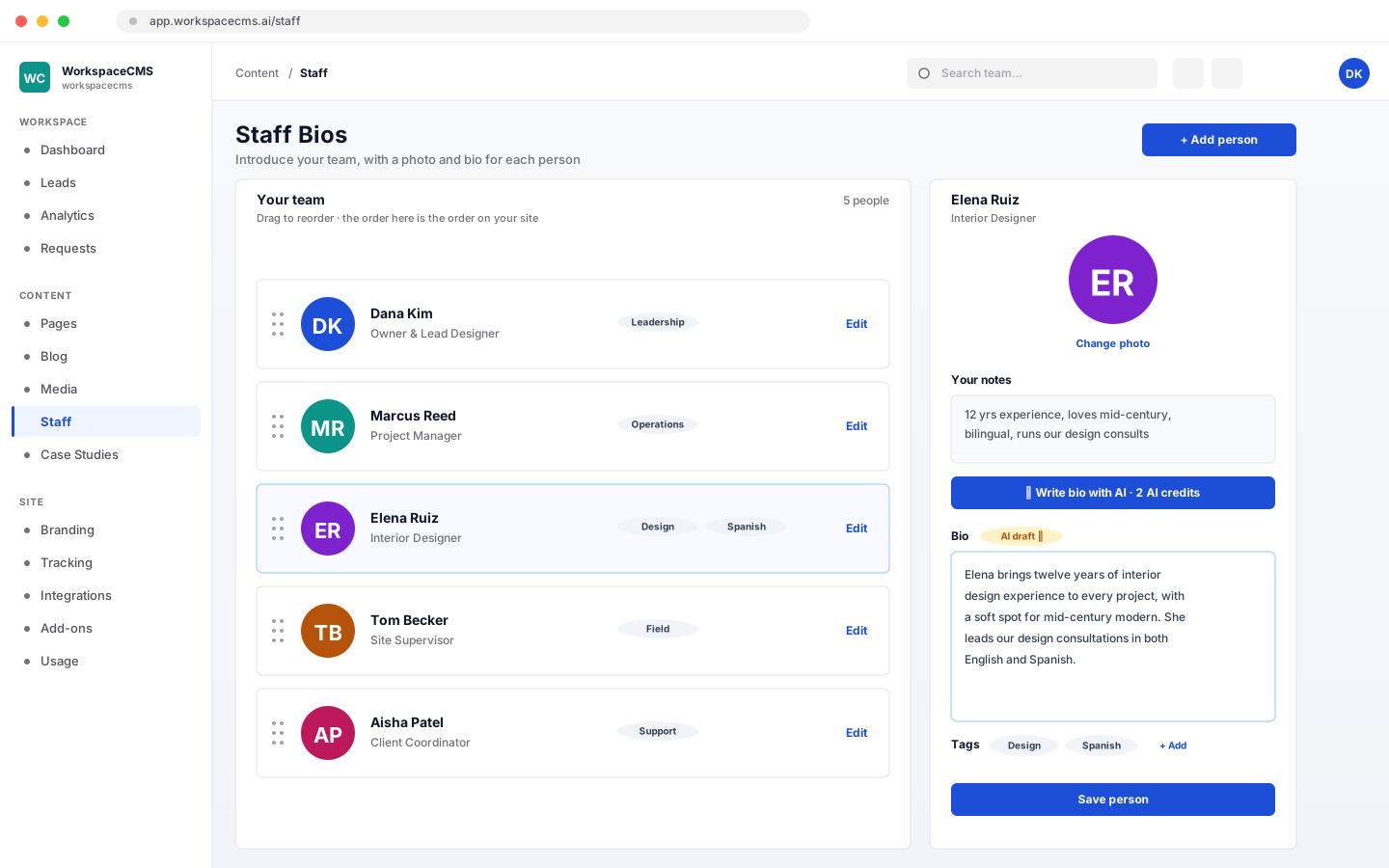
Staff Bios
Introduce your team with a photo and bio for each person. Drag to reorder, add tags, and let AI write a bio from a few notes (2 AI credits).
- ✓A photo and bio for each team member
- ✓Drag to reorder, and tag people
- ✓AI bio from your notes, 2 AI credits
Show your work
Location Pages
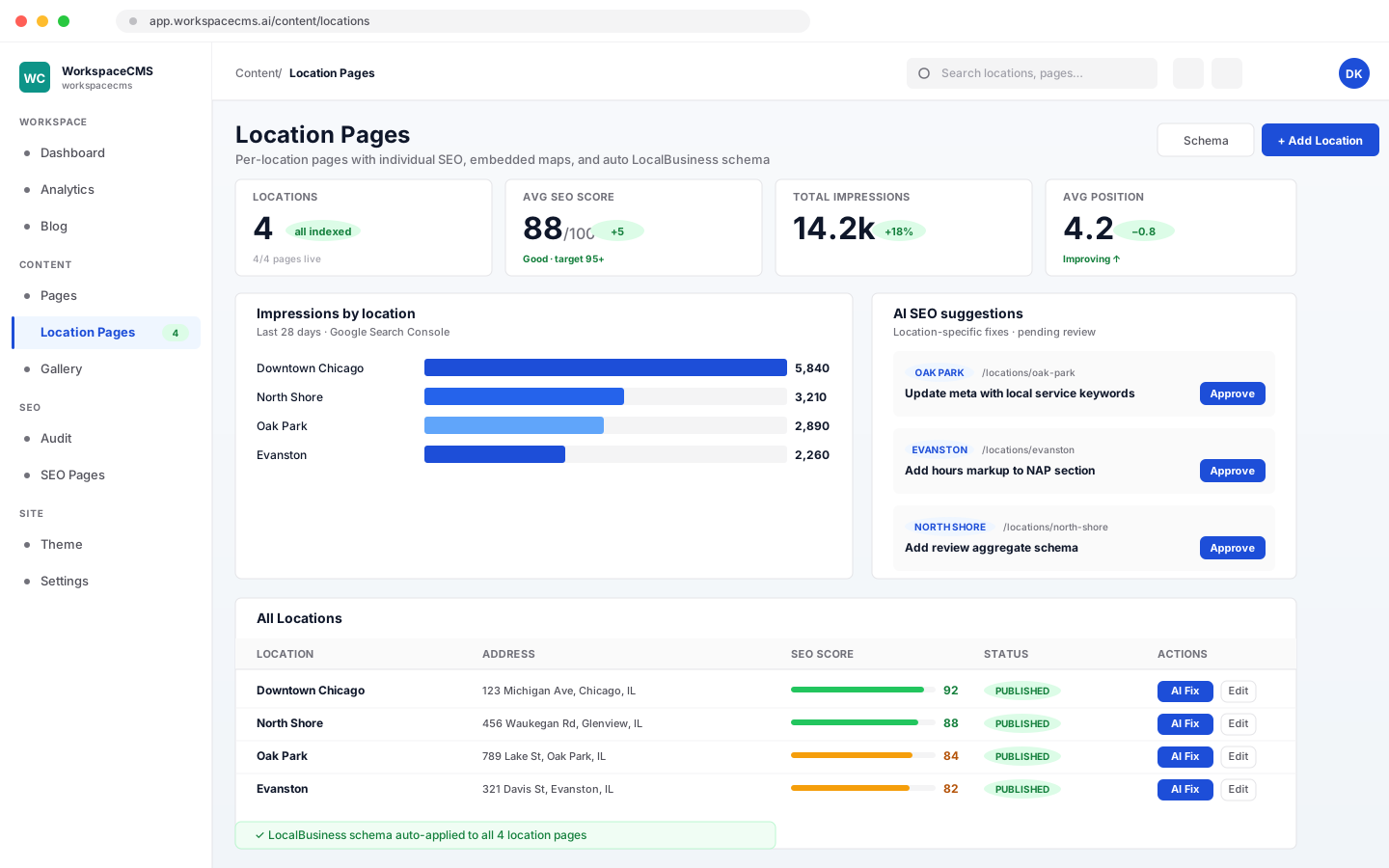
More than one location? Each one gets its own detail page, and visitors can find the nearest one on a map by searching a ZIP code or city within a radius. AI can write the intro for your locations list in your brand voice (5 AI credits).
- ✓A detail page for every location
- ✓Map with ZIP code and city search, within a radius
- ✓Manage all locations from one dashboard panel
- ✓AI-written intro for your locations, 5 AI credits
See websites for multiple locations
Show your work
Property Listings (IDX)
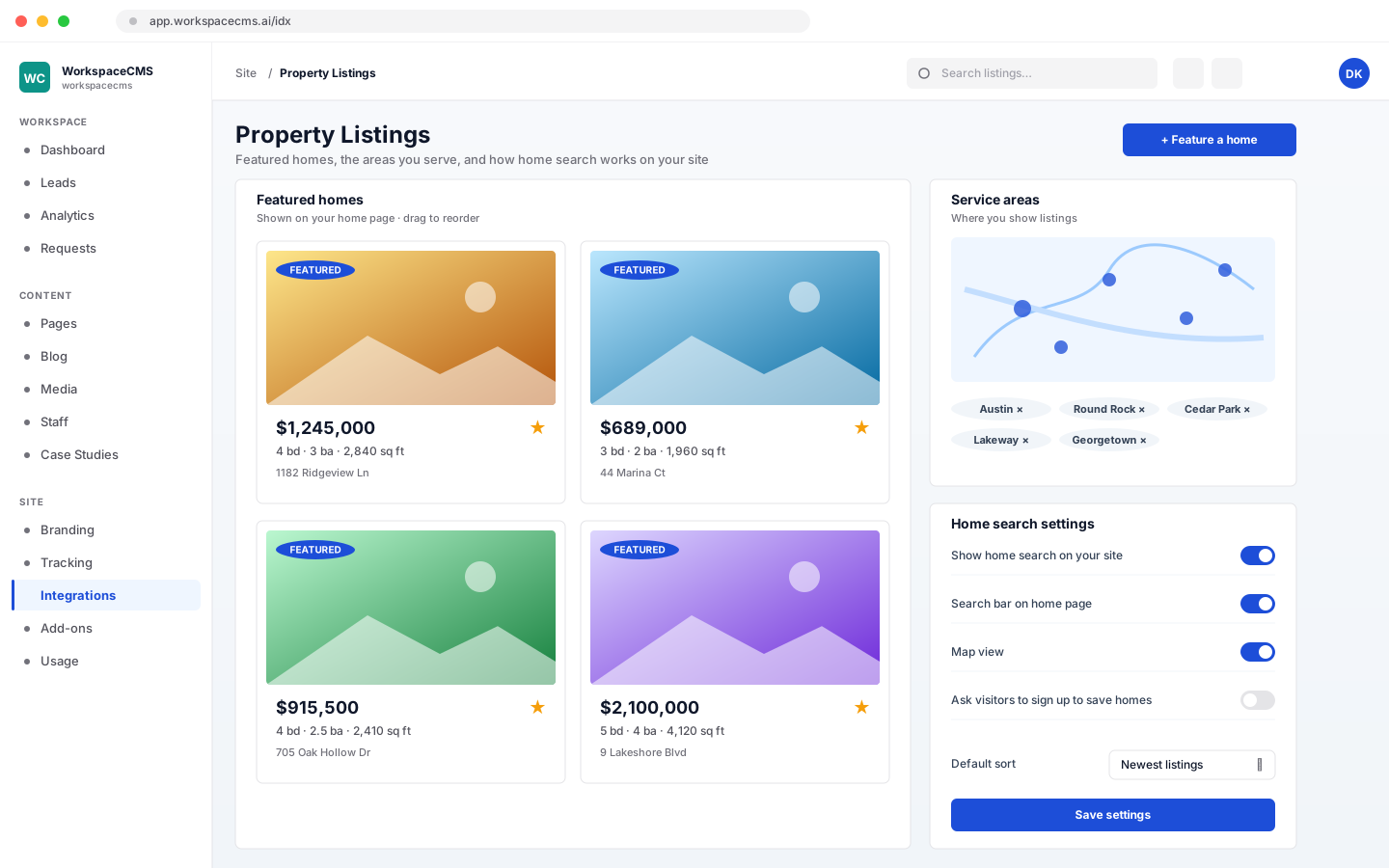
For real estate sites: show featured homes, set the service areas you cover, and choose how home search works on your site. We set it up for real estate clients; it isn't part of a standard plan.
- ✓Featured homes on your site
- ✓Service areas you choose
- ✓Home search settings
Show your work
Instagram Feed
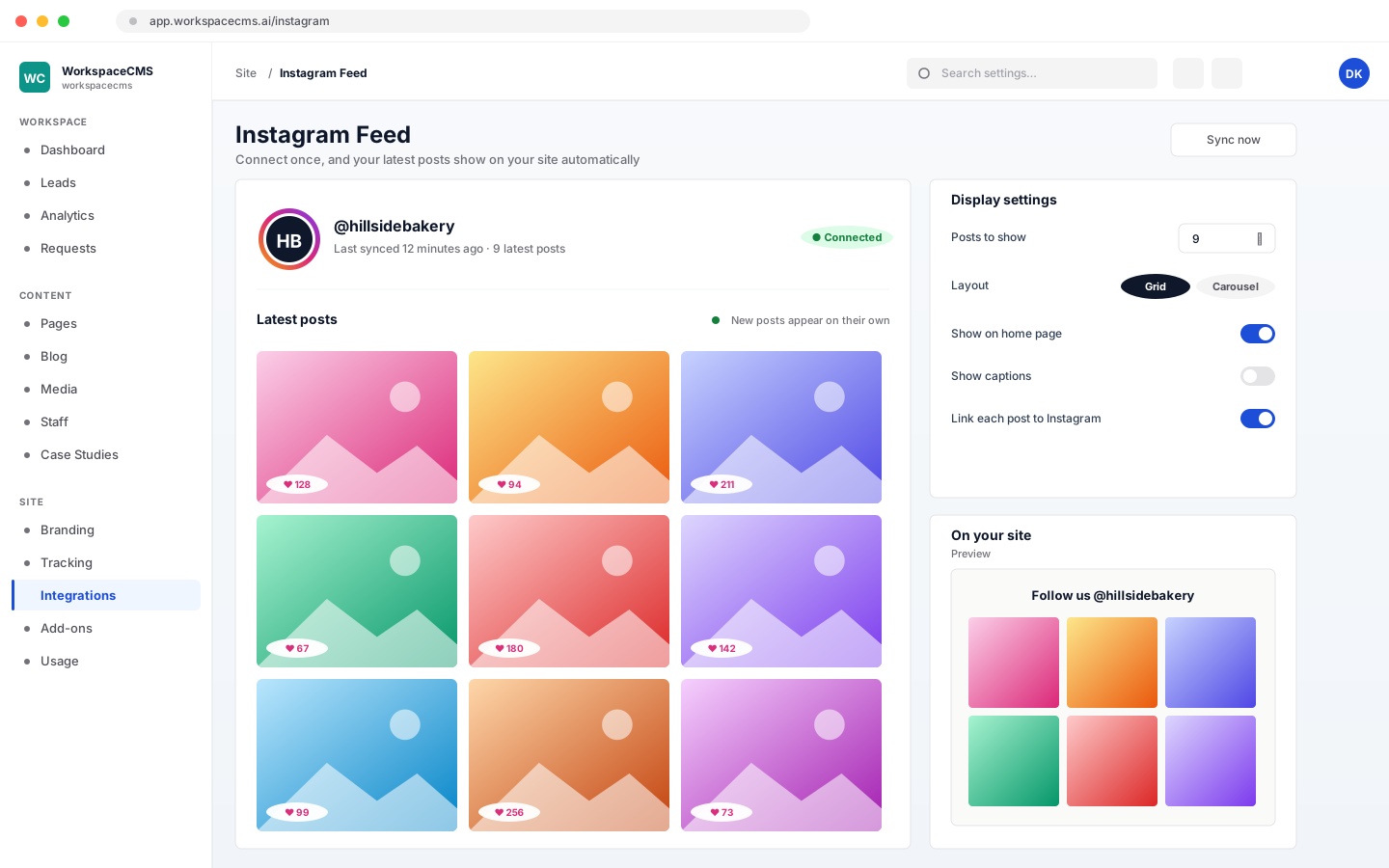
Connect your Instagram account once, and your latest posts show on your site automatically.
- ✓Connect once
- ✓Your latest posts appear on their own
Run your site
Run your site
Sage, your back-office AI agent, plus analytics, branding, access, requests and usage, all in one place.
Run your site
Sage, your back-office AI agent
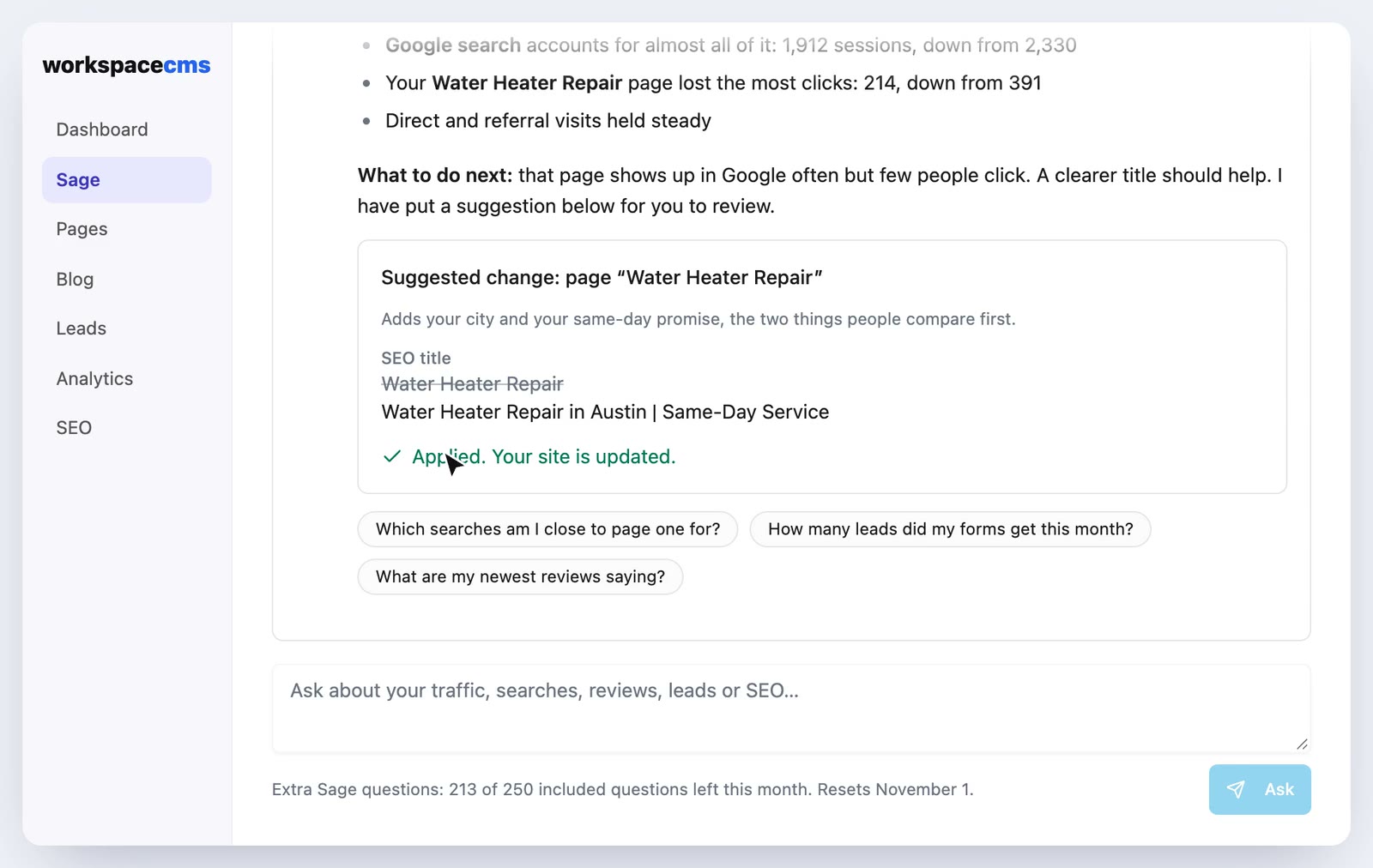
An AI agent in your dashboard that helps you run the business behind your website. Ask why traffic changed, which Google searches bring people in, what your reviews say or how many leads came in, and it answers from your own Google Analytics, Search Console, Google Business Profile, pages and form leads. It suggests small fixes, like a better page title or clearer button wording, that you apply with one click, and passes bigger jobs to our team with a quote first. Comes with Growth, Premium and Ultra, and each question uses 5 of your plan's AI credits, so there is nothing extra to buy. Ask a lot? Buy Sage credits in bulk: 2,000 Sage credits a month for $99/mo (about 5¢ a credit).
- ✓Answers from your own analytics, searches, reviews and leads
- ✓Says so when a source is not connected, instead of guessing
- ✓Suggests fixes; nothing changes until you click Apply
- ✓Only reads your own workspace's data
Run your site
Analytics Dashboard
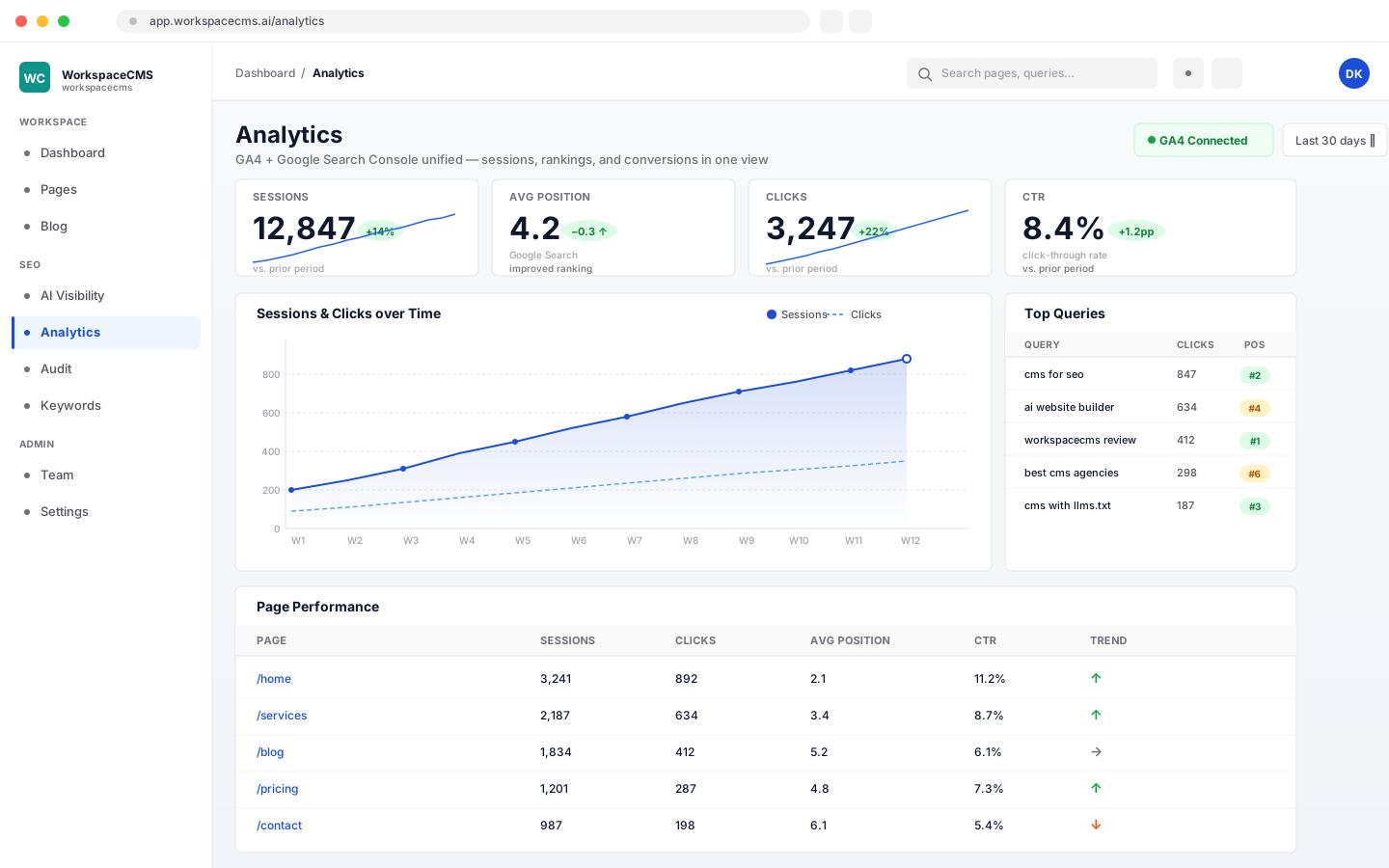
See your visits, leads, and Google rankings on one simple screen. It pulls GA4 traffic and Google Search Console rankings together, without juggling Google products. Essentials gets a lite view with your key numbers; Growth and above get the full dashboard, including Conversions, plus AI insights that explain what changed (2 AI credits per click). On Premium and Ultra, a monthly report can be emailed to you on the day you choose.
- ✓GA4 + Google Search Console in one view
- ✓Essentials: a lite view of your key numbers
- ✓Growth and above: the full dashboard, including Conversions
- ✓Growth and above: AI insights, 2 AI credits per click
- ✓Premium and Ultra: a monthly report emailed on the day you choose
Run your site
Tracking & Cookie Consent
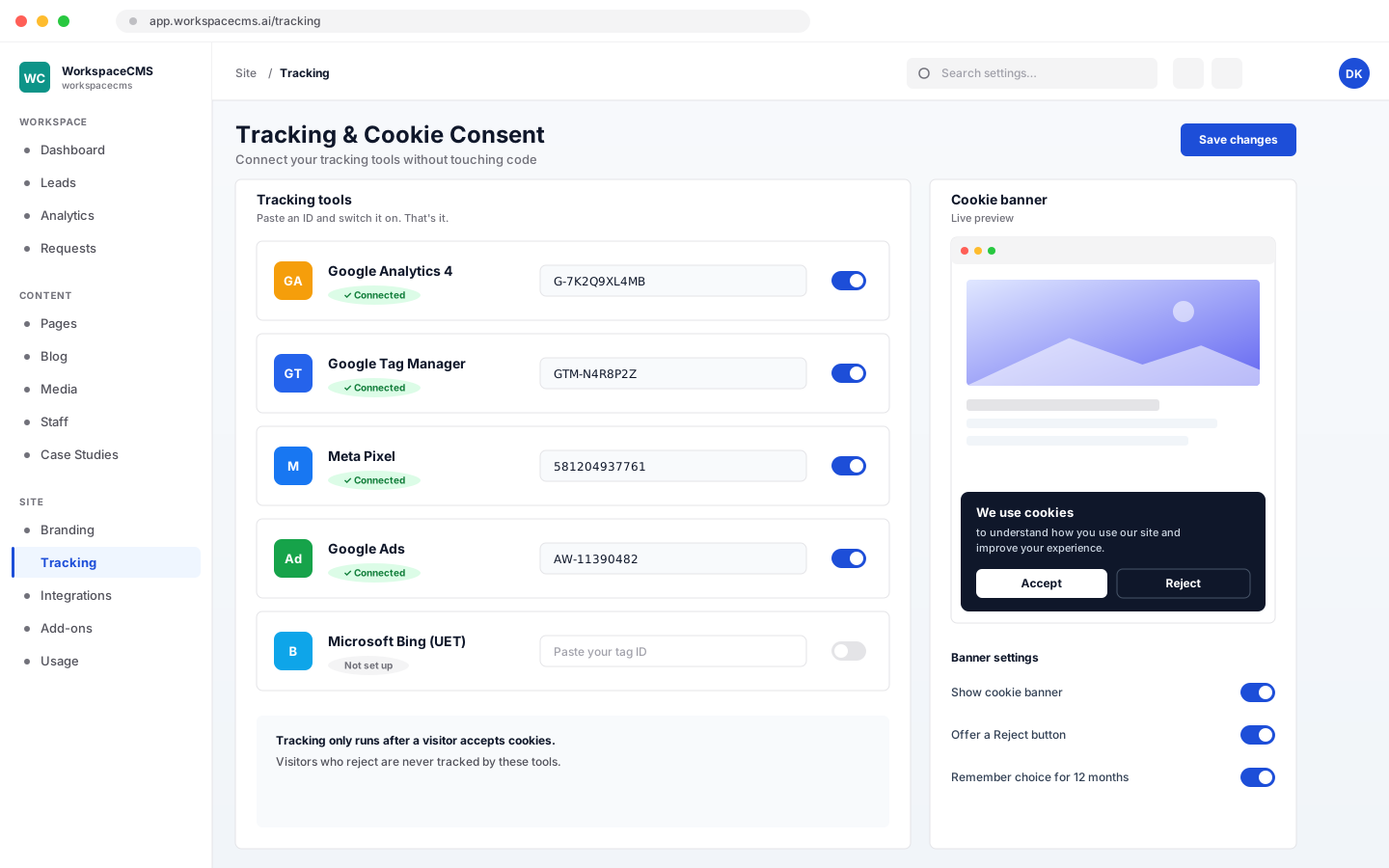
Add Google Analytics 4, Google Tag Manager, the Meta Pixel, Google Ads, and Microsoft Bing tracking without touching code, and show a cookie banner that lets visitors accept or reject tracking.
- ✓GA4, Tag Manager, Meta Pixel, Google Ads, and Bing, no code
- ✓Cookie banner with accept and reject
Run your site
Branding, Site Profile & Social Links
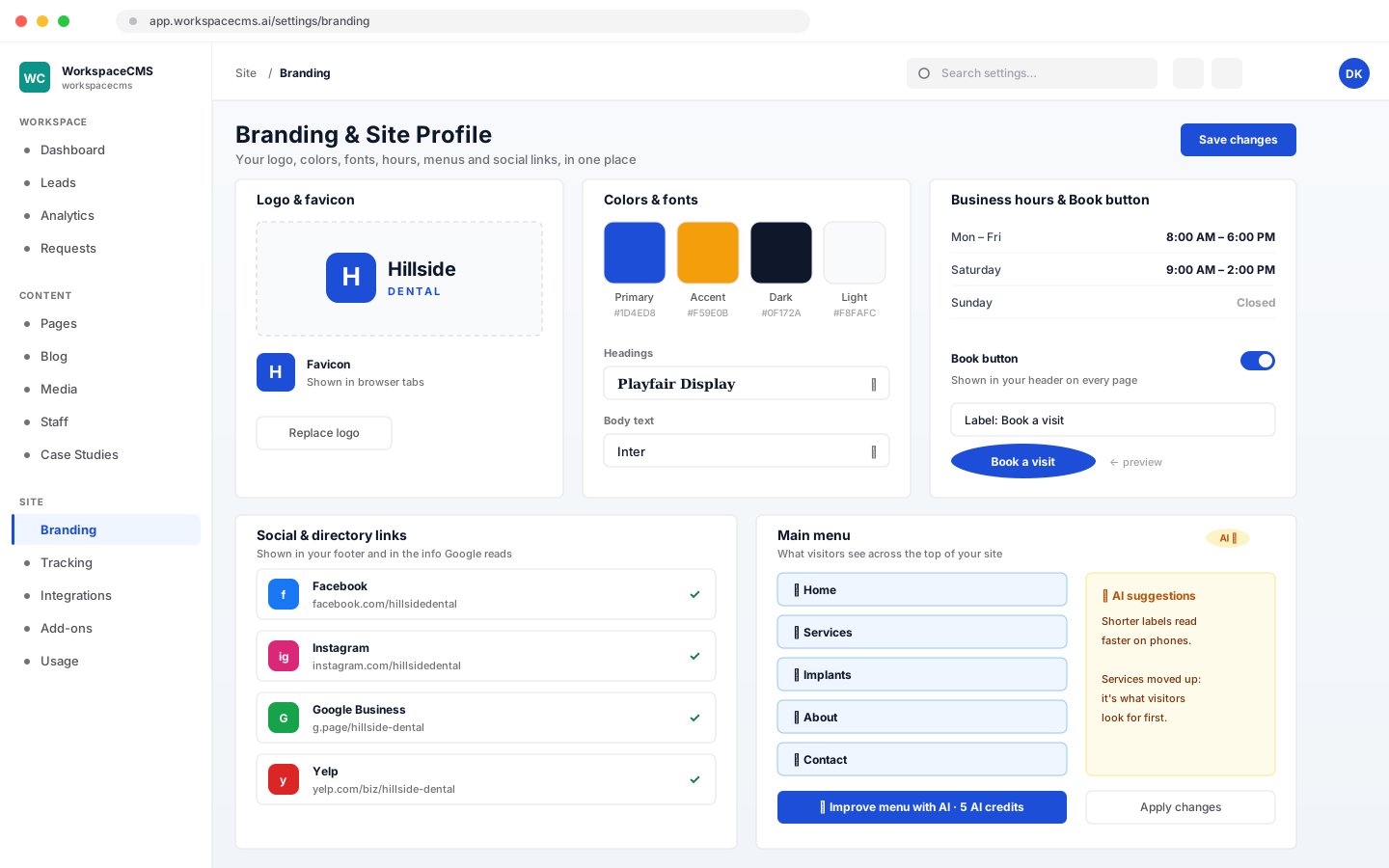
Set your logo, colors, fonts, and favicon, your business hours, your menus, and your Book button, all in one place. Add your social and directory links, and they appear in your footer and in the behind-the-scenes info Google reads. AI can tidy up a menu for you (5 AI credits).
- ✓Logo, colors, fonts, and favicon
- ✓Business hours, menus, and a Book button
- ✓Social and directory links in your footer and your structured data
- ✓AI menu improvements, 5 AI credits
Run your site
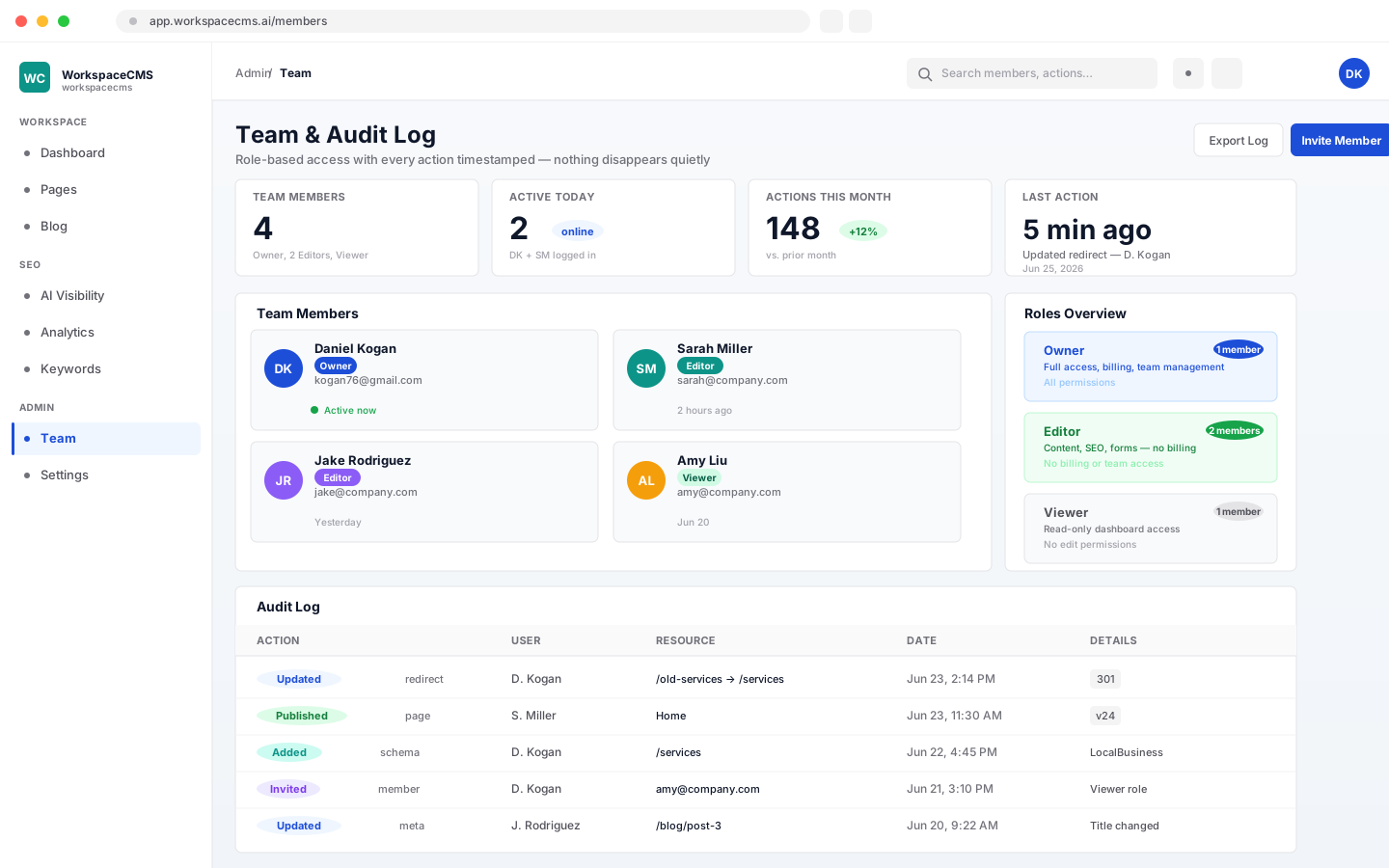
Users, Access & Version History
Give teammates their own logins, with Owner, Editor, or Viewer roles so each person has the right access. Seats: 1 on Essentials, 2 on Growth, 4 on Premium and 8 on Ultra. Need more people? On Growth and above you can add users yourself from your dashboard, billed monthly with your plan: $29/mo each on Growth (up to 5 users), $15/mo each on Premium (up to 25 users) and $10/mo each on Ultra (up to 25 users). Essentials includes 1 user; upgrade to Growth to add more. Every page and post also keeps a version history, on every plan.
- ✓Owner, Editor, and Viewer roles
- ✓One-click team member invites
- ✓1 / 2 / 4 / 8 seats on Essentials / Growth / Premium / Ultra
- ✓Add users from your dashboard: $29 / $15 / $10 a month each on Growth / Premium / Ultra
- ✓Version history on every page and post
Run your site
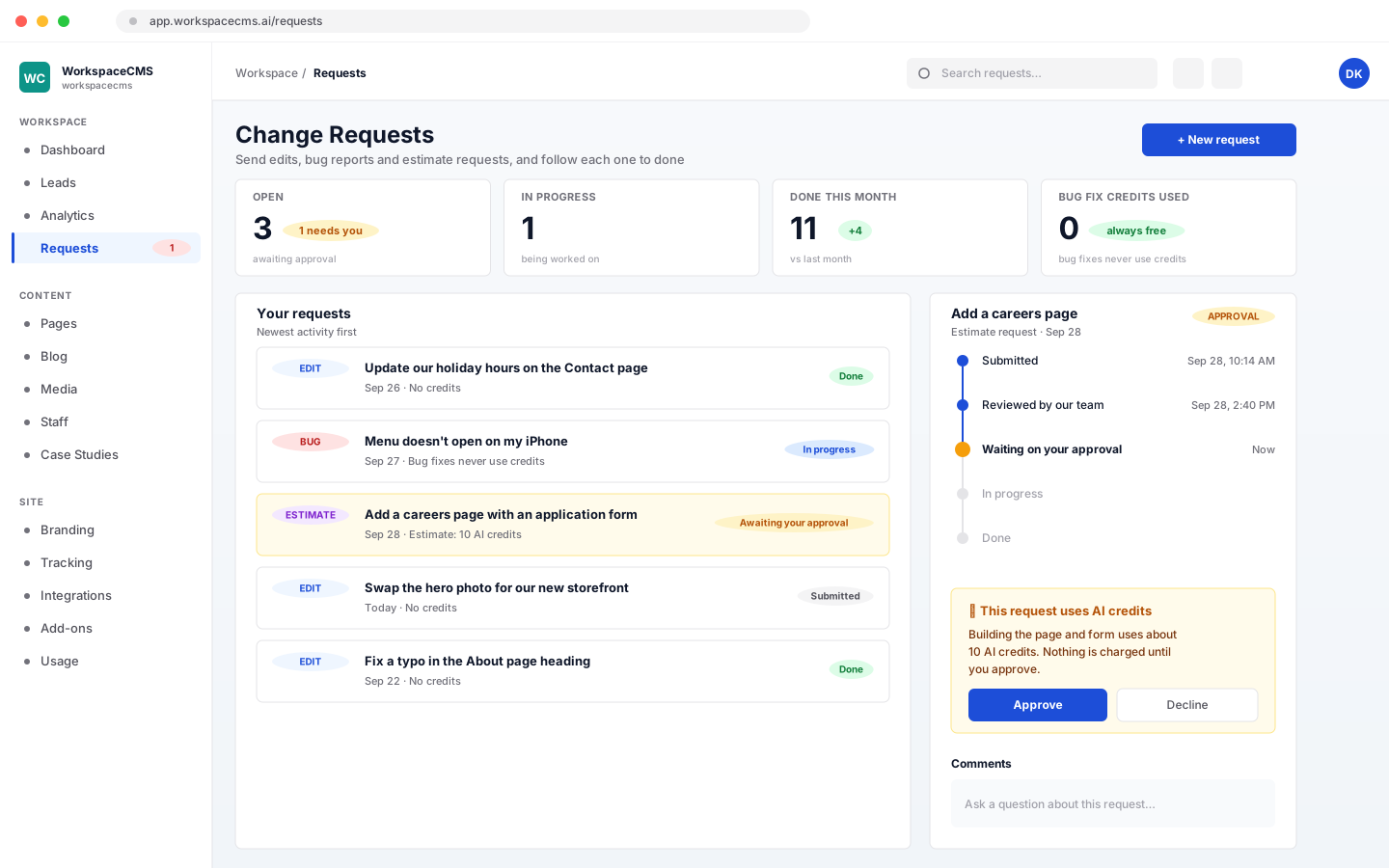
Change Requests
Send edits, bug reports, and requests for estimates straight from your dashboard, and follow each one through to done. If a request would use AI credits, you approve that first. Bug fixes never use credits.
- ✓Edits, bug reports, and estimate requests from your dashboard
- ✓Track every request through to done
- ✓You approve any AI credit use first
- ✓Bug fixes never use AI credits
Run your site
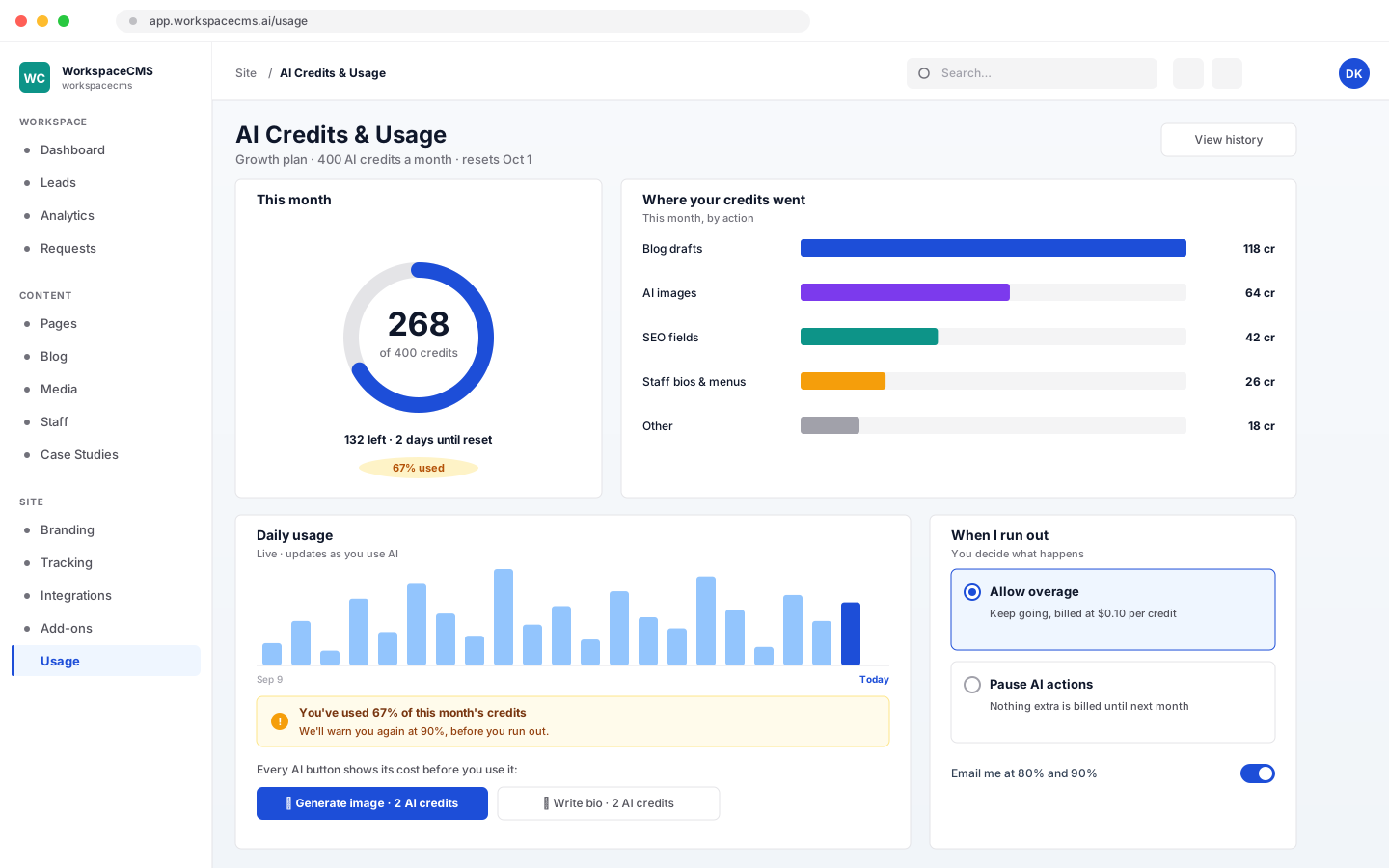
AI Credits & Usage Meter
Every plan includes a monthly allowance of AI credits: 100 on Essentials, 400 on Growth, 1,200 on Premium and 1,600 on Ultra. A live usage chart shows where they go, you get warnings as you get close, and you choose whether to allow overage (billed at $0.10 per credit) or pause AI actions until next month.
- ✓100 on Essentials, 400 on Growth, 1,200 on Premium and 1,600 on Ultra credits a month
- ✓Live usage chart and warnings before you run out
- ✓You choose whether overage is allowed, at $0.10 per credit
- ✓Every AI button shows its cost before you use it
Run your site
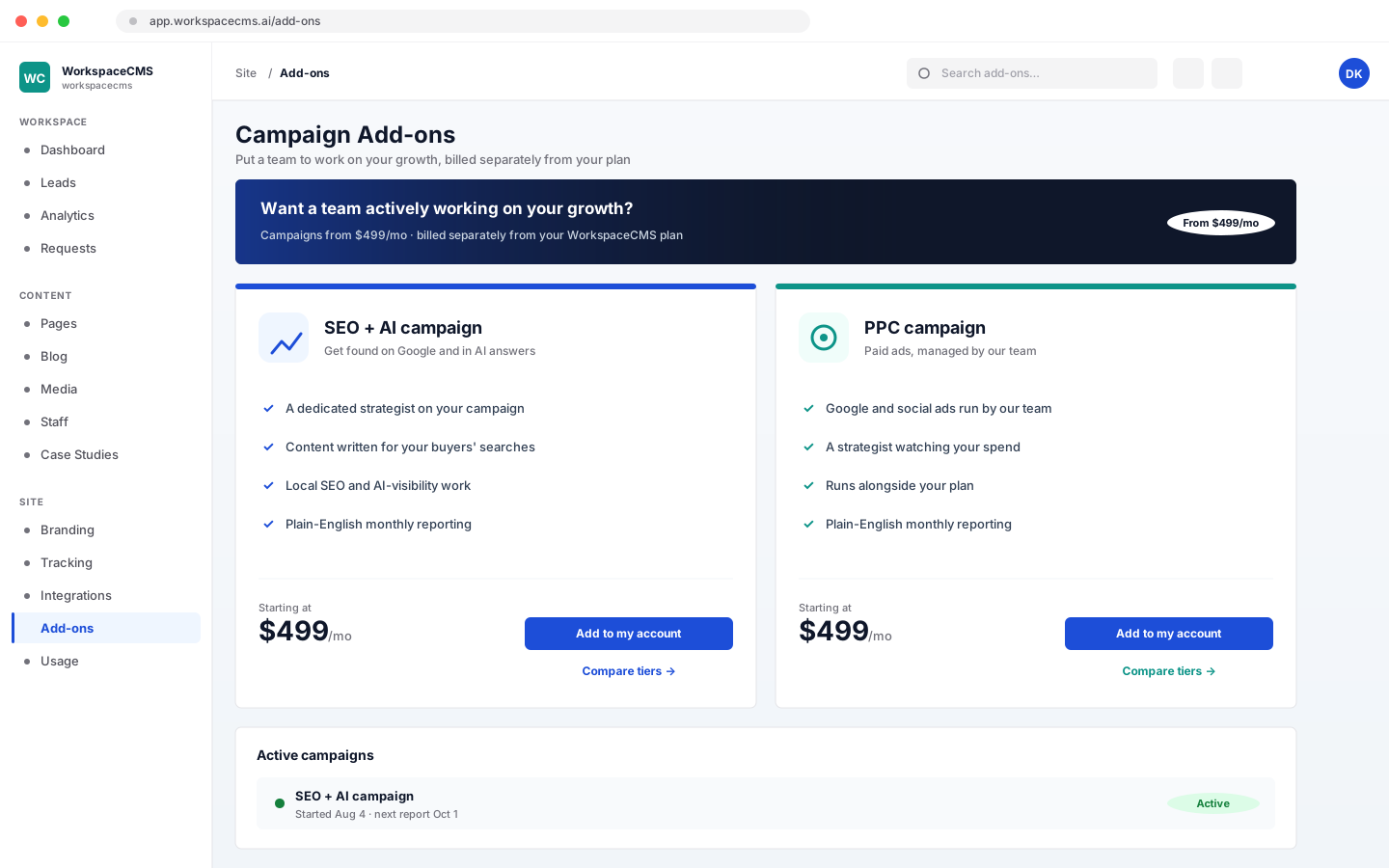
Campaign Add-ons
Want a team actively working on your growth? Buy an SEO + AI campaign or a PPC campaign right from your dashboard, from $499/mo, billed separately from your plan.
- ✓SEO + AI and PPC campaigns
- ✓Buy from your dashboard
- ✓From $499/mo, billed separately from your plan
Run your site
Business Email
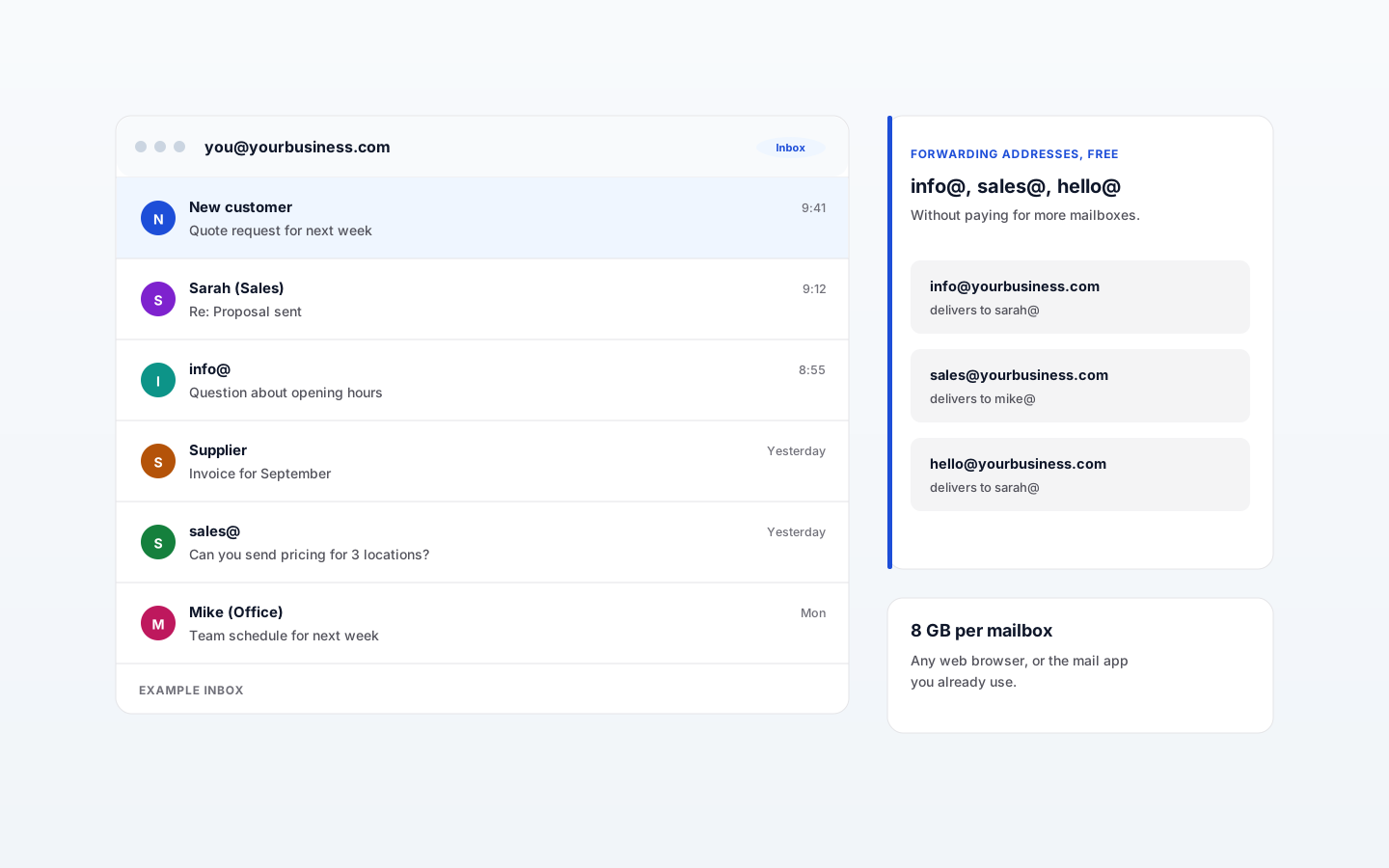
Email at your own domain, like you@yourbusiness.com, for everyone on your team. $6/mo per mailbox with 8 GB each, as its own monthly subscription, separate from your website plan. You connect your domain and manage every mailbox from the same dashboard as your website, and read your mail in any web browser or the mail app you already use.
- ✓Connect your domain with guided DNS settings we check for you
- ✓Create and delete mailboxes, and reset passwords
- ✓Free forwarding addresses like info@ and sales@
- ✓Spam and virus filtering, two-step sign-in and backups on every mailbox
- ✓An add-on on every plan, $6/mo per mailbox
Run your site
Developer API
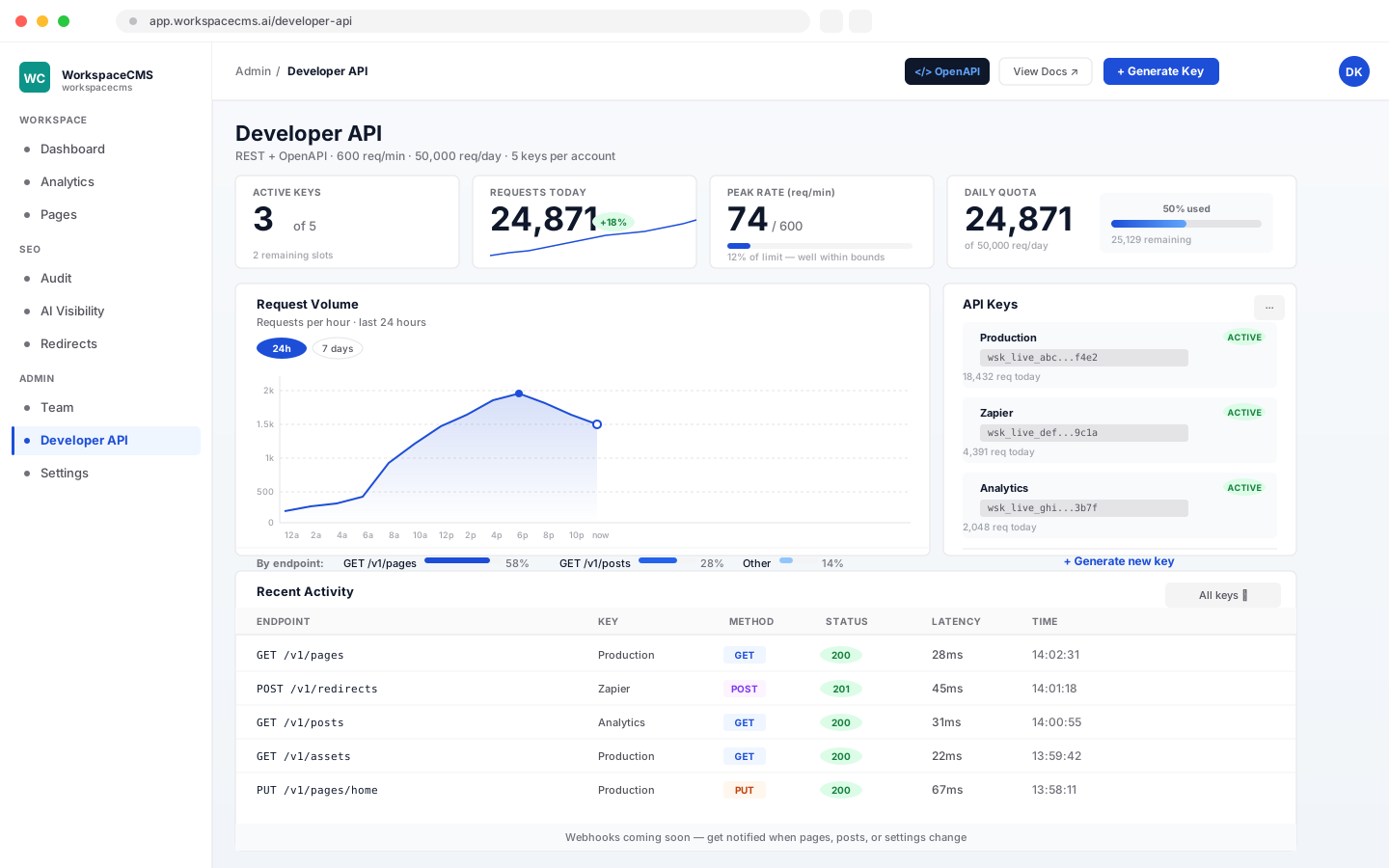
This one's for your developer, a way to connect your site to other software. (No developer? You'll never need to touch it.) It's a REST API for pages, posts, assets, redirects, and SEO settings, for headless frontends, BI dashboards, Zapier/Make automations, or any custom integration. A key with draft permission can also stage page edits and blog drafts, and your site has its own MCP server so Claude, ChatGPT, Cursor or VS Code can draft changes. Nothing publishes until a person clicks Publish. 600 req/min per key, 50,000 req/day per tenant, 5 active keys per account. Need more? Enterprise quotes available.
- ✓Read pages, posts, assets, redirects, and SEO settings via REST
- ✓Draft keys stage page edits and blog drafts; a person publishes
- ✓Built-in MCP server for Claude Code, Cursor and VS Code
- ✓Published OpenAPI spec: works with Postman, Insomnia, every codegen tool
- ✓Standard X-RateLimit-* response headers: SDKs throttle automatically
- ✓Key rotation with 7-day grace period: deploy without downtime
- ✓Up to 5 active keys, and a usage page showing your requests
- ✓Webhooks coming soon
Proof, not promises
See it running on real sites.
Every tool above is wired into live demo sites you can click through right now. These aren't mockups. They're real WorkspaceCMS sites on the public web, with all the behind-the-scenes Google and AI-readability work running live.

Med spa
Clinical-luxury aesthetic with gallery, booking, and treatment pages.
Open live demo
HVAC
Trades site with service-area map, dispatch board, and emergency CTAs.
Open live demo
Law firm
Editorial gravitas, case-results timeline, FAQ + Article schema throughout.
Open live demo
Ecommerce
Product catalog with cart, quick filters, and PDP polish.
Open live demoAsk AI for a business like yours. Are you in the answer?
ChatGPT, Claude, and Perplexity only recommend sites they can read. Most small-business sites fail that test. Scan yours free and see exactly where you stand.
Free · no signup · scores the 15 signals AI uses to find you · ~20 seconds