

Read, archive, spam
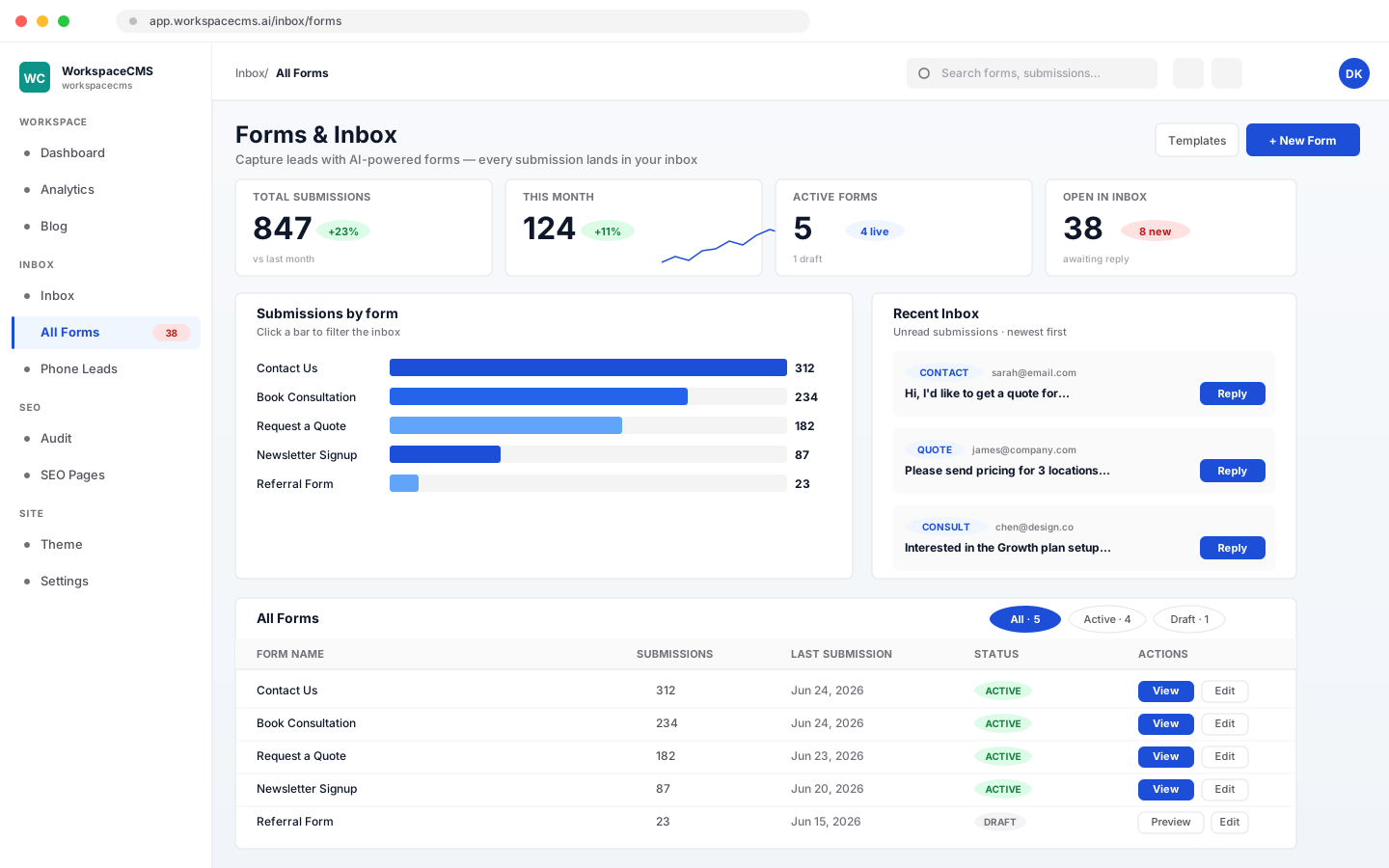
Every submission is New until you open it. Archive what is handled. Nothing archived is deleted, and you can filter back to it any time.
Build contact forms by drag and drop or with AI. Every submission arrives in your inbox and your email, spam is filtered out without deleting anything, and your Leads list puts form fills, chats, calls and booking requests side by side.

Drag fields into the order you want, or describe the form in a sentence and let AI build it for you.
Place the form on your contact page, a services page, or anywhere else on your site. Preview it first to see exactly what visitors see.
The submission lands in your inbox the moment someone presses Submit, and your team gets an email about it.
Make as many forms as you need: a contact form, a quote request, a job application. Drag fields into place, or tell AI what you want and it builds the form for you to edit.
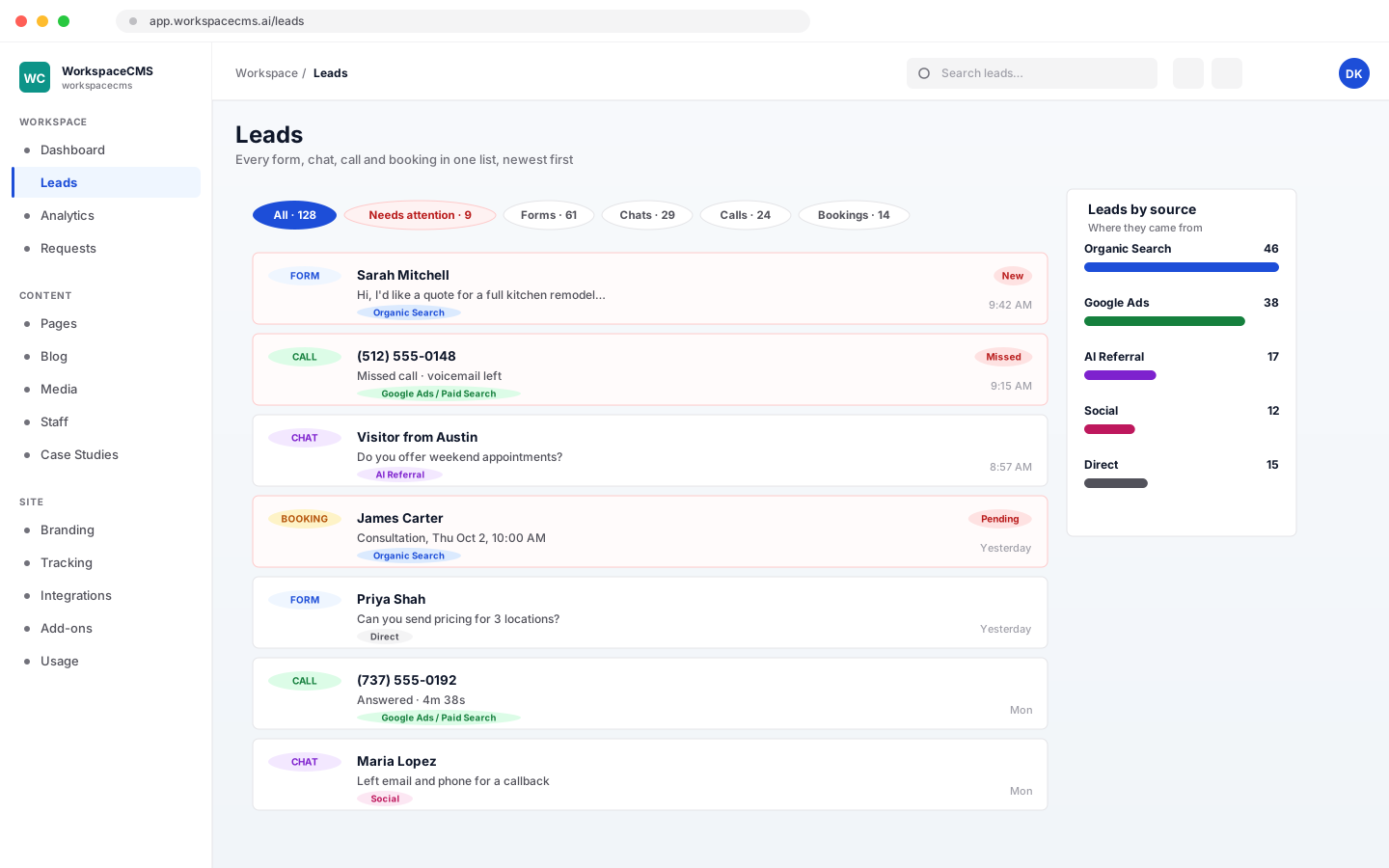
Your Leads list answers one question: who tried to reach you? Form fills, website chats, phone calls and booking requests are merged into one list, newest first.
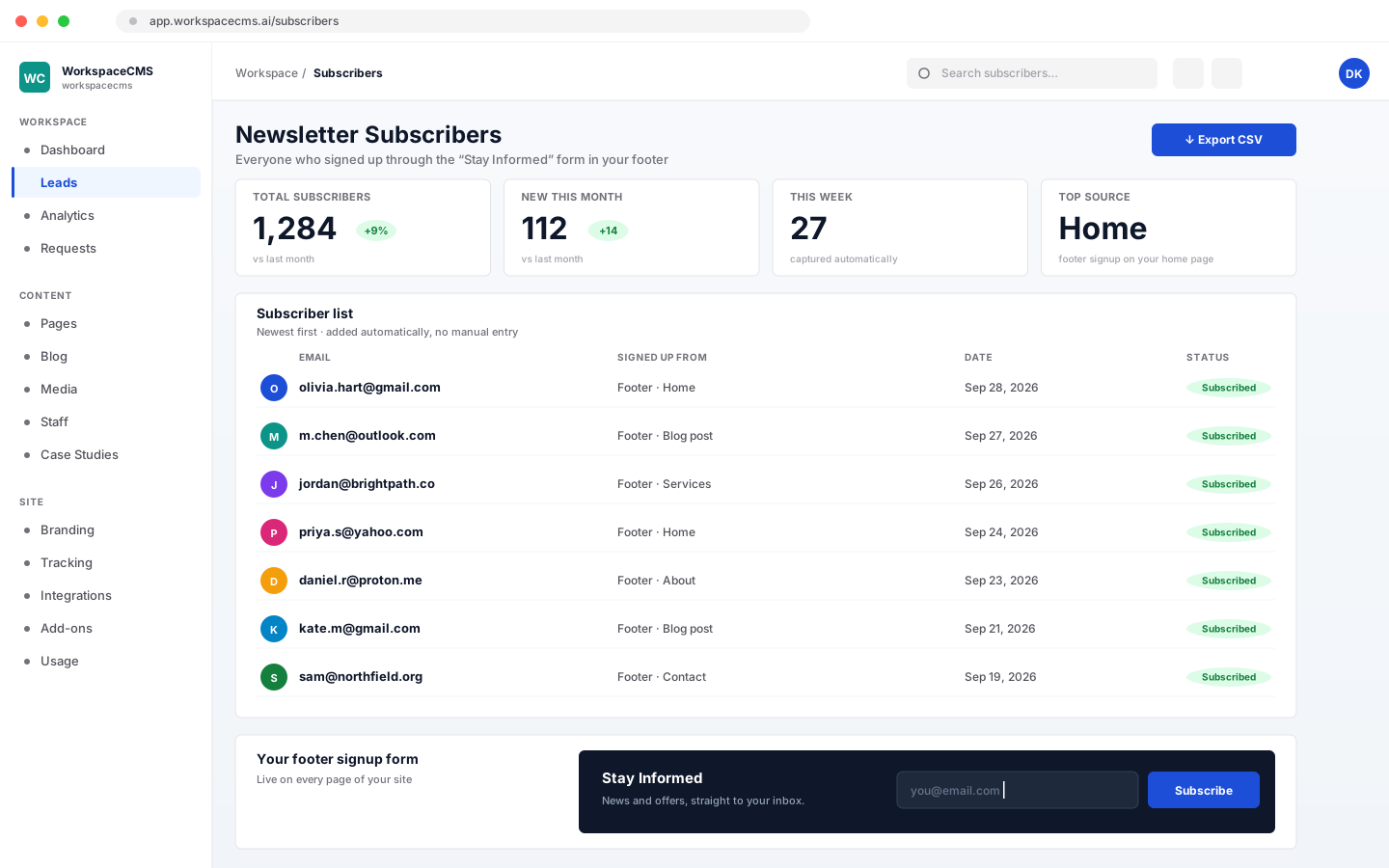
On Growth, Premium and Ultra, your site's footer carries a newsletter signup form. Everyone who signs up is added to your Subscribers list automatically, with no third-party newsletter tool to connect.
Every submission from every form, in one place. Each form also keeps its own list of submissions inside the builder.
Every submission is New until you open it. Archive what is handled. Nothing archived is deleted, and you can filter back to it any time.
Add a private note to any submission, like “sent a quote Tuesday”. Visitors never see notes.
Find a submission by name, email or anything they typed, or narrow the inbox to one form.
Download your submissions, or just the ones you select, as a spreadsheet file.
Several layers work together. Anything that gets filed as spam is kept, so a real customer caught by mistake is one click away from your inbox.
A form accepts submissions from your site's own web addresses, so bots cannot post to it from somewhere else.
An invisible field real people never see. Bots fill it in, and their submission is quietly thrown away.
Bursts of repeat submissions from the same visitor to the same form are turned away.
Switch on Cloudflare Turnstile for a form when you want a human check. It is off unless you turn it on.
Submissions that read like spam are filed in your Spam folder instead of the inbox. They are saved, not deleted, and nobody is emailed about them.
Mark something as spam and that sender is blocked from future submissions. You can block their whole email domain too.
You decide who hears about each form, and your customers hear back from you straight away.
What shows up in your Leads list depends on the tools you use: chats come from the AI chat widget, calls from Call Tracking, and booking requests from online booking.
| Feature | Essentials | Growth | Premium | Ultra |
|---|---|---|---|---|
| Form Builder and Inbox | Included | Included | Included | Included |
| AI form building | Uses AI credits | Uses AI credits | Uses AI credits | Uses AI credits |
| Leads list (forms) | Included | Included | Included | Included |
| Booking requests in Leads | Not included | Included | Included | Included |
| Website chats in Leads | AI chat add-on ($49/mo) | AI chat add-on ($49/mo) | Included | Included |
| Phone calls in Leads | Call Tracking add-on | Call Tracking add-on | Call Tracking add-on | Call Tracking add-on |
| Newsletter signup and Subscribers | Not included | Included | Included | Included |
AI form building uses AI credits from your plan’s monthly allowance. See what every AI action costs, or compare every plan. See all the tools in the dashboard.
No. The Form Builder is part of every WorkspaceCMS plan. You build the form in your dashboard, place it on a page of your site, and the submissions come back to your dashboard and your email.
Submissions that look like spam go to your Spam folder. They are saved, not deleted, and nobody is emailed about them. If a real enquiry ends up there, unmark it and it goes back to your inbox. And if a form's captcha cannot verify a visitor, the submission still lands in your normal inbox with a note saying so, rather than being hidden.
The owners and editors on your workspace, plus any extra addresses you add to that form. You can mute a team member on any form. The email shows the sender name you choose, and replies go to the reply-to address you set in your email settings.
Not yet. You reply from your own email or phone, and use private notes on each submission to keep your team up to date. An automatic thank-you email can go to the visitor the moment they submit.
Yes, for form submissions and newsletter subscribers: both download as a CSV file. The combined Leads list, which also shows chats, calls and booking requests, does not have an export.
Not as a setting you can switch on yourself. Submissions go to your dashboard and your email, and you can export them to CSV. If you need a connection to another system, ask us about it.
No. It collects your subscribers and lets you export the list, so you can send your newsletter with the email tool you already use. Newsletter signup is on Growth, Premium and Ultra.
Not in the Form Builder today. Forms collect typed answers and choices. If you need visitors to send files, ask them to email them to you.
More tools
Every tool lives in the same dashboard as your site. Here are the others, each with its own walkthrough.
Everything every plan includesEvery tool, shown in fullCompare plans
Sign up online and we build your site for you. The Form Builder, inbox and Leads list come with every WorkspaceCMS plan.
Want to see every tool first? browse the tools