

A sitemap that looks after itself
Your sitemap updates every time you publish or unpublish a page or post. Pages you hide from search are left out.
WorkspaceCMS checks your site's speed and health every week on its own, explains what it found in plain English, and gives you simple tools for titles, schema, sitemaps, links, alt text and redirects. No plugins to install, no code to write.

It is a check-up for your website that runs without you. Here is what happens each week.
Google PageSpeed runs on up to 15 of your pages, with Core Web Vitals. On every plan, with no button to press.
The Site Health view tells you whether your site is in good shape, and groups anything that needs attention.
On Premium and Ultra, many issues come with a “Fix this for me” button. On any plan, you can fix things yourself in the tools below, no code needed.
Slow pages and broken basics quietly cost you customers. WorkspaceCMS checks for them on its own and tells you in plain English what, if anything, needs doing.
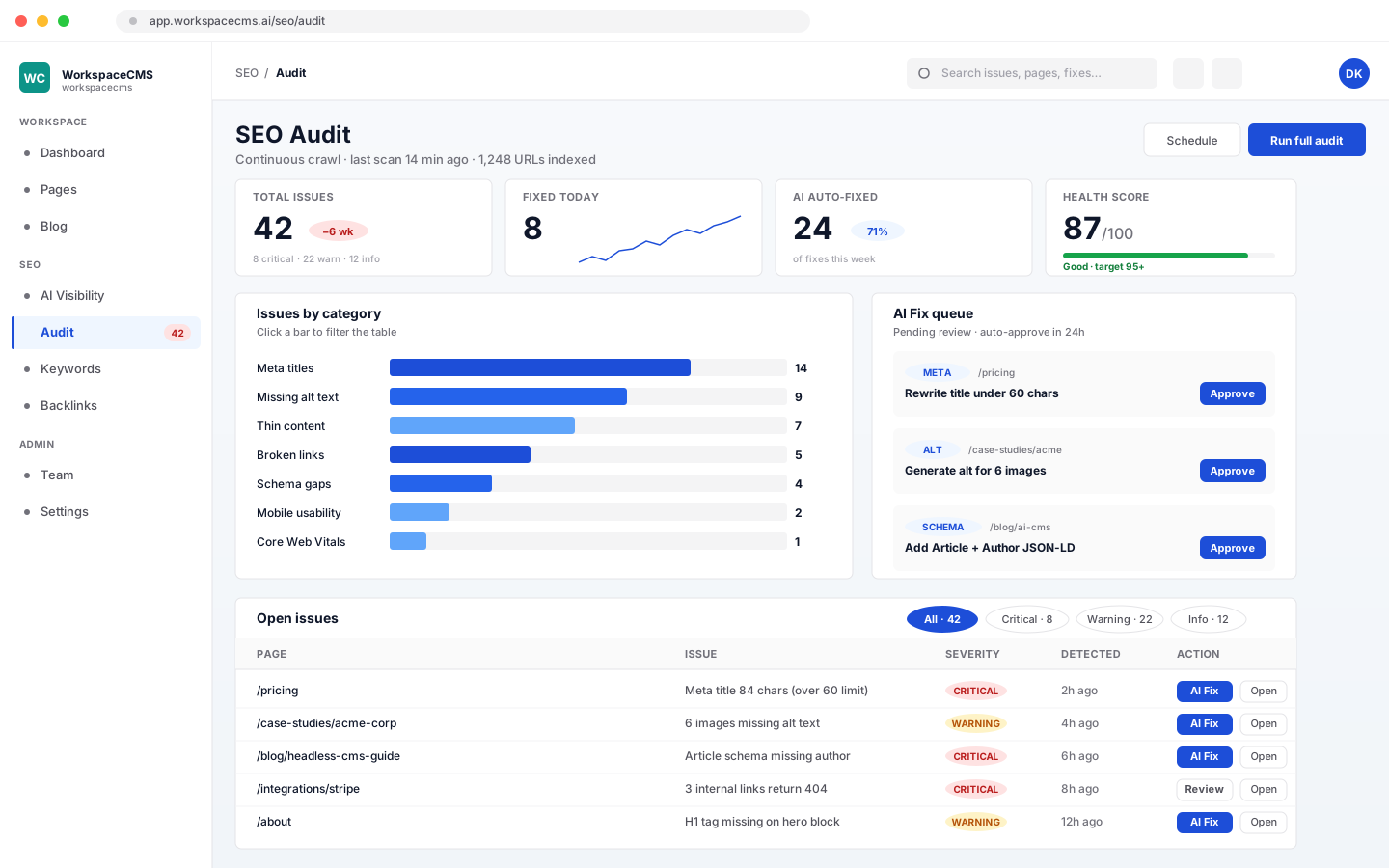
Every page gets its own search title and description, so what shows up in Google says what you want it to say. No plugin and no code.
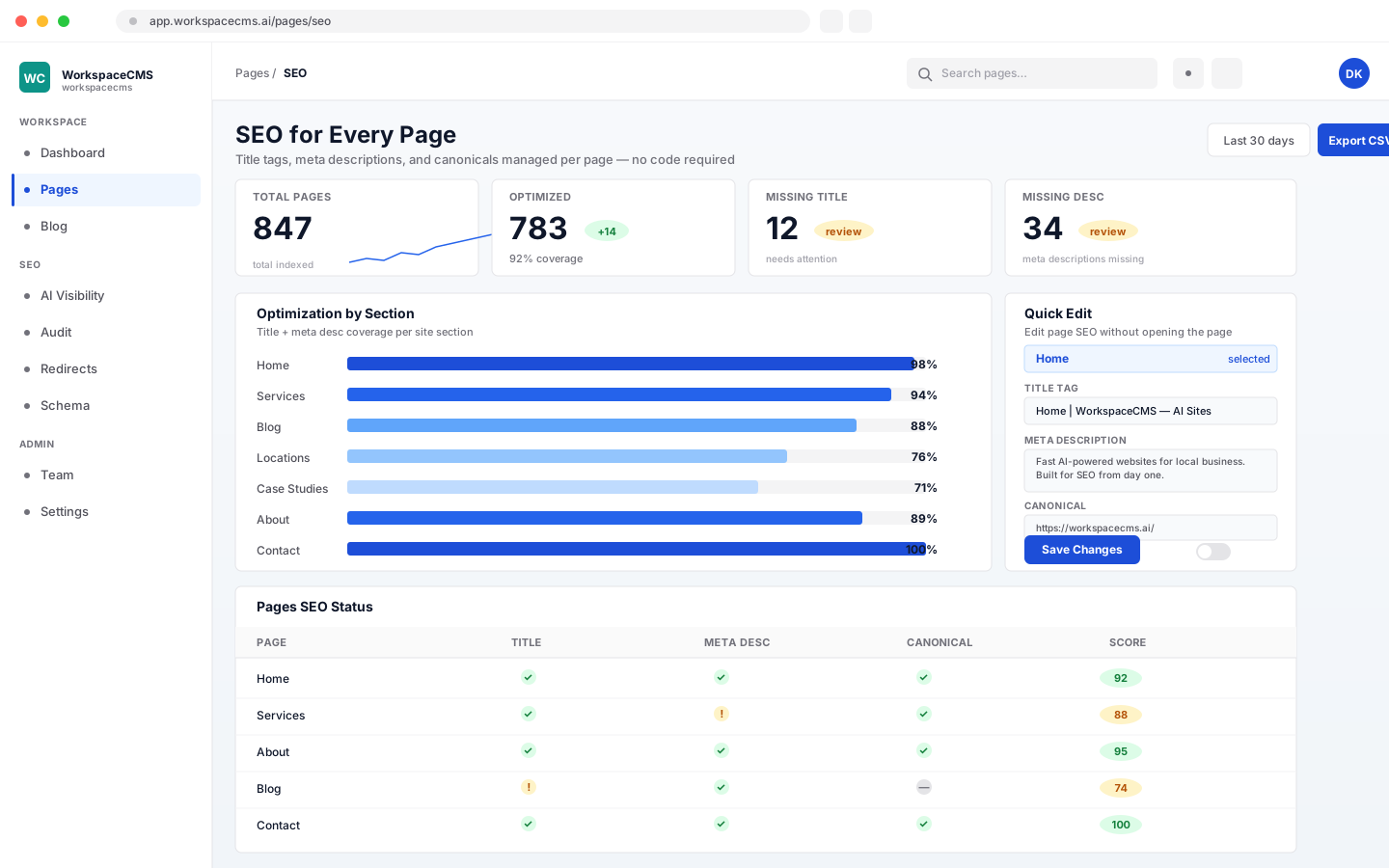
Structured data is the behind-the-scenes information that tells Google your business name, what you do and where you are. WorkspaceCMS gives you an editor for it, with a check before anything goes live.
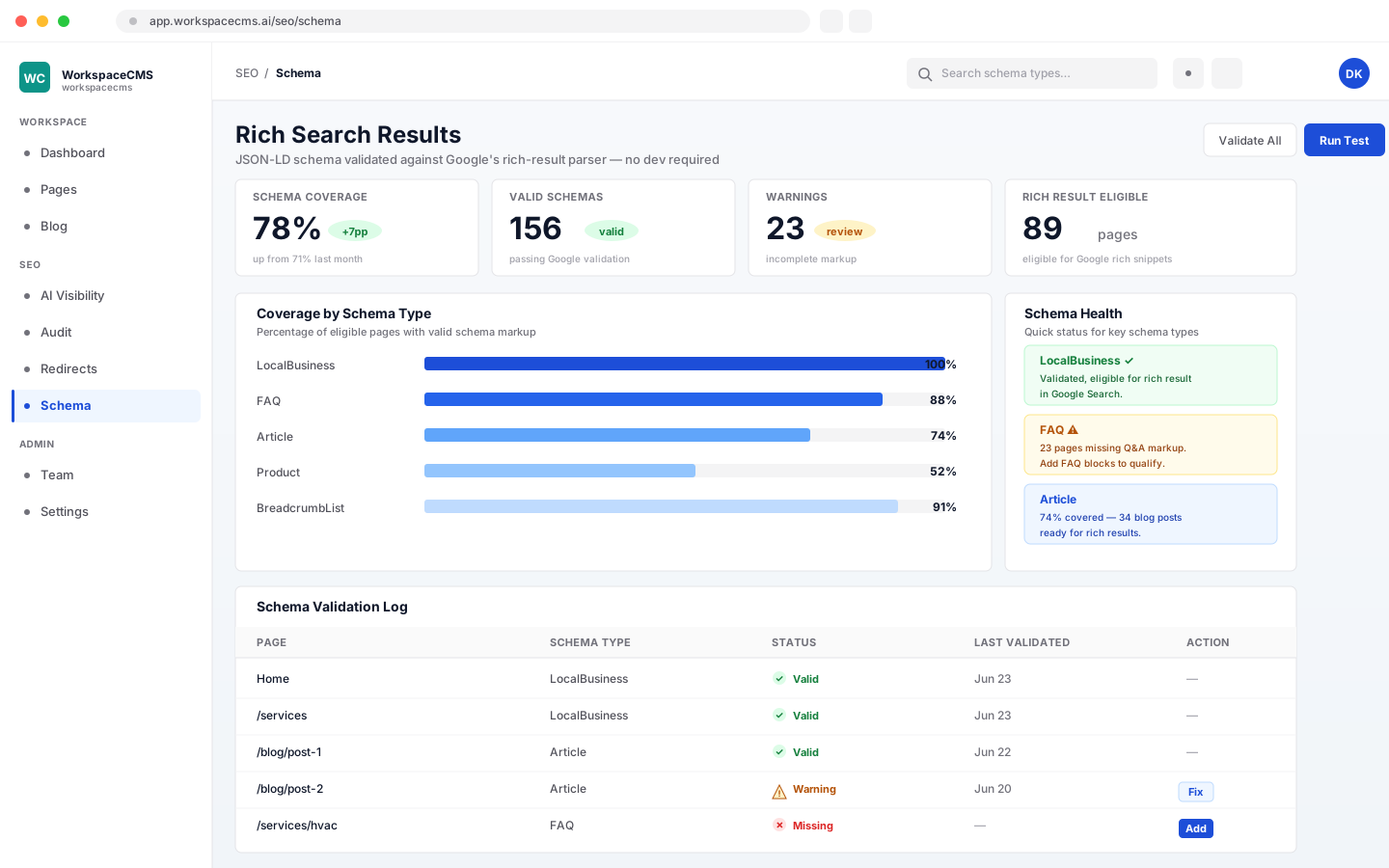
Tell your site which words should link to which page. It adds those links for you whenever you publish, so visitors and Google can find your important pages.
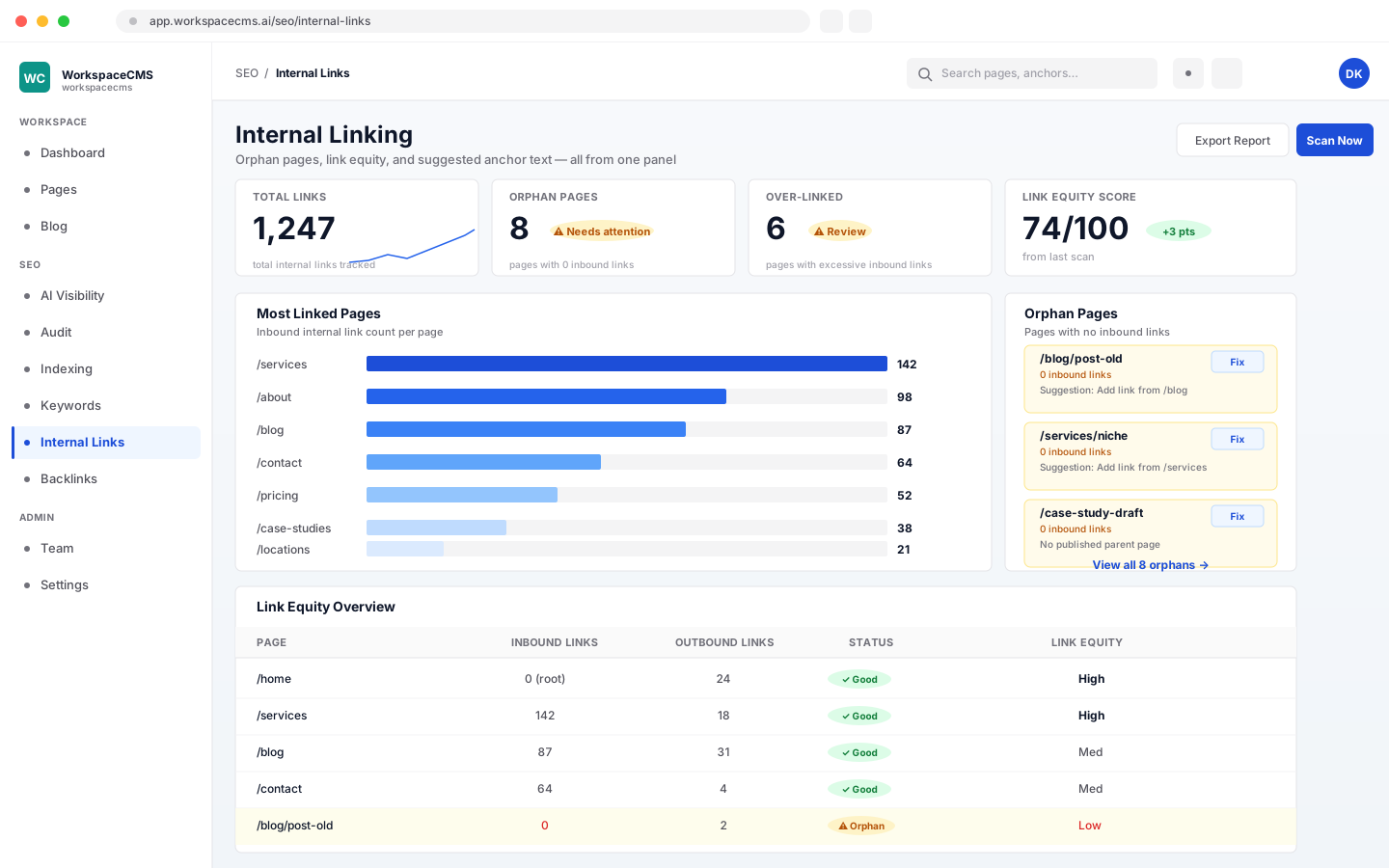
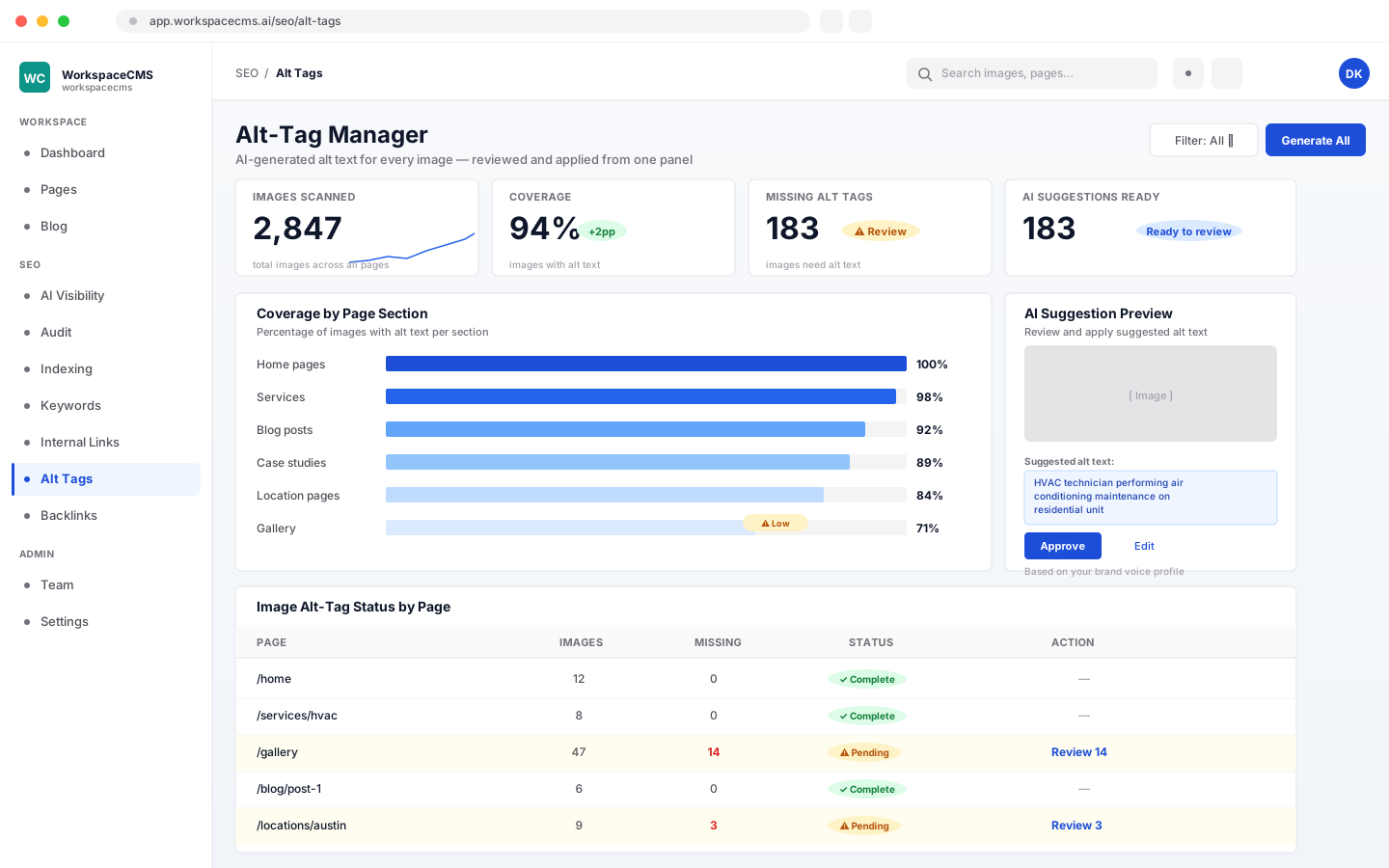
Alt text is the short description behind each image. It helps search engines understand your photos and helps visitors who use screen readers. AI drafts them, and you approve them.
Your sitemap updates every time you publish or unpublish a page or post. Pages you hide from search are left out.
The files search engines and AI assistants read are yours to edit, no code. AI can suggest changes to either (5 AI credits each).
301, 302, 307 and 308 redirects. Import up to 5,000 from a CSV file, or download them all. Redirect loops are refused and chains are flagged. An AI sweep can suggest fixes for broken links (10 AI credits).
Want to know if ChatGPT and other AI assistants recommend you? That is the AI Visibility Tracker.
Moving from an old website? See how we switch you over without losing your rankings.
AI actions use AI credits from your plan’s monthly allowance, and each one shows its cost before you run it. Anything you do by hand doesn’t use credits.
| Feature | Essentials | Growth | Premium | Ultra |
|---|---|---|---|---|
| Weekly speed and health checks | Included | Included | Included | Included |
| Site Health view | Included | Included | Included | Included |
| Page titles, descriptions, canonical, noindex | Included | Included | Included | Included |
| Schema editor | Included | Included | Included | Included |
| Sitemap, robots.txt, llms.txt | Included | Included | Included | Included |
| Internal-linking rules | Included | Included | Included | Included |
| Alt-Tag Manager and redirects | Included | Included | Included | Included |
| Monthly AI content review | Not included | Not included | Included | Included |
| AI speed fixes | Not included | Not included | Included | Included |
| AI schema writing and AI link sweep | Not included | Not included | Included | Included |
| AI credits a month | 100 | 400 | 1,200 | 1,600 |
See what every AI action costs, compare every plan, or browse all the tools.
No. Speed and health checks run on their own every week, on every plan. On Premium and Ultra, the content review repeats every month too. You just look at the Site Health view when you want to.
Nobody can honestly promise that, and we don't. These tools make sure the things Google reads are in place and working: fast pages, clear titles and descriptions, structured data, a sitemap and working links. What you publish and how you compete still matters.
No. Everything is set with forms and switches in your dashboard, and the Site Health view explains issues in plain English. On Premium and Ultra, many come with a “Fix this for me” button.
Only the AI actions: suggested titles and descriptions (5), the monthly content review (25), AI schema (10), the AI link sweep (10), the redirect sweep (10), robots.txt or llms.txt suggestions (5), alt text (2 per 10 images) and speed fixes. The cost shows on the button before you use it. Editing anything yourself never uses credits.
Not in this toolkit. It looks after your own site: speed, page settings, structured data, links, images and redirects. To see whether AI assistants recommend you, look at the AI Visibility Tracker on Premium and Ultra.
The redirect manager points old addresses to the right new pages so visitors and Google don't hit dead ends. See how we handle a move from start to finish on our switching page.
All the SEO tools above, including the weekly checks, the Site Health view and all the editors, plus AI suggestions for titles, alt text, robots.txt, llms.txt and redirects. The monthly content review, “Fix this for me”, AI speed fixes, AI schema writing and the AI link sweep come with Premium and Ultra.
More tools
Every tool lives in the same dashboard as your site. Here are the others, each with its own walkthrough.
Everything every plan includesEvery tool, shown in fullCompare plans
Sign up online and we build your site for you. The SEO tools come with every plan.
Want to see every tool first? browse the tools