
Your colors
Set the widget color and the chat button's title to match your site.
A chat box on your website that answers visitor questions from what you tell it about your business, collects their contact details, and hands off to your team whenever a person should take over. On plans with online booking, it books appointments too.
Your name, phone, address and hours are filled in for you. Add your services and common questions, or let it read your website.
Pick a color, a name, an avatar and a greeting. Choose a personality, from professional to friendly.
The chat button appears on your site. Visitors get answers any time, and you get an email when a new chat starts.
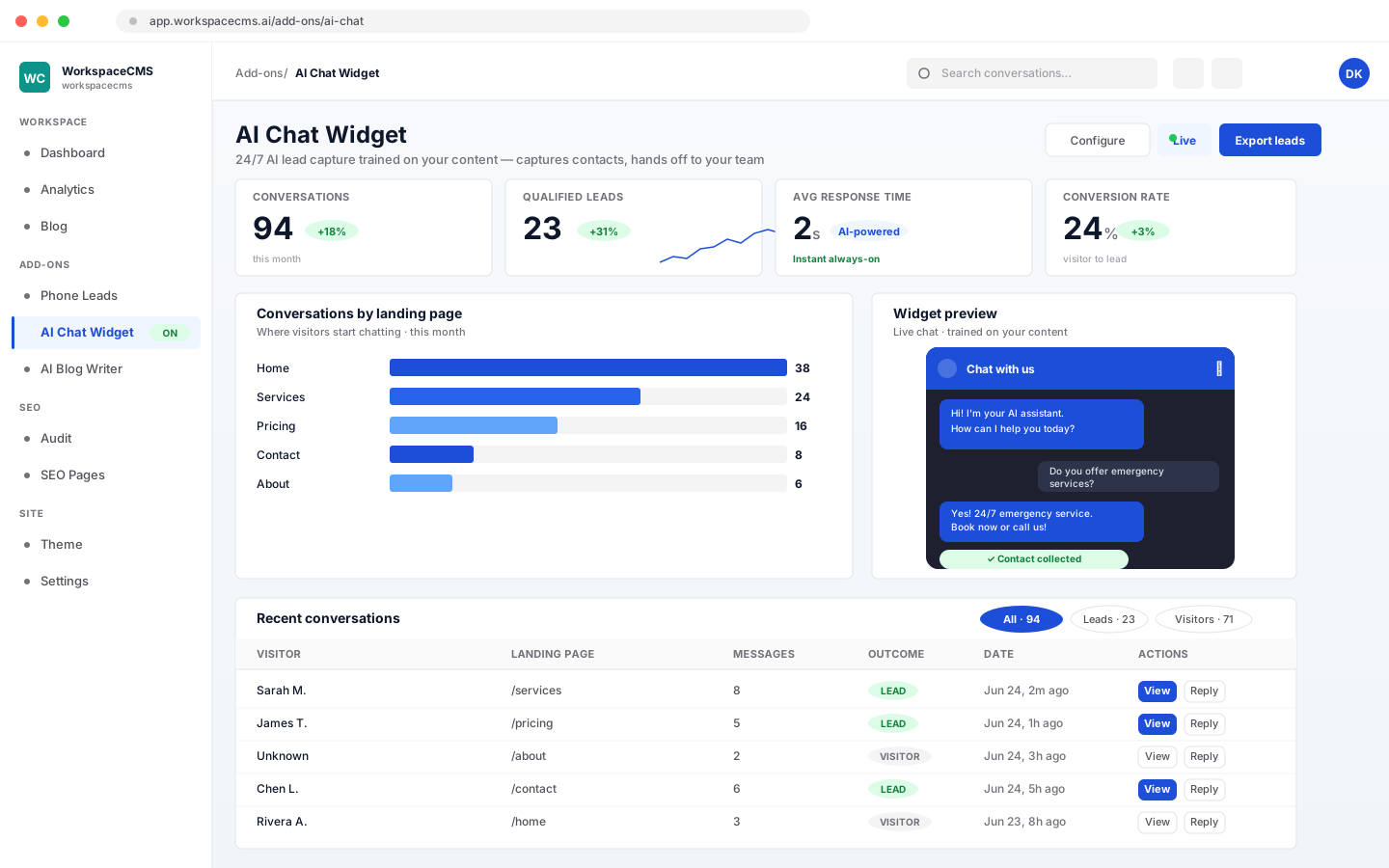
Overnight, on weekends, or while your team is out on a job, visitors still get a quick, friendly answer. And when they want to talk to a person, the chat collects what your team needs to call them back.
Do you do emergency repairs on weekends?
Yes, we offer emergency service seven days a week. Would you like someone from the team to call you back?
Yes please.
Great. What name and phone number should they use?
The chat assistant answers from a knowledge base you control: your services, hours, prices if you want to share them, and the questions customers ask you every week.
Most visitors leave without filling in a form. The chat gives them an easier way to reach you, and makes sure you can reach them back.
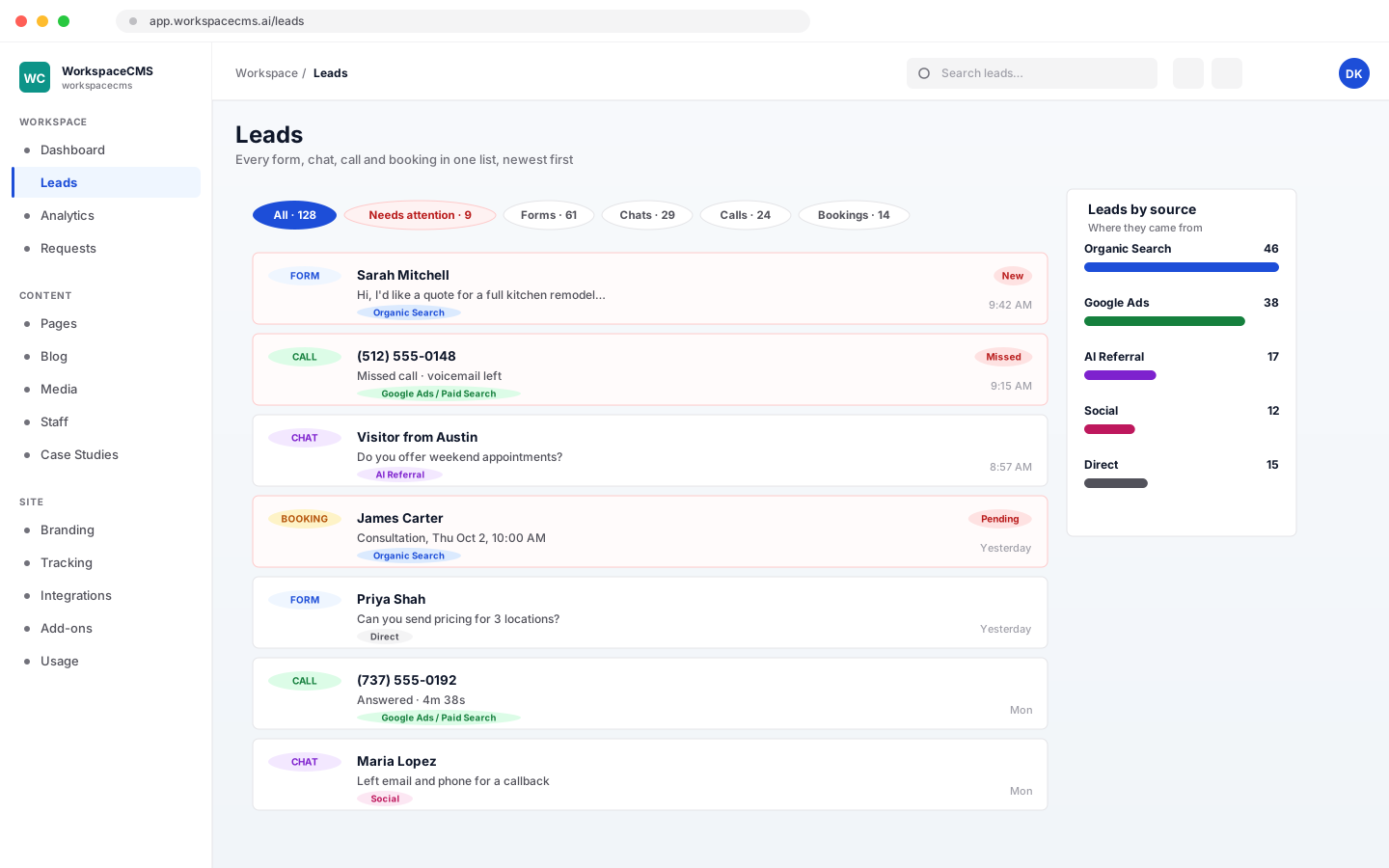
The AI handles the everyday questions. Your team can read every conversation and reply from the dashboard whenever a person should take over.
On plans with online booking, switch on chat booking and a visitor can simply ask for a time. The assistant checks real availability, offers open times, takes their details and books it. It never says someone is booked unless the booking went through. See how chat booking works.
Set the widget color and the chat button's title to match your site.
Choose the first thing visitors read, like “Hi! How can we help you today?”
Give the assistant a name and pick an emoji or upload an image as its avatar.
Six presets: professional, friendly, witty, empathetic, concise or sales-focused. Add your own instructions on top.
After a delay you choose, a small message invites idle visitors to chat. Once per visit, or never.
Each AI reply to a visitor uses 1 AI credit from your plan’s monthly allowance: 100 on Essentials, 400 on Growth, 1,200 on Premium and 1,600 on Ultra. Replies your team writes never use credits, and neither does Team replies mode.
Having it read your website to build the knowledge base also uses AI credits, and the cost shows on the button before you start. See what every AI action costs, or browse every tool.
Only what is in its knowledge base. It starts with your business name, website, phone, email, address and hours, and you add your services and FAQs. You can also have it read your website to fill the knowledge base in, and you review the result before it is used. It does not learn from anywhere else.
It says so and suggests the visitor contact your team, rather than making something up. It also will not quote prices unless your knowledge base includes them. You can read every conversation and reply yourself from the dashboard.
Yes. Your team can reply to any conversation from the chat inbox, and the visitor sees the reply in the same chat window. If you would rather people answered everything, switch the widget to Team replies and the AI does not reply at all.
Yes, on plans with online booking. It checks real open times, offers them, takes the visitor's details and books it, and it never tells anyone they are booked unless the booking went through. That means Premium and Ultra, or Growth with the $49/mo add-on. Essentials does not include online booking.
It is included on Premium and Ultra, and available as a $49/mo add-on on Essentials and Growth. Each AI reply to a visitor uses 1 AI credit from your plan's monthly allowance. Replies your team writes never use credits.
No. The chat widget lives on your website. Visitors chat with it there, and your team answers from the WorkspaceCMS dashboard.
Yes. When a new chat starts, an email goes to your team with the visitor's name, email, phone and company if they gave them, and the page they were on. Everyone with owner or editor access is added automatically, and you can change the list.
More tools
Every tool lives in the same dashboard as your site. Here are the others, each with its own walkthrough.
Everything every plan includesEvery tool, shown in fullCompare plans
Sign up online and we build your site for you. The AI Chat Widget is included on Premium and Ultra, or $49/mo on Essentials and Growth.
Want to compare plans first? see pricing