
What AI assistants say
Whether ChatGPT, Claude, Perplexity, Gemini and Google's AI Overviews name the business for the questions its customers ask, and who they name instead.
Run Research from your WorkspaceCMS dashboard on your own site, a competitor or a prospect. See what AI assistants say, where it ranks on Google, the ads it runs and how healthy the site is. 400 AI credits a report on every website plan, or $49 for one.
Research lives in the same dashboard as your website, so there is no other tool to sign up for, learn or pay for separately.
Open Research in your WorkspaceCMS dashboard and enter a website: your own, a competitor's, or a business you want to win. Add up to four competitors to compare against.
A report uses 400 AI credits from your plan. If you would rather keep your credits, buy a single report for $49. A report you bought is always used first.
The report is ready in a few minutes. Download it as a PDF or a spreadsheet, or send a share link that carries your own name and logo.
Every report opens with the three findings most worth acting on, written in plain English, then shows the detail behind them.
Whether ChatGPT, Claude, Perplexity, Gemini and Google's AI Overviews name the business for the questions its customers ask, and who they name instead.
The searches the site ranks for, the visits that brings each month over the last year, and the openings worth going after.
Where the site and its competitors overlap on Google, and the searches only the competitors rank for.
The Google search ads the site runs, the competitors bidding on its searches, and the searches they pay for that it does not. Spend figures are estimates.
How many sites link in, how much weight those links carry, and how that stacks up against each competitor.
Mobile and desktop speed, the on-page basics and AI readiness, scored out of 100 with every finding explained in plain English.
This example is on Bright Oak Kitchens, a business invented for the purpose, so you can read every section without a sign-up.
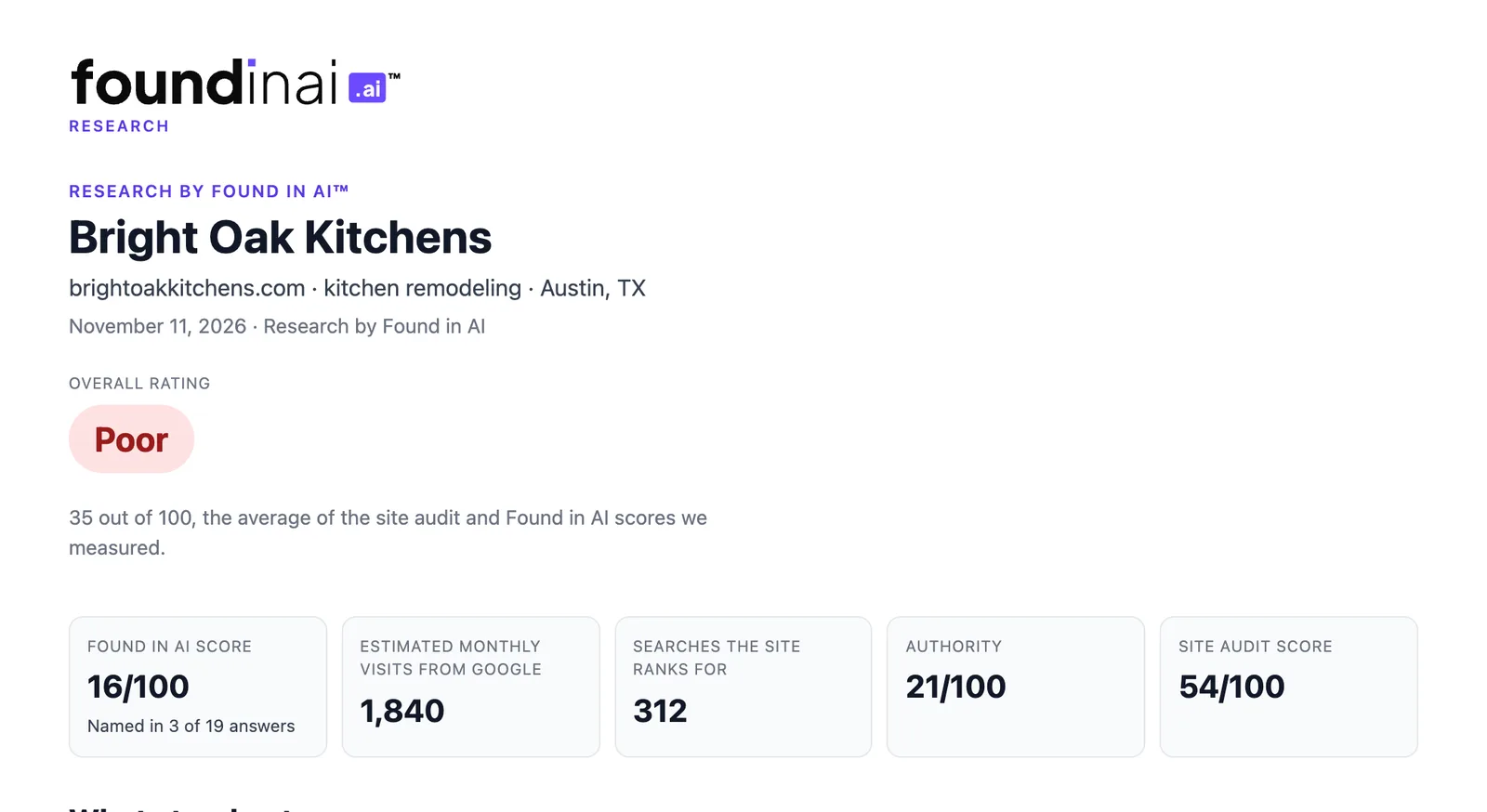
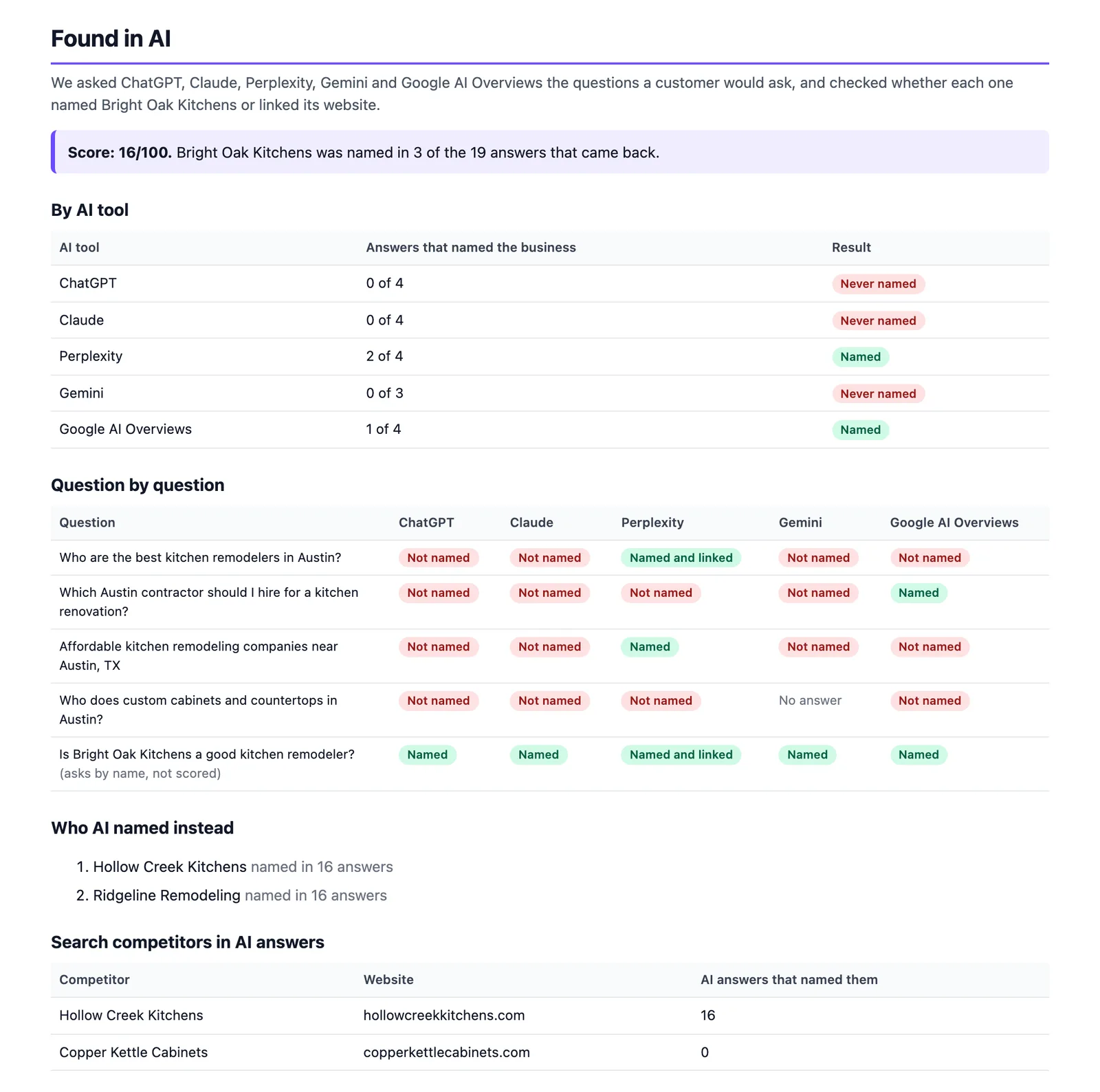
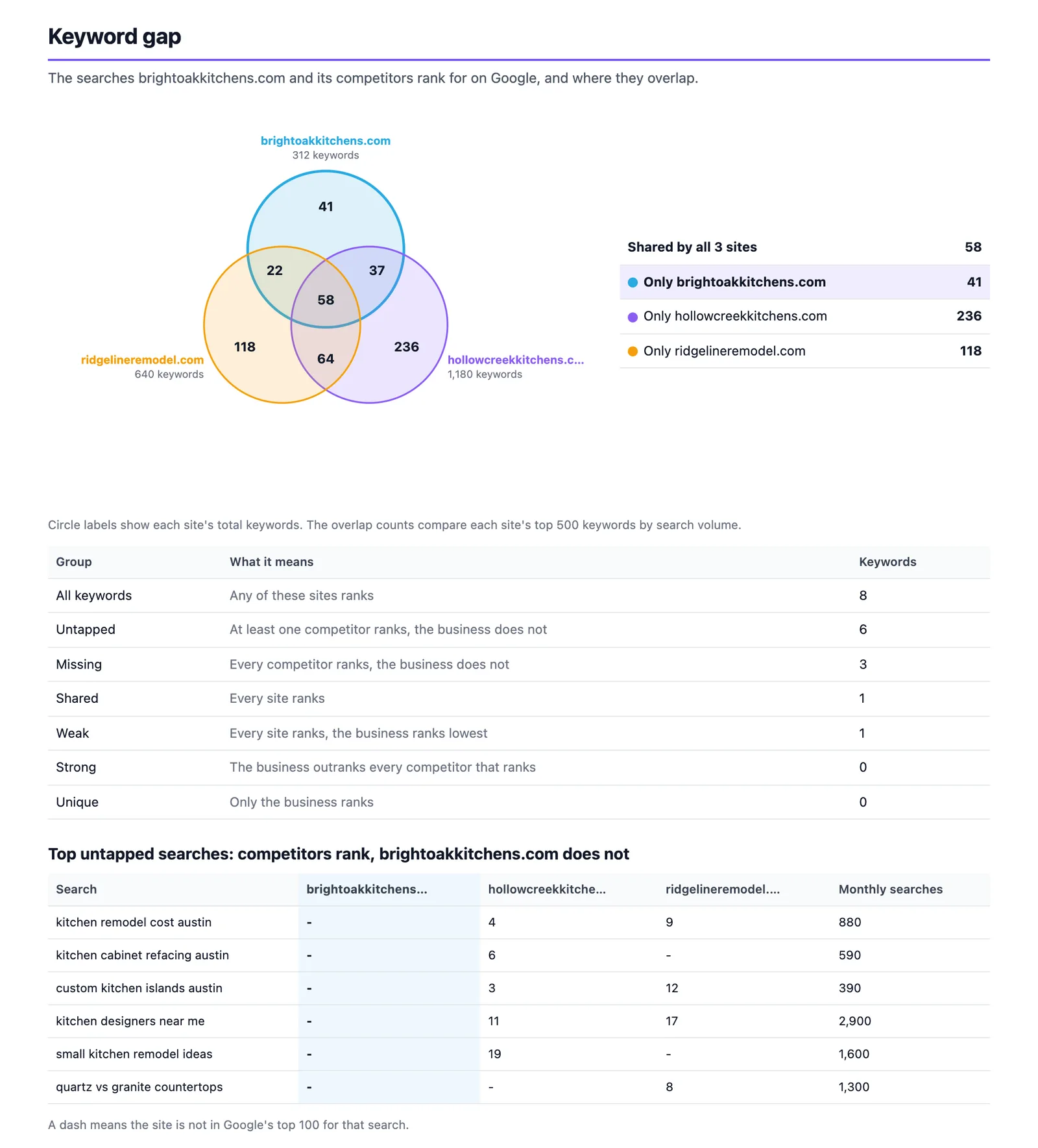
Run one on your own website before you plan the next quarter, and see exactly where you show up and where you do not.
See the searches a rival wins, the ads they pay for and how AI assistants describe them, without guessing.
Send a prospect a report with your name and logo on it. It opens the conversation with their numbers, not a sales pitch.
Research is on every WorkspaceCMS website plan. Pay for each report the way that suits you.
400 AI credits a report
Paid from the AI credits your plan includes each month, the same credits that write your blog posts and newsletters.
$49 a report
Keep your credits for other work. A report you bought is always used first.
Report counts assume the month's AI credits go to nothing else. Compare WorkspaceCMS plans →
Every website plan. Research sits in your WorkspaceCMS dashboard, next to your pages, blog and leads. Each report uses 400 AI credits from your plan's monthly credits, or you can buy a single report for $49 and keep your credits.
400 AI credits, or $49 for one report. Nothing else is charged, and a report you bought is used before any credits.
Yes. Research works on any public website: yours, a competitor's or a prospect's. It only reads what is already public, so nothing is installed on the other site.
Usually a few minutes. Finished reports stay in Research in your dashboard, ready to download or share again.
Yes. Every report has a share link that shows your name and logo, and it downloads as a PDF or a spreadsheet.
No. Research is built by our sister product, Found in AI™, and runs inside your WorkspaceCMS dashboard with your WorkspaceCMS login and plan.
Yes. Open the example report on this page. It is on an invented business, Bright Oak Kitchens, so you can see every section before you run one.
Every WorkspaceCMS website plan can run Research the day your site launches, with your AI credits or one report at a time.
Want to compare plans first? see pricing