
How to choose
Agency-Built vs DIY: Why Most Photography Websites Never Rank or Book
A DIY builder like Wix, Squarespace, or a portfolio template can put a photography website online in an afternoon. The problem is what happens next: it sits there, unfound and unbooked, because the things that actually get clients aren't in the drag-and-drop toolbox. Here's the honest trade-off, and why a done-for-you model wins for a busy studio.
See it in action
A real site, live on the web
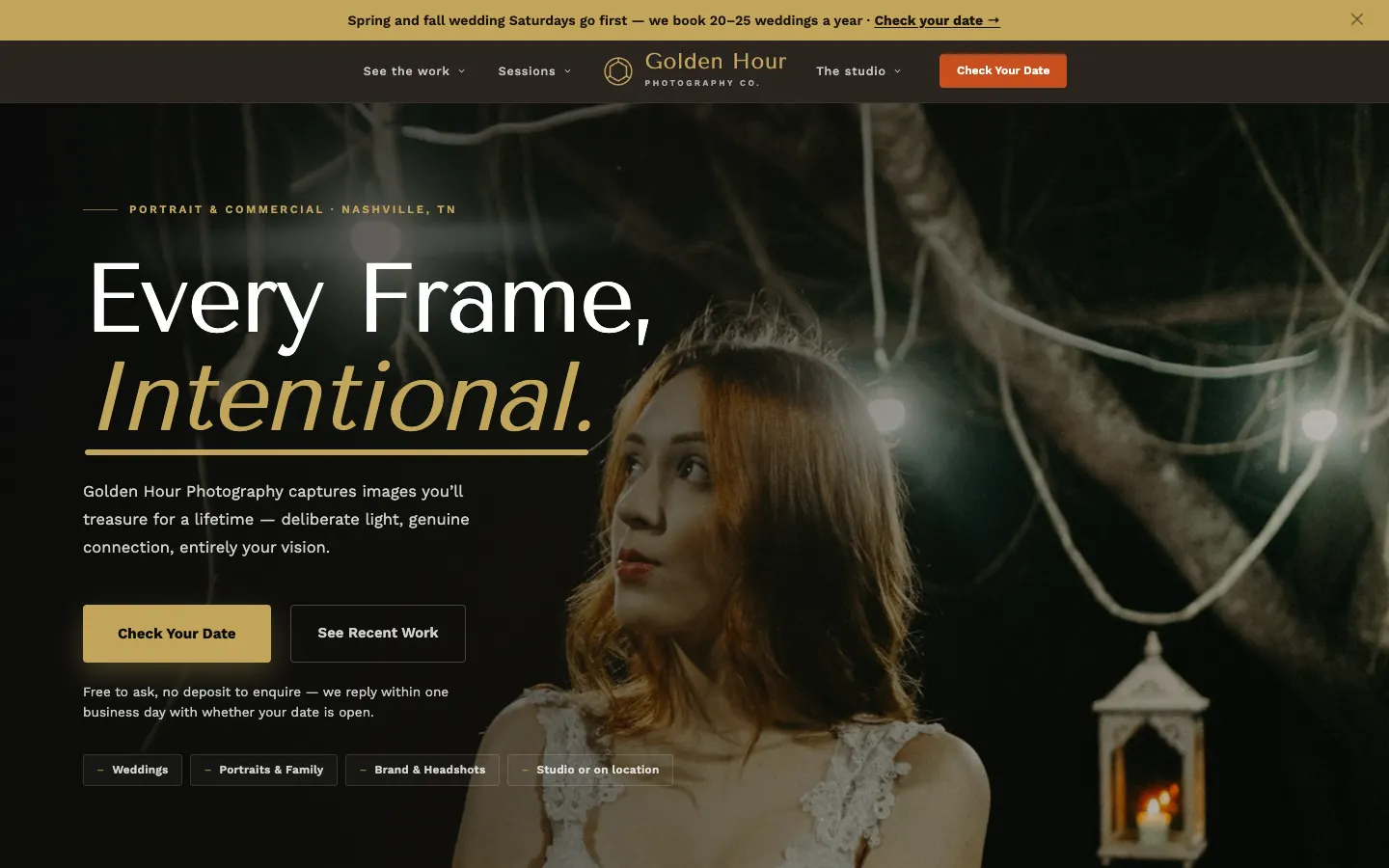
A real site we designed and built, live on the web. This one is our Photography Studio build. Explore it, then picture it with your services, your photos, and your words.
Photography Studio Demo
Golden Hour Photography Co.
- Portfolio gallery organized by session type and style
- Session-specific pages: weddings, portraits, newborns, commercial
- Online booking inquiry form with date and session details
- Investment page with package descriptions and starting prices
- Client testimonials section with review integration
- Behind-the-scenes and studio experience content
A Squarespace template gets you online, not booked
Drag-and-drop builders are excellent at exactly one thing: getting a nice-looking gallery on the internet fast. For a photographer that can feel like the whole job. The images are the product, and now they're on a page. But a gallery that merely looks good is where the work should begin, not end.
The booking depends on the layers a template never touches: crawlable markup that tells Google you're a wedding photographer in a specific metro, image compression that keeps a heavy portfolio fast on a phone, schema, local optimization, an inquiry path designed to convert, and content that keeps earning rankings. Skip those and you get the familiar result: a beautiful site nobody finds and nobody inquires through. The afternoon you saved turns into a year of a quiet inbox.
What DIY actually costs a working photographer
"Free" or "cheap" DIY carries costs that never show up on the invoice:
- Your busy season. Every hour spent wrestling a page builder, hand-compressing exports, and second-guessing SEO is an hour stolen from shooting, culling, and editing.
- Bookings that quietly walk. A slow, hard-to-find site loses inquiries to competitors every week it's live, which dwarfs whatever subscription you avoided.
- No ongoing SEO. Ranking isn't a one-time setup; DIY sites stall out because nobody is doing the continuous work to climb.
- The guesswork tax. SEO, schema, image performance, and inquiry-flow design are each their own craft, and a photographer learning them on the job usually ships a version that half-works. A half-ranking site earns nothing the whole time it's live.
The done-for-you alternative
WorkspaceCMS flips the model: instead of handing you tools and wishing you luck, we give you a team. Your photography site is designed and built for you, free with an annual plan, and it arrives with the SEO foundation, image-aware speed, inquiry flow, and schema already in place. You never touch a page builder unless you want to.
And when you do want a change, like swapping a hero image or publishing a new fall-mini gallery, you can do it yourself in the dashboard in under a minute, or hand it to us with a single support ticket. It's the control of DIY without the burden of doing it yourself.
Software, AI, and the people who work your account
The real gap between DIY and done-for-you isn't the editor. It's who stands behind it. A builder hands you a blank canvas and a monthly bill. WorkspaceCMS pairs a modern, AI-infused platform with the 1Digital team, an SEO agency working since 2012, doing the strategy and the work, so the site launches built to be found and keeps improving with people who know how photography actually gets booked.
Put plainly: if all you want is a portfolio on the internet, a DIY builder will get you one. If what you actually want is a fuller calendar, the honest answer is a model built around booking sessions, not one built around selling you tools.
Grow your practice
Guides for growing your photography studios
Practical guides to get found on search, book more appointments, and win new patients.
- Get found on searchShow up first when clients search for a photographer
- Get more bookingsTurn website visitors into booked sessions
- Win new clientsWin new clients with campaigns run by a real team
- See examplesSee a real photography site built to book clients
- Agency vs DIYWhy DIY sites rarely rank or book, and what to do instead
Questions,
answered.
Isn't WorkspaceCMS just a website builder like Squarespace?
No. Builders hand you the tools and leave the work to you. WorkspaceCMS is done-for-you: our team designs and builds your photography site with the SEO foundation, speed, and inquiry flow already in place, and a real team stands behind it, while you keep one-minute dashboard control for quick edits.
Why does a DIY photography site struggle to rank?
Ranking depends on technical SEO, schema, image-aware speed, local optimization, and ongoing content work that portfolio builders don't provide and most photographers don't have time to learn between shoots. A good-looking template with none of that underneath simply sits on page two.
Can I still make my own edits after launch?
Yes. You get your own WorkspaceCMS dashboard to make quick changes in under a minute, whether that's a new gallery, updated pricing, or a swapped hero. You can also hand any change to our team with a single support ticket. You decide per change.
Ready to get your Photography Studios website built, free?
Annual plan includes a free semi-custom website build: 3 to 12 pages, depending on your plan.
No setup fees · 12-month term, then month-to-month · 30-day money-back guarantee