
How to choose
Agency-Built vs DIY: Why Most Restoration Websites Never Rank or Book
A DIY builder like Wix or Squarespace can put a restoration website online in an afternoon. The problem is what happens next: it sits there, unfound and unbooked, because the things that actually win emergency jobs aren't in the drag-and-drop toolbox. Here's the honest trade-off, and why a done-for-you model wins for a busy restoration company.
A drag-and-drop page can't win a 2am water call
A Wix or Squarespace template will happily give you a homepage with a hero photo and a phone number. What it won't give you is the machinery that decides whether a homeowner with a burst supply line at 2am ever sees you: crawlable schema that tells Google you're a 24/7 water-mitigation contractor, separate pages ranking for water versus fire versus mold, page speed that survives a phone on a weak signal, and the ongoing content work that keeps you climbing. None of that ships in the toolbox.
So the shop publishes its DIY site, feels productive for an afternoon, and then watches the emergency calls route to the franchise ranking above it, because the site was never engineered to be found or to convert. The time you saved up front turns into months of invisible traffic and losses handed to the competitor who picked up first.
What the 'free' template quietly costs a restoration shop
"Free" or "cheap" DIY carries costs that never appear on the monthly invoice:
- Your time. Hours wrestling a page builder and second-guessing schema are hours you're not on a loss, metering moisture, or getting an estimate approved.
- Lost jobs. A slow, buried site bleeds emergency calls to competitors every week it's live, and one water or fire mitigation job is worth more than years of any subscription you thought you were saving.
- A stalled SEO foundation. Getting found isn't a one-and-done setup; a DIY site plateaus because nobody is doing the continuing work to climb for the competitive service-and-city terms.
- Work that only looks like a bargain. Schema, service-page architecture, and conversion layout are trades of their own, the same way water restoration is. A homeowner drying a basement with a box fan isn't saving money, and neither are you doing this half-right.
Done-for-you, with a one-minute dashboard when you want it
WorkspaceCMS runs the opposite play: instead of handing you tools and wishing you luck, it hands you a team. Your restoration site is designed and built for you, free with an annual plan, and it arrives with the SEO foundation, page speed, per-service structure, and contact flow already standing when it goes live. You never open a page builder unless you feel like it.
And when something does change, whether you expand into the next county, renew a certification, or want a storm-response banner up before the season, you can edit it yourself in the dashboard in under a minute, or hand it to us with one support ticket. You keep the control of DIY and skip the part where the work is yours to figure out.
A blank canvas versus a crew that knows the trade
The real gap is what's standing behind the software. WorkspaceCMS pairs a modern, AI-infused platform with the 1Digital team, an SEO agency and Google Partner working since 2012, doing the strategy and the actual work. A DIY builder drops you a blank canvas and a login; here you get the canvas, the AI tools, and the people who already know how a restoration site turns an anxious search into a dispatched crew.
Put plainly: DIY is the right call if what you want is a webpage to exist. If what you want is a steadier flow of mitigation jobs, a model built around that result, not around the drag-and-drop editor, is the straight answer.
Grow your practice
Guides for growing your restoration services
Practical guides to get found on search, book more appointments, and win new patients.
- Get found on searchShow up first when a homeowner has water or fire damage
- Book more jobsTurn website visitors into booked restoration jobs
- Win new customersWin new customers with campaigns run by a real team
- See examplesSee a real restoration site built to book jobs
- Agency vs DIYWhy DIY sites rarely rank or book, and what to do instead
See it in action
A real site, live on the web
A real site we designed and built, live on the web. This one is our Restoration Company build. Explore it, then picture it with your services, your photos, and your words.
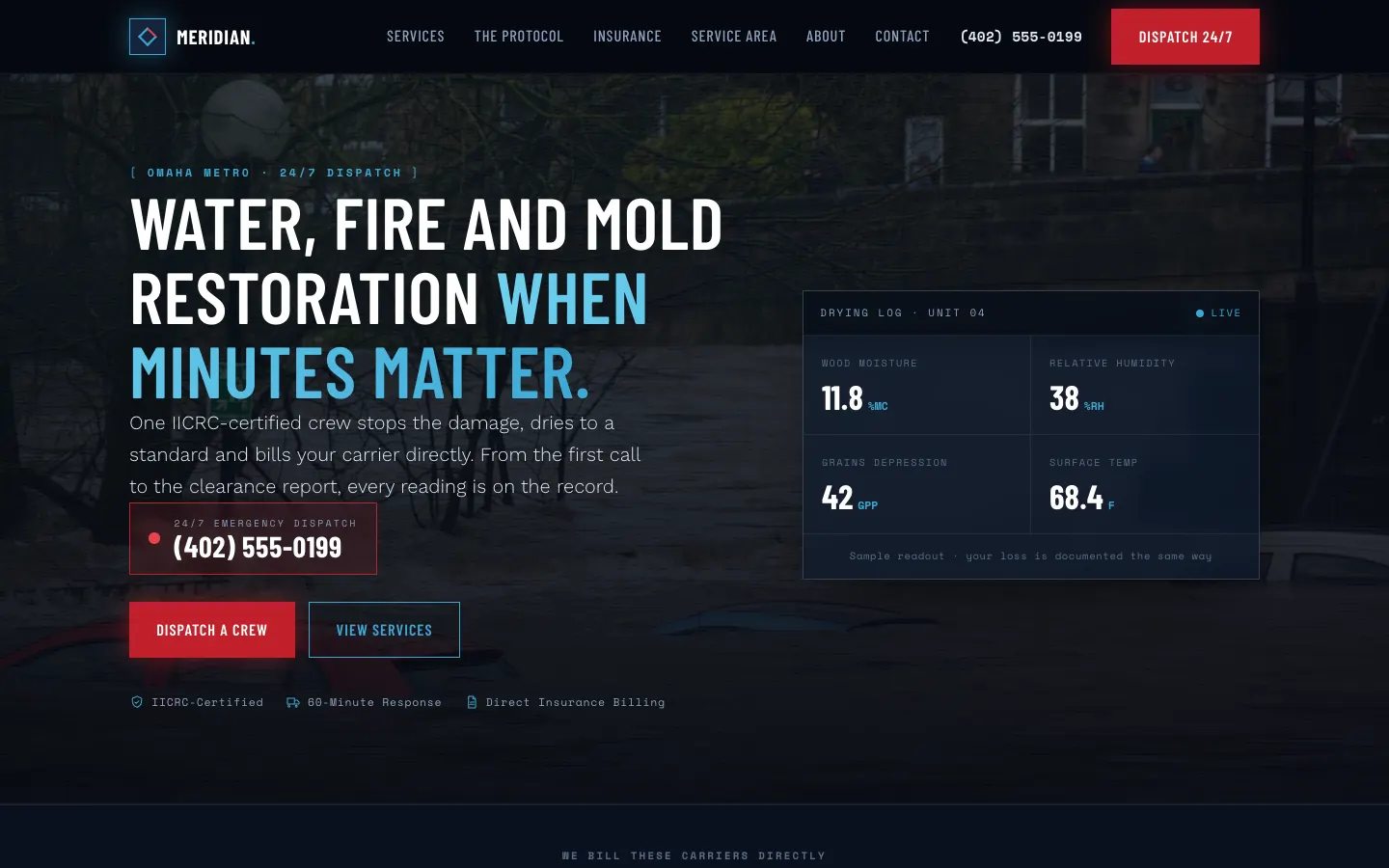
Restoration Company Demo
Meridian Restoration Group
- 24/7 emergency dispatch number pinned in the header
- Per-loss service pages (water, fire and smoke, mold, storm, biohazard)
- A documented response protocol laid out stage by stage
- Direct insurance billing page with the carriers named
- Service area coverage across the metro
- Customer reviews and an FAQ written for a 2am reader
Questions,
answered.
Isn't WorkspaceCMS just another builder like Wix or Squarespace?
No. Builders hand you the tools and leave the work to you. WorkspaceCMS is done-for-you: our team designs and builds your restoration site with the SEO foundation, speed, and 24/7 contact flow already standing, and stays behind it, while you keep one-minute dashboard access for quick edits when you want them.
Why do so many DIY restoration sites never rank?
Because getting found turns on crawlable schema, page speed, separate water/fire/mold/storm and per-city pages, and continuing content work, none of which a drag-and-drop editor supplies and few owners have time to build between losses. A sharp-looking template with none of that underneath parks on page two while the franchise takes the emergency call.
If you build it, can I still make my own edits?
Yes. You get your own WorkspaceCMS dashboard to push a quick change in under a minute, whether that's a new service area, a renewed certification, or a storm banner. You can also hand any change to our team with a single support ticket. You decide that per change.
Ready to get your Restoration Services website built, free?
Annual plan includes a free semi-custom website build: 3 to 12 pages, depending on your plan.
No setup fees · 12-month term, then month-to-month · 30-day money-back guarantee