
More sales
Turn Toy-Store Website Browsers Into Buyers
Getting found is only half the job. The visit is wasted if a parent leaves without buying or coming in. A toy-store website should behave like your best salesperson on the floor: it showcases the right toys for the right age, answers the buying question, and points every visitor toward one clear next step. Here's how to turn the traffic you already have into orders and foot traffic.
Traffic you don't convert is money left on the table
Most toy-store sites are digital brochures. A parent lands, sees a few stock photos, and leaves. Nothing showcased the product, told them the right age range, or made the next step obvious. Every one of those visitors was a potential sale, and the store that merchandises well captures the ones that hesitated everywhere else.
Conversion is a design problem, not a traffic problem. Small, deliberate choices decide whether a curious browser becomes a paying customer: how toys are photographed and grouped, whether age recommendations and pickup options are clear, whether the "Buy" or "Reserve" action is one tap away.
The elements that turn a browser into a buyer
Toy stores that sell well online share a short list of ingredients. WorkspaceCMS builds these into every toy-store site by default:
- Rich product discovery: beautiful category pages and curated collections ("shop by age," "birthday gifts under $25," "screen-free play," "new arrivals") with strong photography that let parents find the right toy fast.
- Merchandising that sells. Bestsellers, seasonal edits, and gift guides sit where they catch the eye, so you're steering shoppers toward what you most want to move for the holidays and birthday season.
- A contact and inquiry form on every page, built in on every plan. A shopper can ask about a toy, request a hold, or arrange local pickup without a phone call.
- Clear buying details: shipping, local delivery, gift wrap, age suitability, and in-store pickup spelled out where the decision happens, removing the last hesitation.
- Persistent, obvious calls to action like "Shop the collection," "Reserve in store," or "Ask about this toy," visible on every screen size, so the next step is never buried.
- Fast, mobile-perfect pages. A browsing flow that stalls on a phone loses the sale. Speed is a conversion feature, not just a search one.
AI that answers questions before they become drop-offs
Parents hesitate on specifics: "Is this right for a three-year-old? Do you gift wrap? Is it in stock for Saturday's party?" An unanswered question is a closed tab. On higher tiers, an AI chat assistant answers those questions instantly in your store's voice and nudges the shopper toward buying or visiting, capturing sales that would otherwise have bounced after hours.
Where checkout fits in
Your WorkspaceCMS site is the merchandising and marketing front-end: the storefront that gets found, showcases your toys, and drives the decision to buy. When you want full online checkout, a cart-and-payment integration is scoped and custom-quoted for your store, so it fits how you actually fulfill and ship rather than forcing you into a rigid template.
Your free build ships with the product pages, collections, CTAs, and inquiry forms already in place. That's the platform doing the conversion work from launch. From there, the 1Digital team helps you sharpen it: testing which collections and gift guides sell best and folding what works back into the site, so you turn more of your visitors into buyers over time.
Grow your practice
Guides for growing your toy stores
Practical guides to get found on search, book more appointments, and win new patients.
- Get found on searchShow up first when parents search for the toys you carry
- Sell more onlineTurn browsers into online orders and in-store visits
- Win new customersWin new customers with campaigns run by a real team
- See examplesSee a real store site built to get found and sell
- Agency vs DIYWhy DIY sites rarely rank or sell, and what to do instead
See it in action
A real site, live on the web
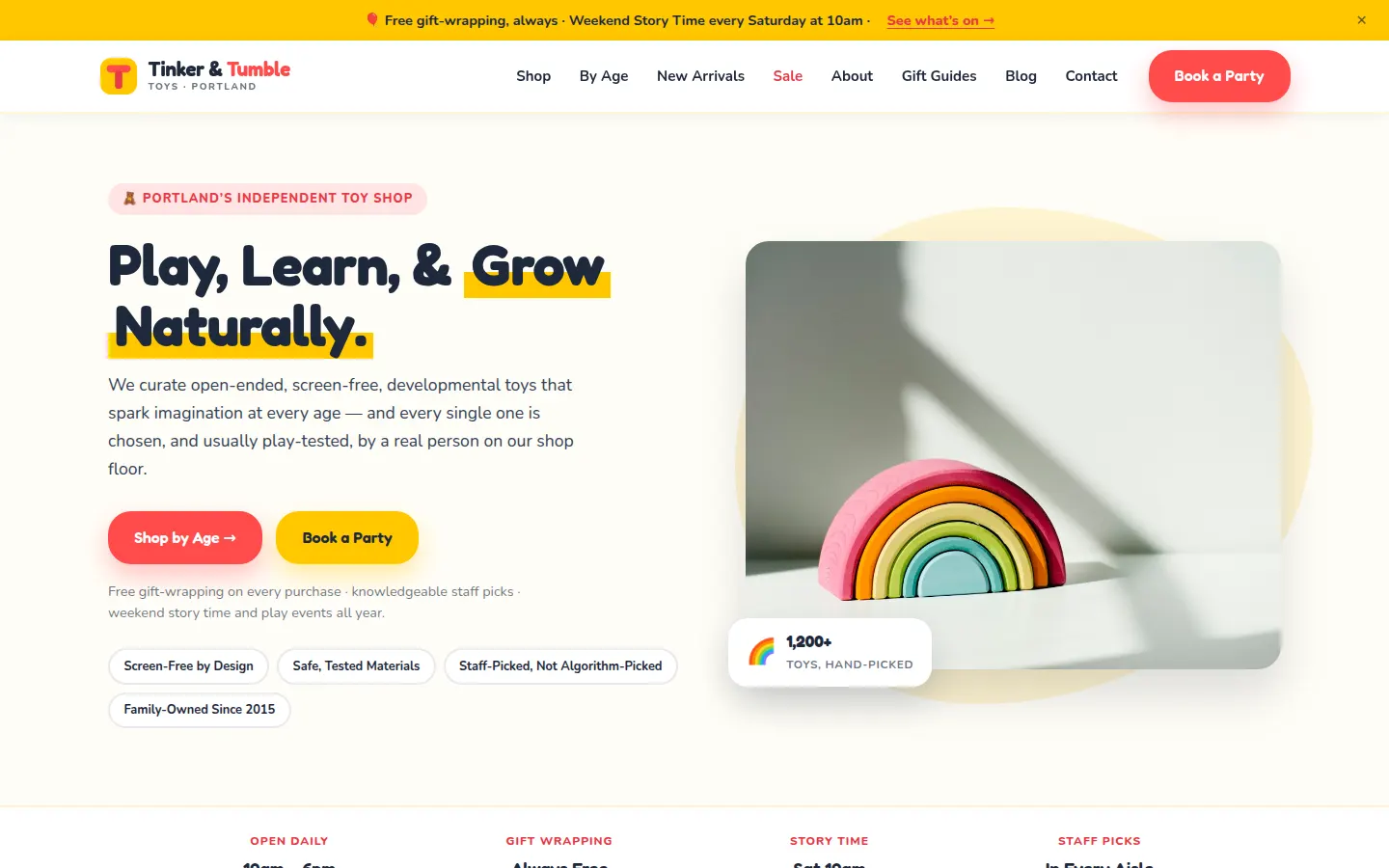
A real site we designed and built, live on the web. This one is our Toy Store build. Explore it, then picture it with your services, your photos, and your words.
Toy Store Demo
Tinker & Tumble Toys
- Shop-by-age browsing, so a parent buying for a 3-year-old lands in one click
- Gift guides and staff picks, the curation an algorithm can't match
- Birthday party booking, handled on the site instead of over the phone
- Store hours, weekend story time, and free gift-wrapping stated up front
Questions,
answered.
Can customers buy directly on the website?
Your WorkspaceCMS site handles product discovery, merchandising, and inquiries out of the box, and a contact and reservation form is built in on every plan. Full cart-and-checkout is a custom-quoted integration scoped to how your store fulfills orders, so it fits your shipping and pickup workflow instead of a one-size template.
How do you increase sales without more traffic?
By converting more of the visitors you already have. Strong toy photography, shop-by-age collections, gift guides, clear shipping and pickup details, and AI chat that answers pre-purchase questions all lift the share of browsers who buy or come in, before you spend a dollar on more traffic.
Can shoppers reserve or ask about a toy without buying online?
Yes. Every plan includes a contact and inquiry form, so a parent can request a hold, ask whether a toy suits an age, or arrange local pickup right from the product page. No phone call required. It routes straight to you so you stay in control.
Ready to get your Toy Stores website built, free?
Annual plan includes a free semi-custom website build: 3 to 12 pages, depending on your plan.
No setup fees · 12-month term, then month-to-month · 30-day money-back guarantee